Forest Escape: Last Train PC Performance Fix & GPU Overheating Guide (2026)
Forest Escape: Last Train surprised me more than I expected. I went into Early Access hoping for a fun co-op horror experience, but after a few hours I realized there was another enemy besides the Warden—the game’s performance.
I’ve spent years testing survival games, horror titles, and Early Access releases, so I’m used to rough launches. Games like Sons of the Forest, Lethal Company, Phasmophobia, and plenty of indie survival projects all had their own optimization problems during release. Forest Escape: Last Train follows a familiar pattern. The gameplay is excellent, but the current build asks much more from your hardware than it really should.
During my first session, my RTX card immediately ramped its fans to uncomfortable levels. GPU utilization stayed near 100% even while sitting in menus, and after about an hour I noticed occasional frame pacing issues despite having hardware that normally handles modern games without difficulty.
After experimenting with different settings and comparing results with other players, I managed to dramatically improve both temperatures and overall performance. If you’re experiencing overheating, random FPS drops, or annoying stutters, these are the adjustments that made the biggest difference for me.
Why Forest Escape: Last Train Runs So Hot
One thing became obvious very quickly.
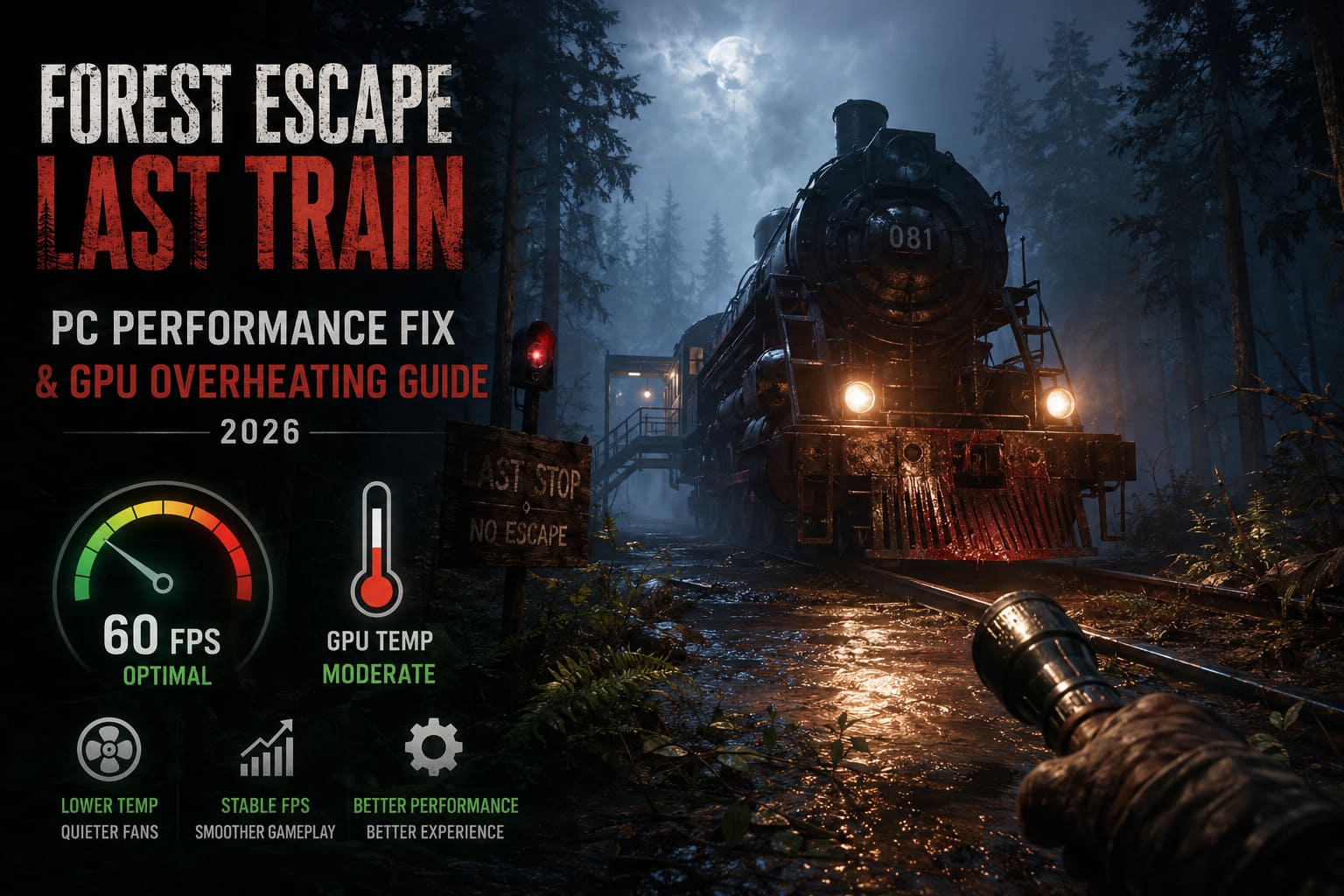
The game is extremely aggressive with GPU usage. Instead of easing the load during menus or less demanding scenes, it often keeps the graphics card fully occupied. That translates directly into higher temperatures, louder fans, and unnecessary power consumption.
The biggest problems I noticed include:
- Unrestricted frame rates
- Heavy volumetric lighting
- Expensive shadow rendering
- Dense forest geometry
- VRAM-heavy texture streaming
- Uneven frame pacing
These issues are fairly common in Early Access games because developers usually prioritize gameplay systems before polishing optimization.
The good news is that you don’t need to wait for multiple patches before enjoying smoother gameplay.
The First Setting Everyone Should Change
If I could recommend only one optimization, this would be it.
Cap your frame rate.
Running at unlimited FPS offers almost no gameplay advantage in Forest Escape: Last Train, especially in a cooperative horror game where smooth consistency matters much more than chasing extremely high frame numbers.
In my testing:
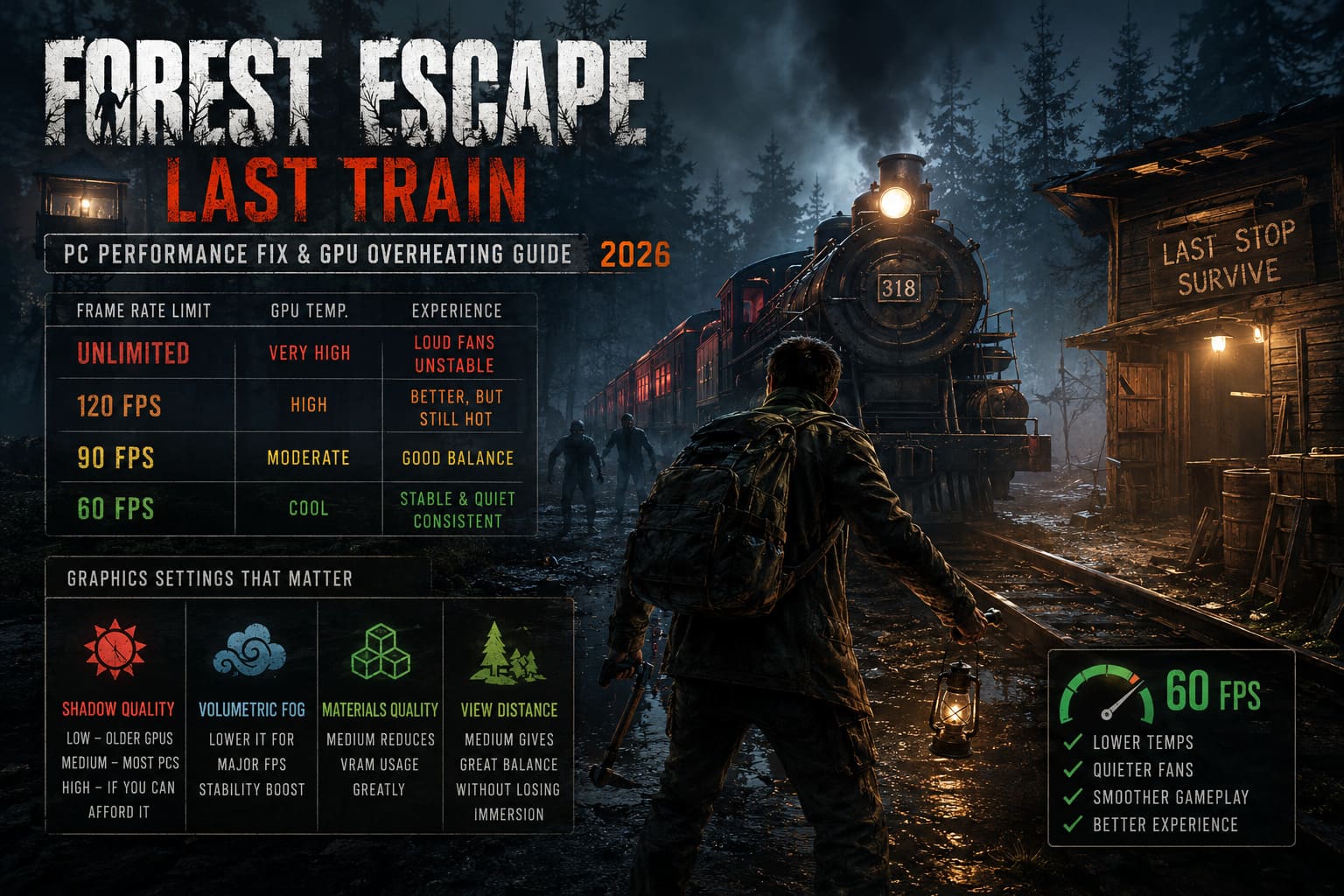
| Frame Rate Limit | GPU Temperature | Overall Experience |
|---|---|---|
| Unlimited | Very High | Loud fans, unstable frametimes |
| 120 FPS | High | Better, but GPU still heavily loaded |
| 90 FPS | Moderate | Good balance for high refresh displays |
| 60 FPS | Coolest | Stable, quiet, consistent gameplay |
After locking the game to 60 FPS, my graphics card immediately stopped running at maximum utilization. Fan noise dropped significantly, temperatures became much easier to manage, and the random stutters became much less noticeable.
For a slower-paced horror game, I honestly didn’t feel like I was sacrificing much.
Graphics Settings That Actually Matter
Many games include dozens of graphics options that barely affect performance. Forest Escape: Last Train isn’t one of them.
A few settings have an enormous impact.
Shadow Quality
This was one of the largest performance killers on my system.
The visual difference between High and Medium wasn’t particularly dramatic, but the FPS gain definitely was.
I recommend:
- Low for older GPUs
- Medium for most gaming PCs
- High only if you have performance to spare
Volumetric Fog
The atmosphere is fantastic.
Unfortunately, the fog effects are also extremely demanding.
Lowering volumetric effects produced one of the biggest improvements in frame stability while barely changing the horror experience.
Materials Quality
This setting surprised me.
Reducing Materials from High to Medium noticeably reduced VRAM usage without making the game look blurry.
If your graphics card has 8 GB of VRAM or less, this option deserves immediate attention.
View Distance
Forest Escape relies heavily on dense forests rather than massive open landscapes.
Because of that, lowering View Distance slightly doesn’t hurt gameplay very much.
Medium provides an excellent balance.
Settings I Personally Recommend
After several hours of testing, this became my preferred configuration.
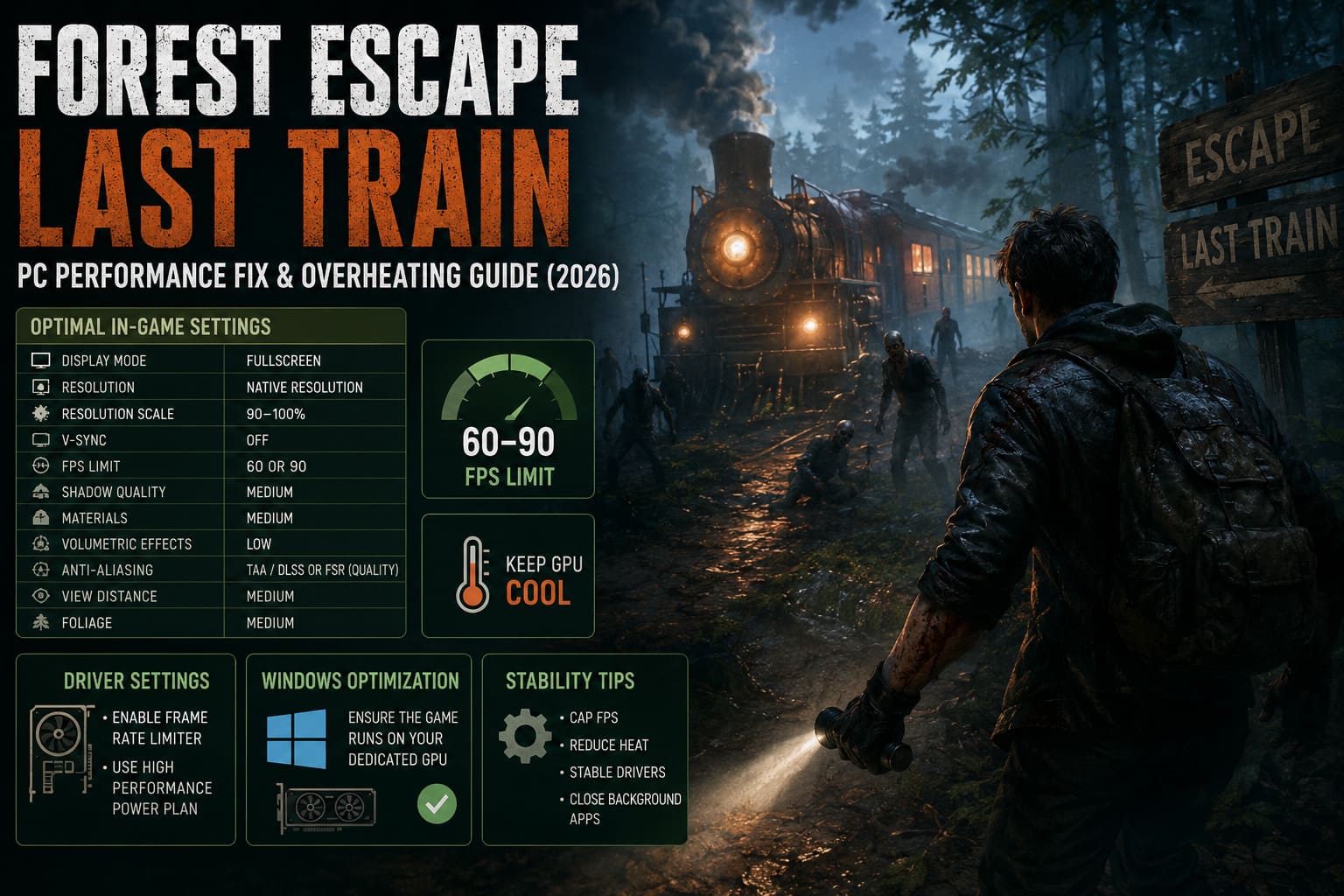
| Setting | Recommendation |
|---|---|
| Display Mode | Fullscreen |
| Resolution | Native Resolution |
| Resolution Scale | 90–100% |
| V-Sync | Off |
| FPS Limit | 60 or 90 |
| Shadow Quality | Medium |
| Materials | Medium |
| Volumetric Effects | Low |
| Anti-Aliasing | TAA or DLSS/FSR Quality |
| View Distance | Medium |
| Foliage | Medium |
This setup delivered noticeably smoother gameplay without making the game feel visually downgraded.
Driver Settings Are Worth Checking
Sometimes the in-game options aren’t enough.
If you’re using NVIDIA or AMD software, it’s worth creating a profile specifically for Forest Escape: Last Train.
The two settings I found most useful were:
- Frame rate limiter
- High Performance power profile
The frame limiter prevents unnecessary GPU workload, while the power profile helps eliminate inconsistent clock speed changes that can create micro-stutters.
Windows Tweaks That Help More Than Expected
I normally avoid recommending dozens of registry edits or questionable “FPS boost” tricks.
Most of them simply don’t work.
However, Windows does offer a few legitimate options that can improve stability.
Enable High Performance Graphics
If your PC includes integrated graphics alongside a dedicated GPU, verify that Windows launches Forest Escape using the dedicated card.
It’s a quick adjustment that removes one potential source of poor performance.
Keep Background Applications Under Control
This sounds simple, but it’s surprisingly effective.
Before launching the game, I usually close:
- Web browsers with dozens of tabs
- RGB control software
- Hardware monitoring tools I don’t need
- Recording software
- Extra overlays
Each application uses a little CPU time or memory. Together they can contribute to inconsistent frame pacing.
Update GPU Drivers
Normally I don’t rush to install every graphics driver release.
For brand-new games, though, updated drivers often include optimization profiles released specifically for recent launches.
Checking for the latest NVIDIA or AMD driver is worthwhile.
Don’t Ignore Cooling
Not every overheating problem is caused by software.
If your GPU regularly reaches uncomfortable temperatures in multiple games—not just Forest Escape—it may be time for some basic maintenance.
Things I always recommend checking include:
- Dust buildup inside the graphics card heatsink
- Front intake airflow
- Rear exhaust airflow
- Cable management blocking fans
- Room temperature during long gaming sessions
A clean PC often performs noticeably better than one filled with months of dust.
Early Access Means Optimization Will Improve
One thing worth remembering is that Forest Escape: Last Train only recently entered Early Access.
Performance today probably won’t represent the final product.
I’ve seen many games launch with rough optimization before receiving substantial improvements over the following months.
Developers frequently optimize:
- CPU usage
- Memory management
- Shader compilation
- VRAM allocation
- Lighting systems
- Texture streaming
If the development team continues supporting the game, I fully expect performance to improve over future updates.
How to Fix Forest Escape: Last Train Unreal Engine Crash on Launch & Forest Frame Drops
Is DLSS or FSR Worth Using?
If your version of the game supports DLSS or FSR, I recommend enabling them.
Personally, I prefer Quality mode.
Balanced mode also works well if you’re playing at higher resolutions.
Ultra Performance tends to soften image quality more than I’d like, especially when exploring dark forest environments where visual clarity helps identify threats.
How to Fix Forest Escape Last Train Black Screen on Startup & Loading Bug (2026 Guide)
My Overall Experience
Despite the optimization problems, I genuinely enjoyed Forest Escape: Last Train.
The cooperative gameplay creates plenty of tense moments, puzzle-solving keeps everyone engaged, and the atmosphere is among the strongest I’ve seen from a recent indie horror release.
That said, the current build clearly needs more optimization work.
The good news is that most of the performance issues aren’t impossible to work around. Simply limiting the frame rate, reducing a handful of demanding graphics options, and making sure Windows and your GPU drivers are configured properly can transform the experience.
After making these changes, my system ran noticeably cooler, fan noise dropped, and frame pacing became much more consistent. Instead of watching hardware monitoring software every few minutes, I could actually focus on escaping the forest.
If you’re struggling with overheating or unstable FPS, don’t assume your PC isn’t powerful enough. In its current Early Access state, Forest Escape: Last Train simply demands a bit of manual tuning. Spend a few minutes adjusting the settings above, and you’ll likely end up with a smoother, quieter, and far more enjoyable horror experience while the developers continue refining the game through future updates.