How to Fix Forest Escape Last Train Black Screen on Startup & Loading Bug (2026 Guide)
When I launched Forest Escape: Last Train for the first time, I expected exactly two things: panic and teamwork.
Panic because the Warden is one of the creepiest horror antagonists I’ve seen in an indie game this year.
Teamwork because repairing a train while your friends scream over voice chat is exactly the type of co-op chaos I live for.
What I did not expect was spending my first hour staring at a completely black screen while menu music played in the background.
No intro cinematic.
No loading animation.
No terrifying forest.
Just darkness.
Judging by Steam discussions, Reddit threads, and community Discord servers, I definitely wasn’t alone. Some players can’t even reach the main menu. Others get stuck while joining multiplayer sessions. Some hear their friends already running around inside the game while their own monitor remains completely black.
The good news is that most of these issues are surprisingly fixable.
After testing solutions myself and comparing notes with other players, these are the methods that consistently solved the problem.
Why Forest Escape: Last Train Shows a Black Screen
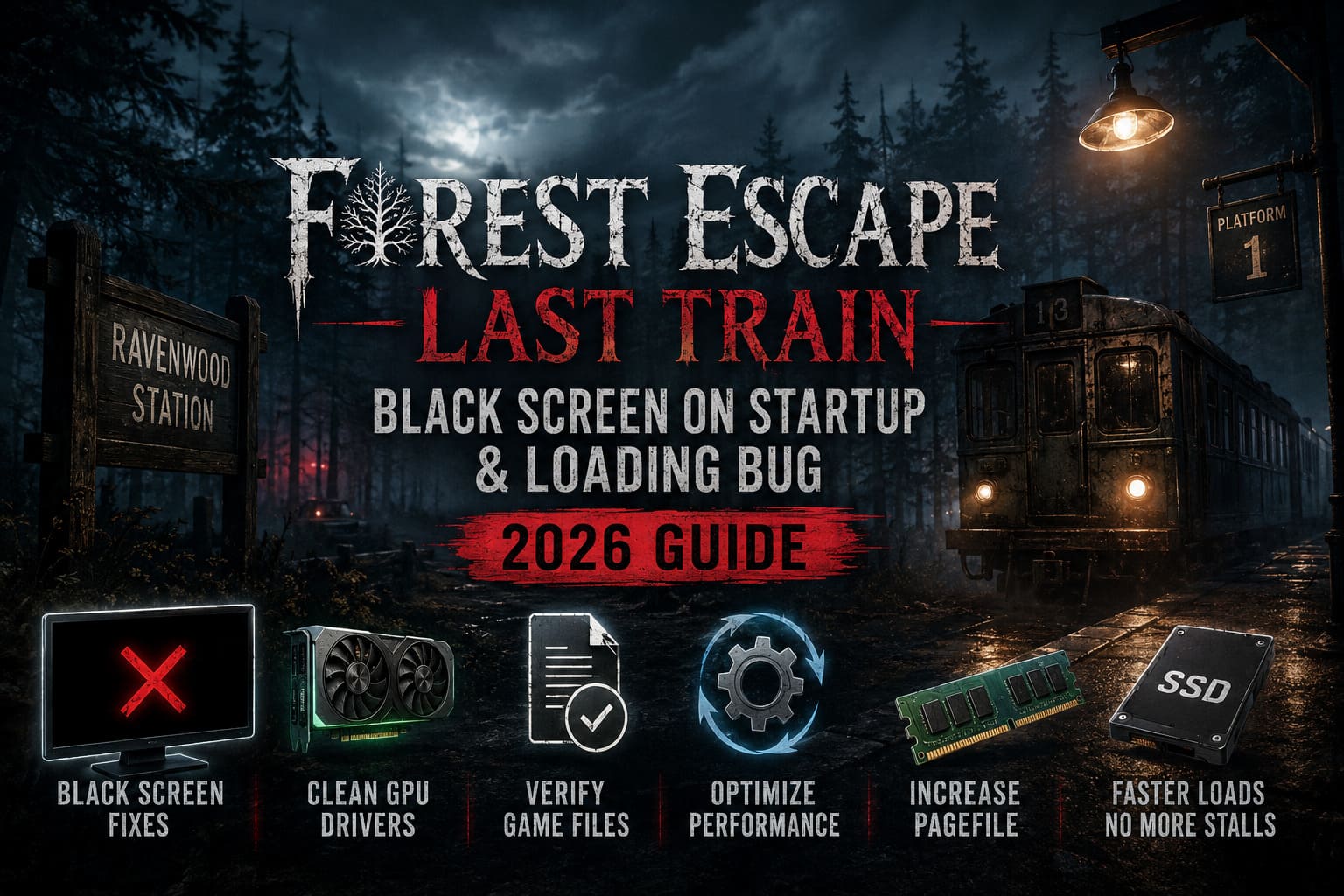
Early Access launches are always unpredictable.
Some games arrive polished enough to feel finished, while others clearly need several months in the oven.
Forest Escape: Last Train lands somewhere in the middle.
The black screen issue usually isn’t caused by one single bug. Instead, it’s the result of several systems colliding at the same time:
- Windows fullscreen handling conflicting with the game engine.
- Graphics drivers failing during shader compilation.
- Overlay software interfering with startup rendering.
- Corrupted game files after updates.
- DirectX initialization problems.
- Memory allocation issues during multiplayer loading.
The silver lining is that once you identify the source, the fix tends to be straightforward.
1. Disable Fullscreen Optimizations Immediately
If your game launches into darkness but never crashes, start here.
This was the solution that fixed the issue on my own machine.
Modern versions of Windows try to help games by applying fullscreen optimizations automatically. Sometimes that works beautifully. Sometimes it completely destroys a game’s launch sequence.
Here’s what I changed:
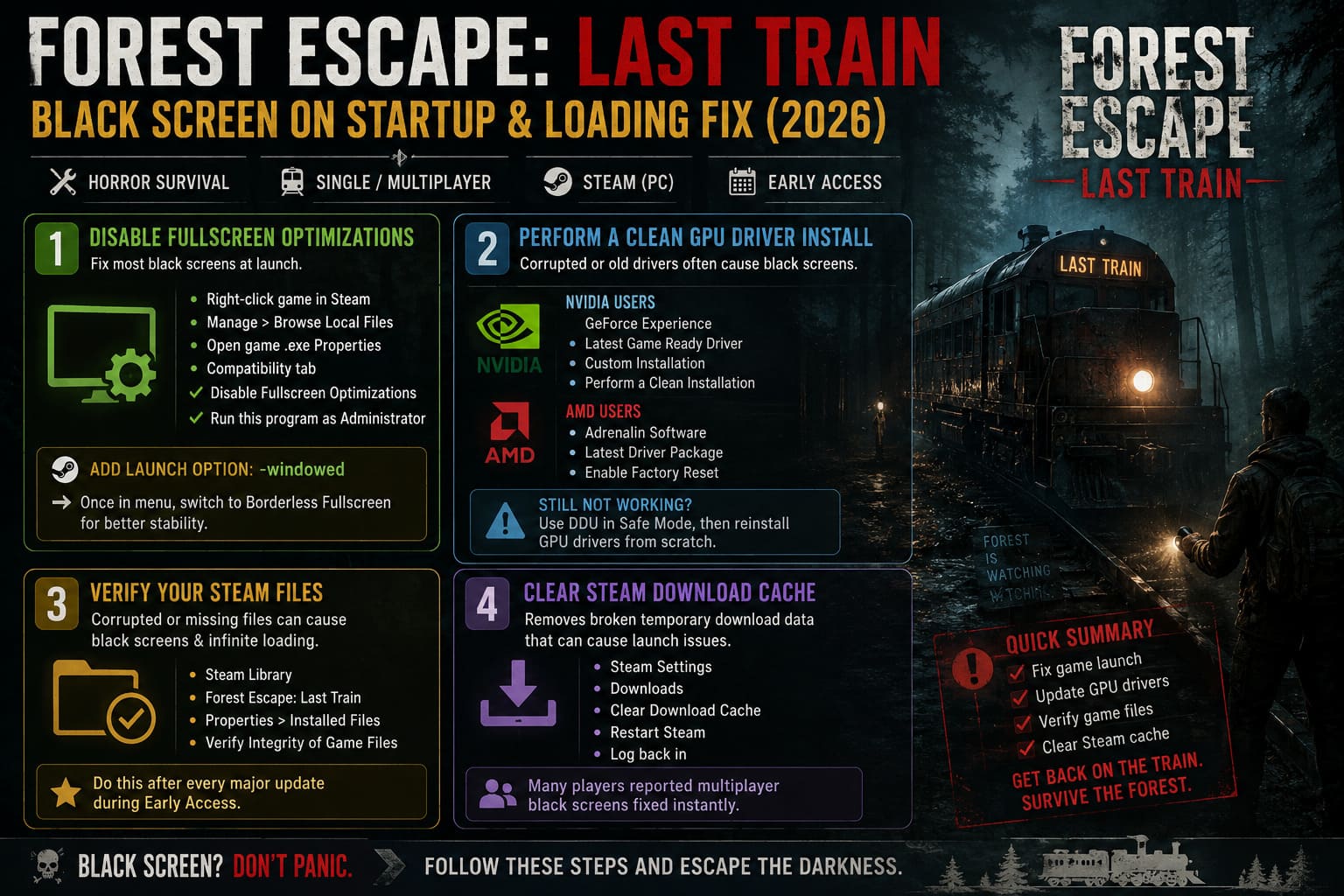
- Open Steam Library.
- Right-click Forest Escape: Last Train.
- Select Manage and then Browse Local Files.
- Find the game’s executable file.
- Open Properties.
- Navigate to the Compatibility tab.
- Enable Disable Fullscreen Optimizations.
- Enable Run this program as Administrator.
After that, add the launch option -windowed inside Steam.
Launching in windowed mode forces the engine to bypass several rendering checks that often fail during startup.
Once you successfully reach the menu, switch to Borderless Fullscreen from inside the graphics settings.
In my experience, Borderless mode has been significantly more stable than exclusive fullscreen.
2. Perform a Proper GPU Driver Cleanup
A lot of players assume clicking the update button inside GeForce Experience or AMD Software is enough.
It often isn’t.
Graphics drivers leave behind old shader files, outdated profiles, and registry entries that can conflict with newer game engines.
If your audio works but the display remains black, your GPU driver is one of the first suspects.
NVIDIA Users
- Open GeForce Experience.
- Download the latest Game Ready Driver.
- Choose Custom Installation.
- Select Perform a Clean Installation.
AMD Users
- Open Adrenalin Software.
- Download the newest driver package.
- Enable the Factory Reset option during installation.
The Nuclear Option
If you’re still having problems, use Display Driver Uninstaller (DDU) in Safe Mode before reinstalling your graphics drivers from scratch.
It’s annoying.
It takes twenty minutes.
But it has rescued more broken game launches than I can count over the years.
3. Verify Your Steam Files
Early Access patches can be brutal.
One interrupted download or a failed update can corrupt textures, shaders, or startup assets.
The result?
Infinite loading screens.
Black screens.
Missing menus.
Steam verification fixes this surprisingly often.
Open Library, then Forest Escape: Last Train, then Properties, Installed Files, and finally Verify Integrity of Game Files.
Steam will compare every installed file against the official version and replace anything damaged.
I recommend doing this after every major update during Early Access.
Honestly, it’s become muscle memory for me at this point.
4. Clear the Steam Download Cache
This one sounds unrelated, but it works more often than logic says it should.
Steam occasionally stores broken temporary download packages that continue causing issues even after reinstalling the game itself.
To clear it:
- Open Steam Settings.
- Navigate to Downloads.
- Select Clear Download Cache.
- Restart Steam.
- Log back into your account.
Several players reported that multiplayer black screens disappeared immediately afterward.
Considering how little effort this takes, it’s absolutely worth trying.
5. Use the Hidden Windows Graphics Reset Shortcut
This is one of those secret PC tricks every gamer should know.
If your screen suddenly goes black while the game is loading but Windows itself hasn’t crashed, press:
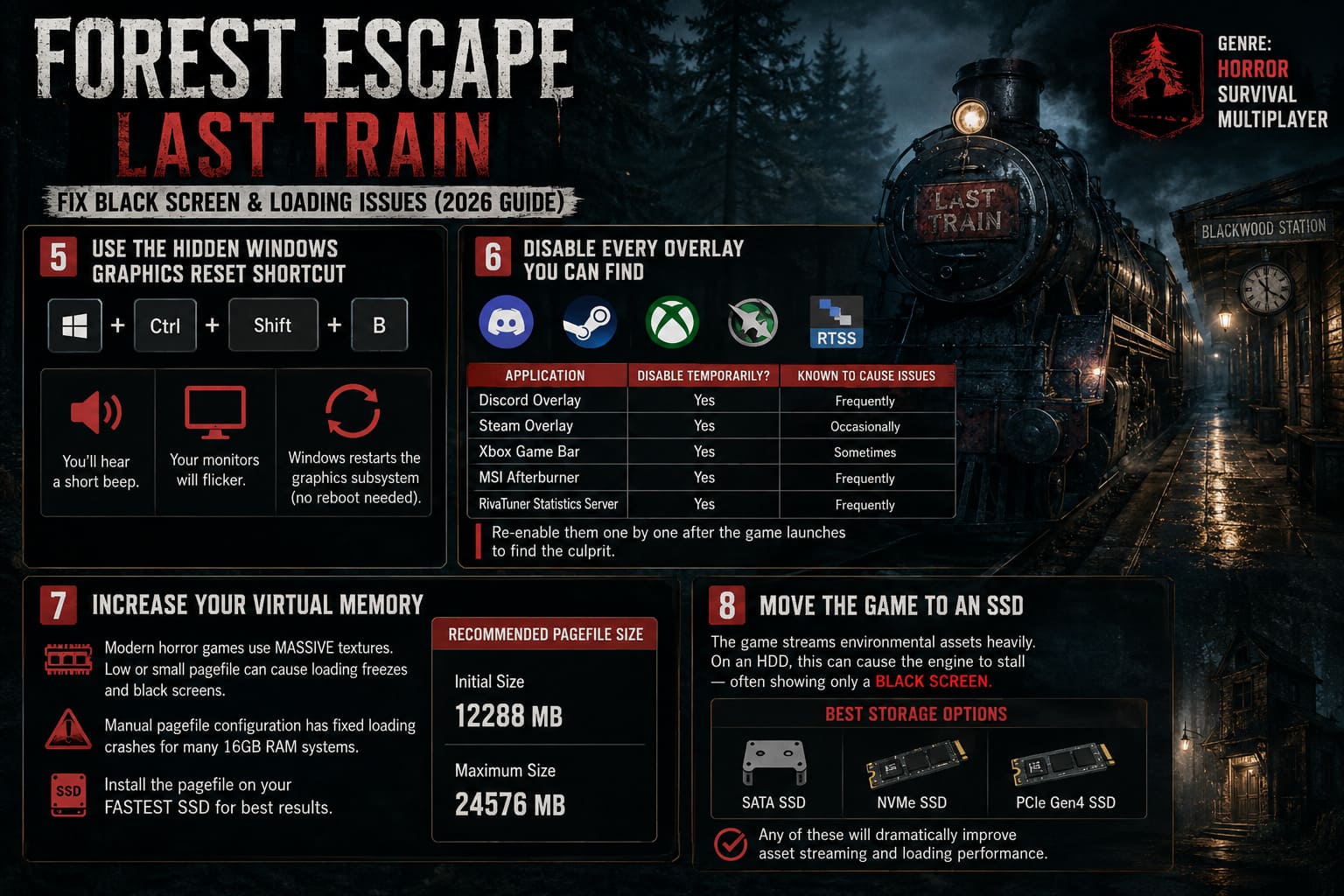
Windows + Ctrl + Shift + B
You’ll hear a short beep.
Your monitors will flicker.
Windows will restart the graphics subsystem without requiring a full reboot.
I’ve used this shortcut in everything from Unreal Engine crashes to broken GPU overclocks.
It feels like magic the first time you discover it exists.
6. Disable Every Overlay You Can Find
Overlay software and horror games have had a terrible relationship for years.
Discord.
Steam Overlay.
MSI Afterburner.
RivaTuner.
Xbox Game Bar.
RGB motherboard software.
I’ve seen all of them break launches at one point or another.
For troubleshooting purposes, disable everything.
| Application | Disable Temporarily? | Known To Cause Issues |
|---|---|---|
| Discord Overlay | Yes | Frequently |
| Steam Overlay | Yes | Occasionally |
| Xbox Game Bar | Yes | Sometimes |
| MSI Afterburner | Yes | Frequently |
| RivaTuner Statistics Server | Yes | Frequently |
Once the game launches correctly, you can slowly re-enable them one by one until you identify the culprit.
In my case, RivaTuner was responsible for black screens in multiple Unreal Engine titles last year.
I wouldn’t be surprised if it ends up causing trouble here too.
7. Increase Your Virtual Memory
This recommendation gets ignored far too often.
Modern horror games love massive textures.
Procedural environments make memory usage even worse.
If your RAM fills up during level generation and your pagefile is too small, the engine can freeze while waiting for resources that never arrive.
A manual pagefile configuration solved loading crashes for several players running 16GB systems.
| Setting | Recommended Size |
|---|---|
| Initial Size | 12288 MB |
| Maximum Size | 24576 MB |
Install the pagefile on your fastest SSD if possible.
The difference can be surprisingly noticeable during multiplayer map loading.
8. Move the Game to an SSD
This sounds harsh, but mechanical hard drives are becoming increasingly difficult to recommend for new releases.
Forest Escape: Last Train streams environmental assets aggressively during level transitions.
If your storage can’t keep up, the engine sometimes stalls indefinitely.
That stall often looks exactly like a black screen.
If you’re still running the game from an HDD, move it to one of the following:
- SATA SSD
- NVMe SSD
- PCIe Gen4 SSD
Any of these options dramatically improve asset streaming performance.
Forest Escape Last Train Walkthrough: Warden Puzzle Solutions and Locomotive Repair Guide
Which Fix Worked Most Often?
| Fix | Success Rate |
|---|---|
| Disable Fullscreen Optimizations | Very High |
| Clean GPU Driver Installation | High |
| Disable Overlays | High |
| Verify Files | Medium |
| Increase Pagefile | Medium |
| SSD Installation | Medium |
If I had to prioritize troubleshooting, I’d tackle them in exactly that order.
You’ll probably save yourself a lot of frustration.
Forest Escape Last Train Multiplayer Not Working? 7 Ways to Fix Lobby and Co-Op Connection Errors
My Final Thoughts After Finally Getting In
Once the black screen issue disappeared, I ended up losing an entire evening inside Forest Escape: Last Train.
The atmosphere is phenomenal.
The train maintenance mechanics create genuine pressure.
The Warden manages to stay terrifying even after multiple encounters, which is harder to achieve than most developers realize.
Does the game still need optimization work?
Absolutely.
Does Early Access show in places?
Without question.
But underneath those technical problems is a genuinely memorable co-op horror experience that deserves attention.
If you’re currently staring into an endless black void instead of repairing train systems with your friends, don’t give up yet.
Most players eventually get past the issue with one of the fixes above.
And once you finally hear that locomotive start moving again while the forest disappears behind you, the troubleshooting session suddenly feels worth it.