Falling Sand Game System Requirements: Can Your PC Run This Viral Physics Sandbox?
The weirdly addictive world of falling sand games on PC is one of those gaming rabbit holes that never really lets you go once you fall into it. You launch it “just to test physics,” and suddenly you’re watching entire digital ecosystems collapse in real time while your CPU starts sounding like it’s preparing for takeoff. These sandbox simulators have evolved far beyond simple pixel toys and now behave like miniature computational laboratories where fire spreads, water flows realistically, and every grain of sand obeys its own rules.
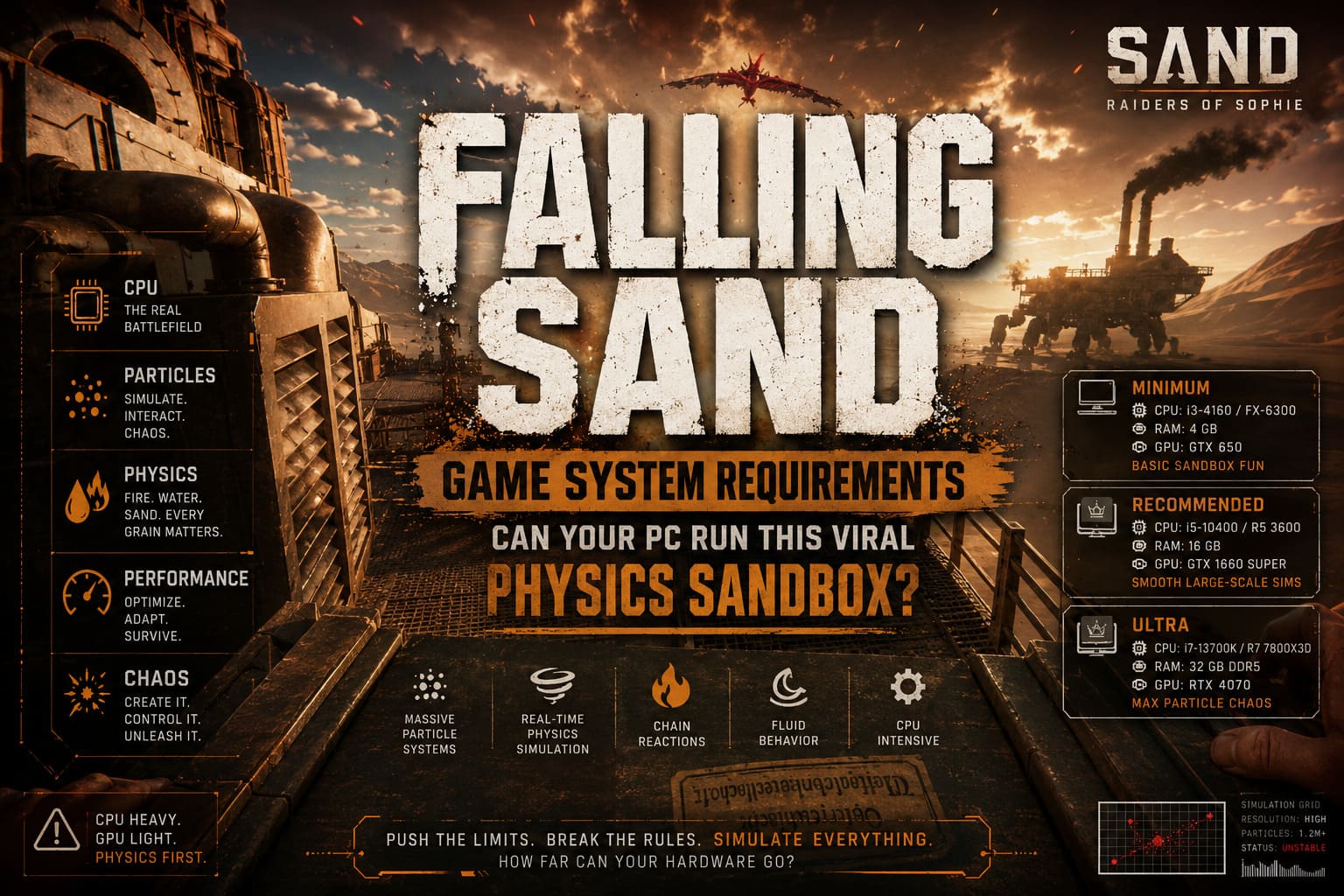
What makes this genre especially fascinating is how deceptive it looks. At first glance, it feels like a light indie curiosity. In reality, it can turn into one of the most demanding CPU workloads in gaming. Unlike traditional AAA titles that lean heavily on GPU rendering, falling sand games simulate massive numbers of interacting particles simultaneously, turning your processor into the true battlefield.
How to Fix Sand Game Low FPS and Stuttering: Ultimate Performance Guide
Why falling sand games push CPUs to their limits
The biggest misconception about these games is assuming they are graphics-heavy. They are not. The GPU mostly just displays the result. The real chaos happens on the CPU side, where every particle is constantly updated, checked, and simulated frame by frame. Each grain of sand, drop of water, or spark of fire is treated as an individual entity with its own behavior rules.
When you scale that up to hundreds of thousands or even millions of particles, the number of calculations grows explosively. One poorly optimized simulation step can turn a smooth experience into a slideshow. This is why sand games often expose weaknesses in CPU architecture much faster than most mainstream games ever will.
Minimum system requirements for basic sand simulations
If you are just exploring simple falling sand games, older cellular automata sandboxes, or lightweight physics toys, almost any modern system can handle them. These setups are designed for small-scale experiments rather than massive chaos simulations.
Minimum configuration
With this level of hardware, you can comfortably run basic simulations at 1080p as long as particle density stays moderate. Performance issues usually appear only when large-scale reactions or full-screen liquid simulations are triggered.
- Operating System: Windows 10 (64-bit)
- CPU: Intel Core i3-4160 / AMD FX-6300
- RAM: 4 GB
- GPU: Intel HD 4400 / GTX 650
- DirectX: 11
- Storage: 2 GB
The experience here is functional but limited. Once the simulation becomes dense, frame pacing struggles and the system may enter what players often call “time dilation mode,” where everything slows down to maintain stability.
Recommended system for smooth sandbox gameplay
This is where falling sand games truly start to shine. With modern mid-range hardware, the simulation becomes stable enough to handle large particle systems, complex interactions, and multi-layered reactions without constant slowdown. It transforms the experience from experimental toy to proper interactive physics sandbox.
Recommended configuration
At this level, RAM capacity and CPU multi-threading become critical. These games thrive on memory bandwidth and fast parallel processing, especially when simulating large grids of interacting particles.
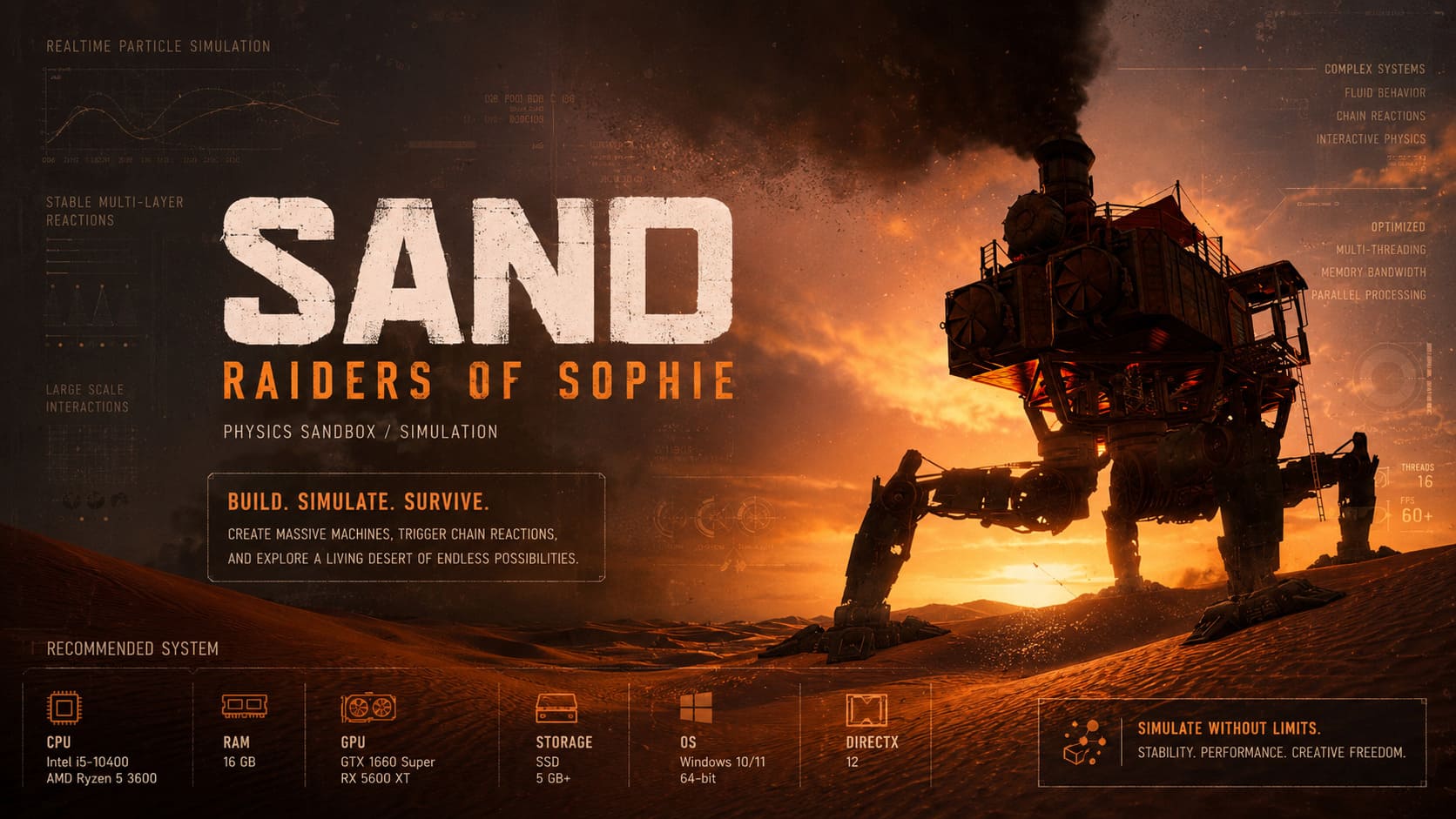
- Operating System: Windows 10 / Windows 11 (64-bit)
- CPU: Intel Core i5-10400 / AMD Ryzen 5 3600
- RAM: 16 GB
- GPU: GTX 1660 Super / RX 5600 XT
- Storage: SSD (5 GB or more)
- DirectX: 12
With this setup, the genre becomes genuinely enjoyable at scale. You can build complex systems, simulate fluid behavior, and create chaotic chain reactions without immediately collapsing performance. SSD storage also helps significantly with loading large sandbox maps and saving simulation states.
Ultra settings for maximum particle chaos
This tier is where things stop being “just a game” and start feeling like a stress test for your hardware. Enthusiast systems are capable of handling enormous simulations with millions of interacting particles while maintaining playable performance. It is also where optimization quality becomes extremely noticeable.
Ultra configuration
At this level, CPU cache size, memory speed, and core efficiency matter more than raw GPU power. These workloads are deeply CPU-bound and scale heavily with parallel processing.
- Operating System: Windows 11 (64-bit)
- CPU: Intel Core i7-13700K / AMD Ryzen 7 7800X3D
- RAM: 32 GB DDR5
- GPU: RTX 4070 / RX 7800 XT
- Storage: NVMe SSD
Here, the experience becomes almost experimental. You can simulate large-scale fluid systems, cascading destruction, or highly reactive environments without immediate collapse. High-cache CPUs like the 7800X3D are especially effective because sand simulations frequently access large datasets repeatedly, benefiting from fast cache retrieval.
Performance optimization tips for sand games
Even powerful systems can struggle if the simulation is unoptimized or pushed beyond reasonable limits. The good news is that many performance issues can be mitigated through in-game settings and smart configuration adjustments.
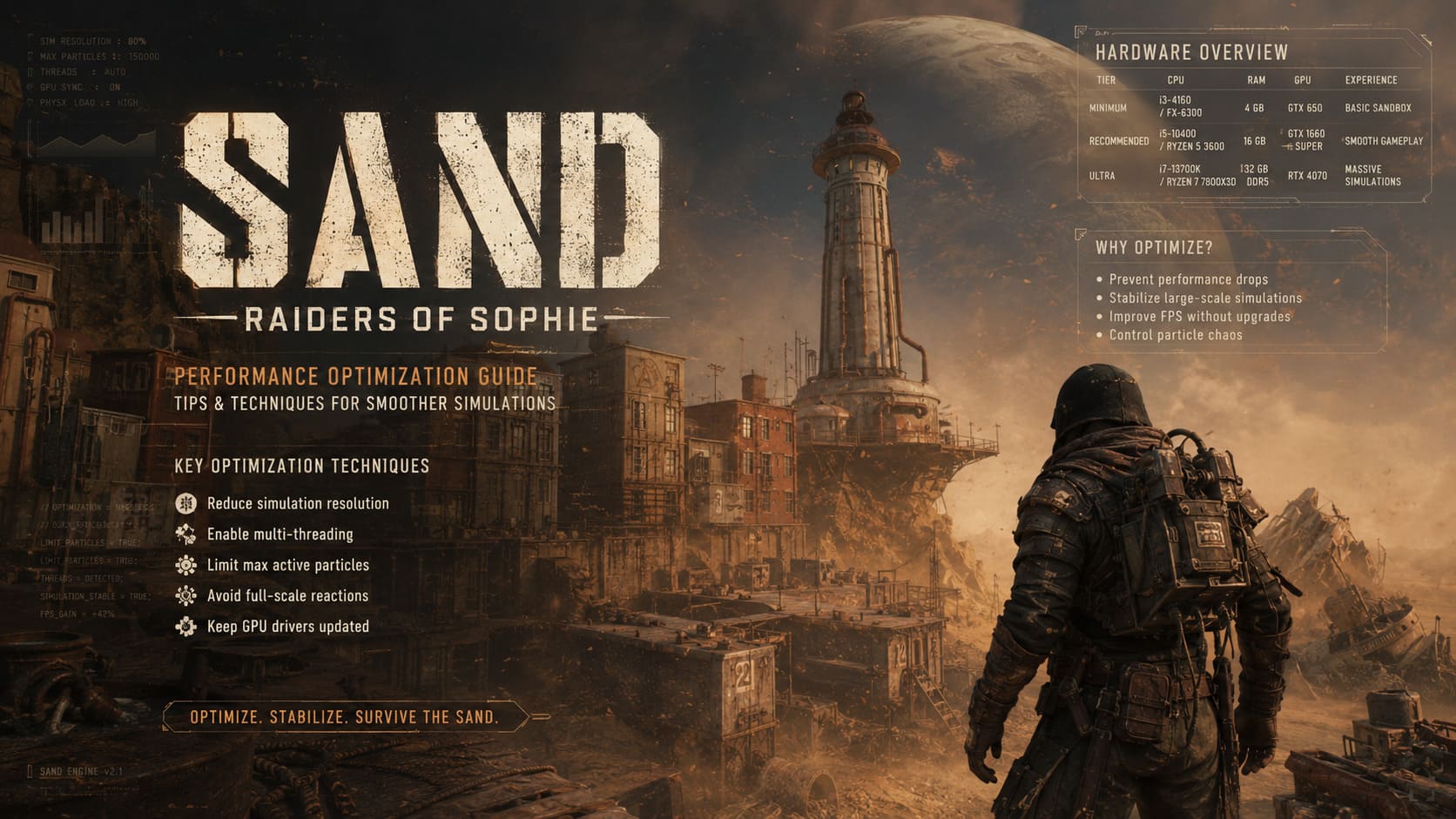
Key optimization techniques
These methods can dramatically improve performance without requiring hardware upgrades. In many cases, they are more effective than expected.
- Reduce simulation resolution to lower total particle count.
- Enable multi-threading if the engine supports it.
- Limit maximum active particles to prevent runaway simulations.
- Avoid full-scale reactions until systems stabilize.
- Keep GPU drivers updated for better API performance.
These tweaks often transform an unplayable simulation into a stable one, especially in heavily modded or experimental sand environments where particle counts can spiral out of control.
Hardware comparison overview
| Tier | CPU | RAM | GPU | Experience |
|---|---|---|---|---|
| Minimum | i3-4160 / FX-6300 | 4 GB | GTX 650 | Basic sand toys and small simulations |
| Recommended | i5-10400 / Ryzen 5 3600 | 16 GB | GTX 1660 Super | Smooth large-scale sandbox gameplay |
| Ultra | i7-13700K / Ryzen 7 7800X3D | 32 GB DDR5 | RTX 4070 | Massive particle chaos and stress testing |
Final thoughts on falling sand physics simulations
Falling sand games occupy a strange but fascinating corner of PC gaming. They look simple, almost toy-like, yet they quietly push CPUs harder than many modern AAA titles. What makes them special is their scalability: the same engine can feel like a relaxing particle sandbox or an overwhelming physics storm depending on how far you push it.
They also blur the line between game and simulation tool. You are not just playing—you are observing computational systems evolve in real time. That is why hardware matters so much in this genre. A stronger CPU does not just increase frame rate; it literally increases the complexity of the world you can create.
In the end, falling sand games are less about visuals and more about raw simulation power. If your PC can survive a fully unleashed particle apocalypse without collapsing into slow motion chaos, you are not just playing the game—you are stress-testing the limits of interactive physics.