Approximately Up Pro Movement Guide: Air Strafe Controls & Pro Tips
Approximately Up surprised me more than almost any physics platformer I’ve played in recent years. At first glance it looks like another game where success comes from patience and careful jumps, but after spending dozens of hours experimenting with different routes, I realized something important: this game rewards movement mastery far more than perfect timing.
The biggest difference between an average player and someone climbing confidently isn’t reaction speed. It’s understanding how the game’s momentum behaves. Once that finally clicked for me, previously impossible sections suddenly became repeatable.
This guide isn’t about impossible speedrunner-only tricks. Instead, it’s a collection of movement techniques that genuinely helped me climb more consistently, recover from mistakes, and improve my overall route efficiency.
Why Movement Matters More Than Perfect Jumps
Most newcomers think every jump is its own challenge. I made the same mistake. Eventually I realized Approximately Up behaves more like one continuous movement puzzle. Every landing affects the next jump, every adjustment changes your momentum, and every hesitation costs speed.
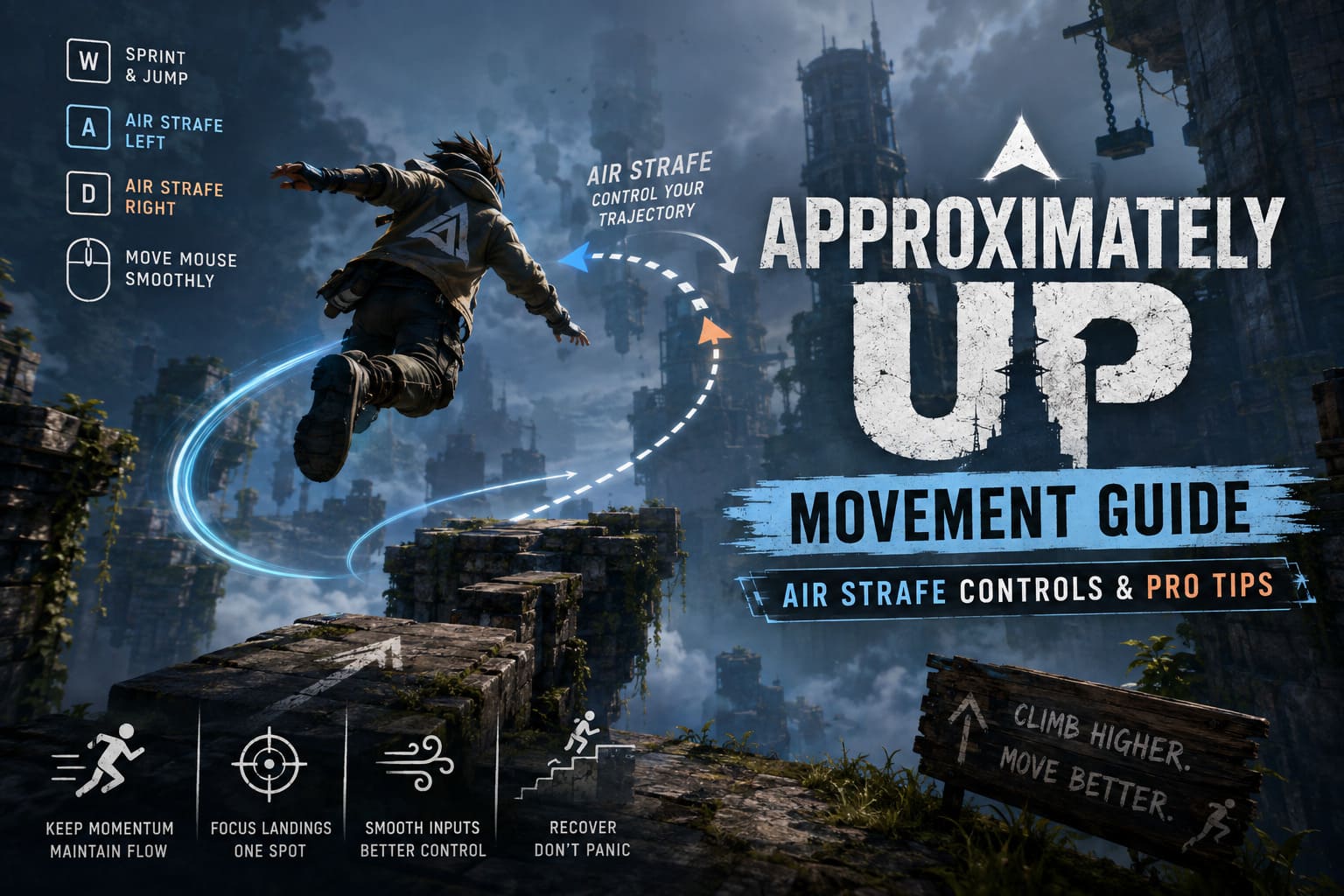
Instead of treating platforms individually, start thinking about maintaining flow. If your character keeps moving smoothly, difficult sections often become surprisingly forgiving.
Understanding the Momentum System
The physics engine rewards players who preserve velocity. Walking naturally builds momentum, but sprinting creates a much stronger launch before jumping. More importantly, the game remembers a surprising amount of your previous movement.
One habit I had to break was stopping after every landing to “reset.” Ironically, constantly resetting makes difficult climbs much harder because you’re always rebuilding speed from scratch.
| Movement | Result |
|---|---|
| Sprint into jump | Maximum launch distance |
| Hesitate after landing | Momentum almost disappears |
| Keep movement flowing | Better consistency |
| Chain jumps smoothly | Faster overall climbs |
My Favorite Air Strafe Technique
If there’s one mechanic every player should learn, it’s air strafing. I ignored it for hours because I assumed it only mattered for advanced players. I couldn’t have been more wrong.
Air strafing lets you slightly bend your jump trajectory while airborne, making narrow platforms dramatically easier to reach. Instead of fighting gravity, you’re guiding your momentum and keeping your movement fluid throughout every jump.
Keyboard & Mouse Air Strafe Guide
The first few attempts will feel awkward, but after enough practice the movement becomes automatic. This routine is what consistently worked for me during long climbing sessions.
- Sprint toward the jump.
- Jump with full momentum.
- Release W immediately after leaving the ground.
- Hold A while smoothly moving the mouse left.
- Hold D while smoothly moving the mouse right.
- Avoid sudden camera flicks and keep your movements controlled.
The biggest mistake I kept making was leaving W pressed throughout the jump. That single habit ruined my air control more than anything else. Once I stopped doing it, my landings became dramatically more consistent.
Controller Players Can Do It Too
Controller movement actually feels incredibly smooth once you understand the timing. Rather than forcing the analog stick forward throughout every jump, focus on matching your movement stick with gentle camera adjustments.
- Begin with a full sprint jump.
- Ease off the forward input once airborne.
- Move the left stick toward your intended curve.
- Rotate the camera at nearly the same speed.
- Stay smooth instead of making sharp corrections.
The goal isn’t aggressive movement. It’s creating a natural rhythm between your character’s direction and your camera movement.
Advanced Tricks That Actually Help
After mastering the basics, I started experimenting with techniques used by experienced players. Some weren’t reliable enough for everyday use, but several became part of my regular movement toolkit.
1. Slope Boosting
Certain downhill surfaces provide noticeably stronger launches when approached correctly. Sliding just before jumping from a decline can create additional distance. It’s not guaranteed on every slope, but when everything lines up, the boost feels significant.
2. Late Edge Jumps
Approximately Up offers a forgiving jump window after leaving many platform edges. Waiting until you’re almost beyond the ledge before pressing jump often results in noticeably longer leaps than jumping too early.
3. Mid-Air Crouch Adjustments
This trick doesn’t save every jump, but crouching during flight can slightly alter your positioning. I’ve used it several times to clear low overhangs or squeeze onto platforms that initially looked unreachable.
4. Corner Recovery
Although the game doesn’t officially support wall running, certain corners feel surprisingly forgiving. Quick reactions after hitting these corners have saved several of my runs. Think of this technique as an emergency recovery rather than a consistent shortcut.
Small Habits That Made the Biggest Difference
Not every improvement comes from advanced movement mechanics. Some of the smallest adjustments ended up producing the biggest improvements in my consistency.
Focus on One Landing Spot
Instead of staring at an entire platform, choose one precise visual marker. It could be a crack, a darker texture, an edge, or even a corner. Keeping your camera centered on one specific point makes difficult landings feel much easier.
Listen to the Game
Approximately Up has surprisingly useful sound design. Footstep rhythm changes as your acceleration builds, while wind effects subtly communicate how much speed you’re carrying through the air. Lowering the music volume made these cues much easier to hear during difficult sections.
Don’t Panic During Long Falls
Everyone eventually misses a jump. The important part is what happens afterward. Instead of wildly spinning the camera, stay calm and search for nearby recovery platforms. Some of my best saves happened simply because I stopped panicking long enough to notice another ledge.
Stable Performance Helps Movement
After testing different graphics settings, I realized that stable frame pacing matters far more than chasing the highest FPS possible. Smooth performance makes movement feel predictable and helps develop reliable muscle memory.
- Maintain stable frame rates.
- Close unnecessary background applications.
- Use a responsive gaming mouse.
- Avoid frequent frame drops whenever possible.
Approximately Up Beginner’s Guide: Tips, Tricks, and Spaceship Building Strategies (2026)
Mistakes I See Players Repeat
Over time I’ve noticed several habits that consistently hold players back. Eliminating these mistakes alone can noticeably improve your climbing consistency.
| Mistake | Why It Hurts |
|---|---|
| Holding forward during every jump | Reduces effective air control. |
| Overcorrecting the camera | Breaks smooth momentum adjustments. |
| Restarting after every mistake | Prevents learning recovery opportunities. |
| Ignoring platform materials | Different surfaces change movement behavior. |
Practice Beats Perfect Settings
A lot of players spend hours searching for secret sensitivity values or hidden controller settings. After experimenting myself, I honestly don’t believe those settings matter nearly as much as repetition.
Spend time repeating difficult jumps instead of constantly changing your controls. The more your hands naturally perform each movement, the less you’ll think about the mechanics and the more you’ll focus on reading the environment ahead.
My Personal Advice After Dozens of Hours
If I could give every new Approximately Up player one piece of advice, it would be this: don’t fight the physics—learn to work with them.
This game rewards rhythm, confidence, and smooth movement far more than aggressive corrections. Every failed climb teaches something valuable about momentum, positioning, or camera control. Once I stopped blaming the game and started studying my own movement, my progress accelerated faster than I expected.
Air strafing is absolutely worth learning, even if it feels uncomfortable during your first few sessions. The same applies to preserving momentum between jumps and resisting the urge to stop after every landing. Those simple habits transformed my own gameplay more than any hidden shortcut or exploit ever did.
By combining controlled camera movement, cleaner jump timing, and a deeper understanding of how momentum carries through every section, you’ll begin reaching platforms that once seemed impossible. Difficult routes become repeatable, recoveries become more common, and every successful climb feels genuinely rewarding.
Approximately Up is one of those rare physics platformers where mastering movement becomes the entire game. Stick with it, practice consistently, trust your momentum, and eventually you’ll wonder how you ever climbed without using advanced air strafing techniques.