
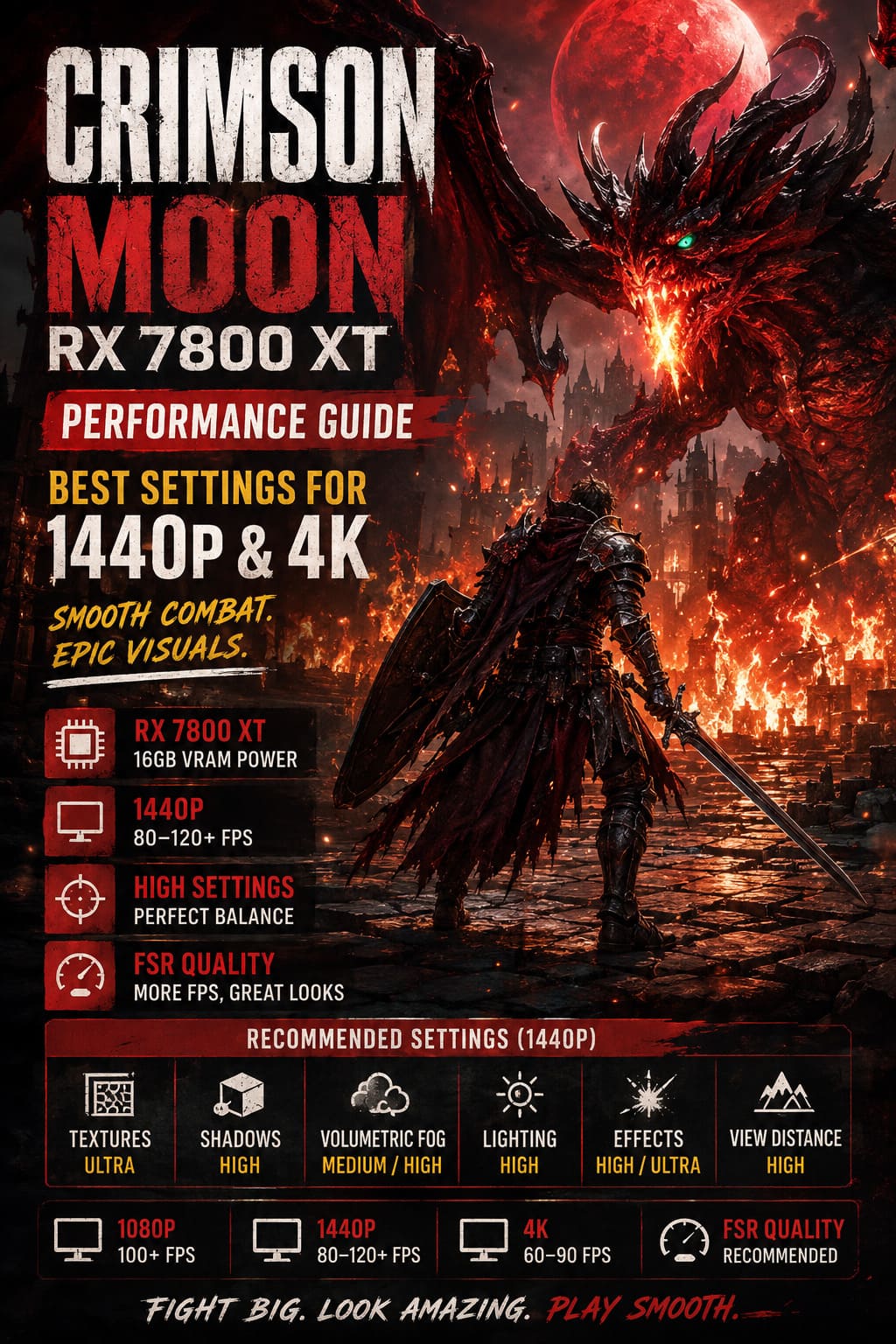
Crimson Moon RX 7800 XT Performance Guide: Best Settings for 1440p & 4K
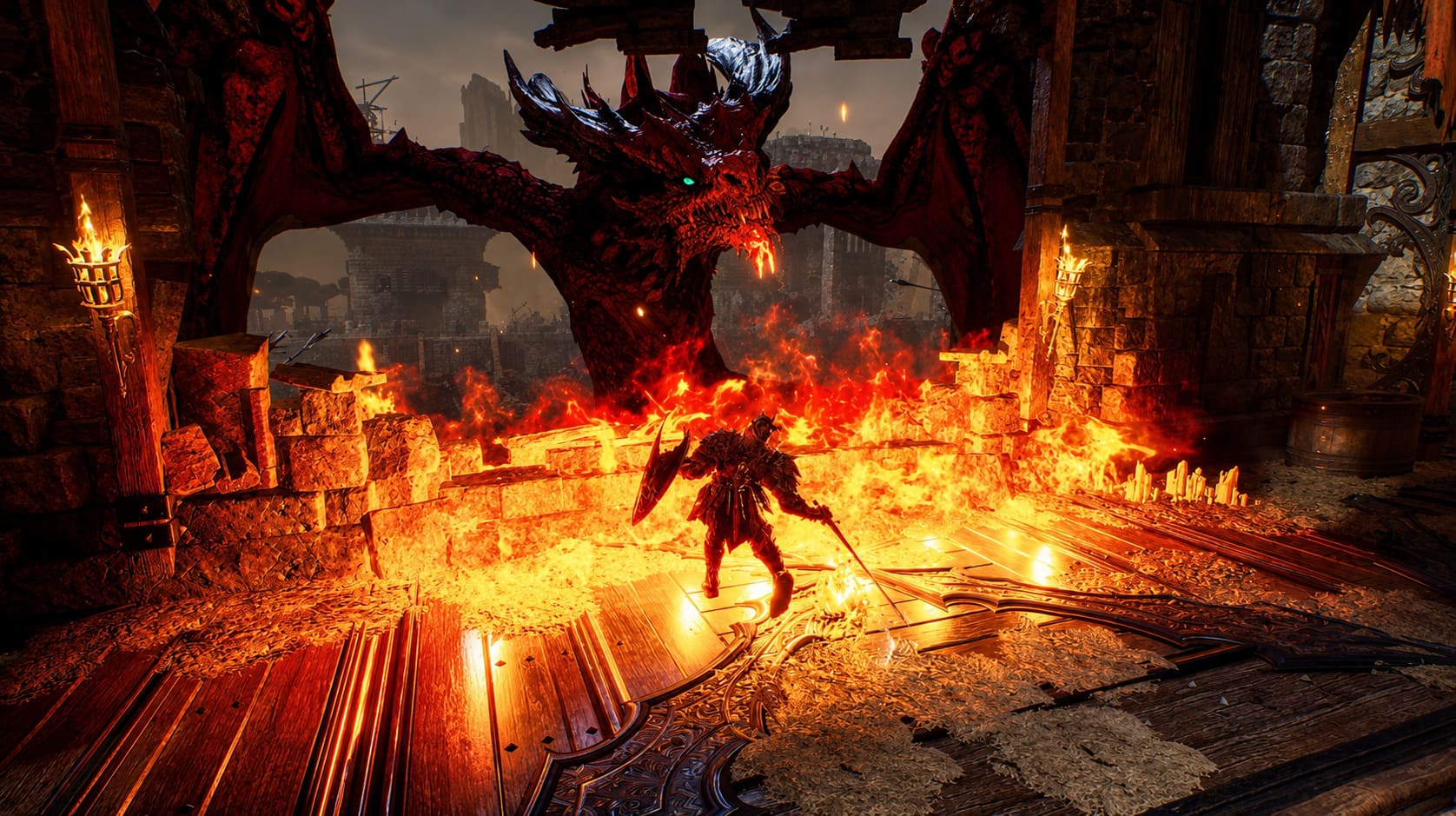
Crimson Moon is exactly the kind of game that can make you stop in the middle of a fight just to admire the scenery. The ruined streets of Gildenarch, gothic architecture, dramatic lighting, glowing Nephilim abilities, and huge supernatural enemies give it a visual identity that is hard to ignore. But there is a catch: all that atmosphere comes with a fairly serious GPU workload, especially when the screen fills with enemies, particles, fog, shadows, and flashy combat effects.
If you are playing on an AMD Radeon RX 7800 XT, you are in a very comfortable position. This GPU has enough raw performance and 16GB of VRAM to handle Crimson Moon at 1440p with excellent image quality. In my experience, though, simply selecting Ultra and calling it a day is not the smartest approach. A few particularly expensive settings can hammer frame times without making the game look dramatically better.
That is why this Crimson Moon RX 7800 XT performance guide focuses on practical settings rather than blindly chasing the highest preset. The goal is simple: keep Gildenarch looking gorgeous while making combat feel responsive, especially during boss encounters, large enemy groups, and two-player co-op battles.
Crimson Moon Best Settings Guide: Maximize FPS on RTX 4070 Ti
How Well Does the RX 7800 XT Handle Crimson Moon?
The RX 7800 XT is comfortably above the class of hardware generally associated with the game’s recommended configuration. With its 16GB VRAM capacity and strong RDNA 3 performance, it has plenty of breathing room for high-resolution textures and demanding visual effects.
At 2560×1440, native Ultra settings can produce a very attractive experience, with performance often landing in the roughly 65–80 FPS territory depending on the rest of the system and what is happening on screen. The average FPS number, however, does not tell the whole story. Crimson Moon can experience noticeable 1% low drops when several effects are active simultaneously.
This is most obvious when a fight turns into complete visual chaos. Multiple enemies, atmospheric effects, dynamic lighting, magical attacks, and environmental particles can suddenly push the GPU much harder than an ordinary exploration scene. That is the kind of situation where I would rather have a stable 90 FPS than see the counter bounce between 120 and 60.
| Resolution | Recommended Target | RX 7800 XT Approach |
|---|---|---|
| 1080p | 100+ FPS | High/Ultra settings, native or FSR Quality |
| 1440p | 80–120+ FPS | High/Ultra mix, FSR Quality when needed |
| 4K | 60–90 FPS | High settings with FSR Quality/Balanced |
Best Crimson Moon Settings for RX 7800 XT at 1440p
If 1440p is your primary resolution, I would not recommend dropping everything to Medium. The RX 7800 XT is simply too capable for that. Instead, keep the settings that have a visible impact on image quality high while cutting back on the options that consume a lot of GPU resources for relatively small visual gains.
Texture Quality: Ultra
Keep textures at Ultra. This is one of the easiest recommendations to make because the RX 7800 XT has 16GB of VRAM. Crimson Moon’s detailed environments and character models benefit noticeably from high-resolution textures, while reducing them can make surfaces look unnecessarily soft.
At 1440p, there is little reason to sacrifice texture quality simply to gain a few extra frames. Unless you are running into an unusual VRAM-related problem, this is one setting I would leave completely alone.
Shadow Quality: High
Shadows are a different story. Ultra or Cinematic shadows can be surprisingly expensive, particularly in areas with lots of geometry and multiple light sources. Dropping this option to High usually gives a much better performance-to-quality ratio.
The important part is that High still preserves convincing depth and atmosphere. You are not suddenly turning Gildenarch into a flat-looking game; you are simply avoiding some of the heavier shadow calculations that are difficult to justify during actual gameplay.
Volumetric Fog and Clouds: Medium or High
This is probably the first setting I would change if Crimson Moon feels sluggish. The fog looks fantastic, but volumetric effects are notorious GPU hogs, and the difference between the highest setting and a sensible High or Medium configuration is often much smaller than the performance difference.
For the RX 7800 XT, High is a great starting point. If you are chasing 120 FPS at 1440p, try Medium. The gothic mood remains intact, while GPU load can fall considerably in fog-heavy areas.
Global Illumination and Ambient Occlusion: High
Lighting is a huge part of Crimson Moon’s visual personality, so I would not gut these settings. Keep Global Illumination and Ambient Occlusion at High whenever possible.
The highest quality modes can become expensive during camera movement and busy combat scenes. High gives you most of the visual depth without forcing the GPU to spend excessive resources on details that are difficult to notice while you’re busy trying not to get smashed by a boss.
Effects Quality: High or Ultra
This is one setting where I am willing to spend the performance budget. Combat is supposed to look spectacular, and lowering effects quality too aggressively can take some of the personality out of Nephilim abilities, explosions, magical attacks, and other visual effects.
If you have performance to spare, Ultra effects are perfectly reasonable. If you are trying to maintain a higher refresh-rate target, High is the safer choice.
View Distance: High
Keep View Distance at High. The performance cost is manageable on the RX 7800 XT, and it helps maintain a cleaner-looking world. Long sightlines, distant enemies, environmental details, and objects can otherwise pop into existence at awkward distances.
For an exploration-heavy action RPG, I would much rather lower volumetric effects than start chopping away at draw distance.
My Recommended 1440p Settings
| Graphics Option | Recommended Setting | Reason |
|---|---|---|
| Resolution | 2560×1440 | Excellent balance for the RX 7800 XT |
| Textures | Ultra | 16GB VRAM gives plenty of headroom |
| Shadows | High | Reduces GPU load with minimal visual loss |
| Volumetric Fog | Medium/High | One of the easiest ways to recover FPS |
| Global Illumination | High | Preserves atmosphere without excessive cost |
| Ambient Occlusion | High | Keeps environments looking grounded |
| Effects | High/Ultra | Keeps combat effects impressive |
| View Distance | High | Reduces distracting object pop-in |
| V-Sync | Off | Better paired with FreeSync |
Can the RX 7800 XT Run Crimson Moon at 120 FPS?
Yes, but you should be realistic about the settings required. A locked 120 FPS at 1440p is a much more demanding target than simply achieving a high average frame rate.
If your monitor supports 120Hz, 144Hz, or higher, I would start with the settings above and then enable FSR in Quality mode. This is a particularly sensible option when your goal is to keep frame rates high without making the image look noticeably softer.
For competitive-feeling combat, consistent frame delivery matters more to me than having every single setting at maximum. Parrying a boss attack feels much better at a stable high frame rate than at Ultra settings where performance suddenly collapses during a particle-heavy attack.
FSR and Upscaling: What Should RX 7800 XT Owners Use?
At native 1440p, you can absolutely play without upscaling if you are happy with your frame rate. The RX 7800 XT has enough muscle for that configuration, and native rendering remains the cleanest option.
Once you start targeting significantly higher frame rates, FSR Quality becomes attractive. It gives the GPU more breathing room while maintaining a sharp image, particularly at 1440p where the source resolution is already fairly high.
I would avoid immediately jumping to aggressive performance modes. The whole point of owning a card like the RX 7800 XT is that you can keep image quality high. Start with Quality and only move lower if you actually need the additional performance.
Crimson Moon at 4K on the RX 7800 XT
4K is where expectations need to change. The RX 7800 XT can produce a good-looking 4K experience, but native 4K combined with maximum settings is not where this GPU makes the most sense in a demanding modern action RPG.
For 3840×2160, I would use High settings as the foundation and enable FSR. Quality mode should be your first choice if the resulting frame rate is acceptable. Balanced becomes useful when you want to push closer to a smoother 70–90 FPS experience.
Frame Generation can also be useful when supported by your configuration. Just remember that generated frames do not replace the responsiveness of genuine rendered frames. I would rather have a strong underlying frame rate with sensible settings than use every available performance trick to inflate the FPS counter.
AMD Adrenalin Tuning for the RX 7800 XT
If you enjoy squeezing extra performance from your hardware, the RX 7800 XT is a fun GPU to tune. AMD’s Adrenalin software gives you plenty of control, and a carefully configured undervolt can sometimes be more useful than simply pushing the card harder.
A reasonable starting point for experimentation is a GPU voltage in the neighborhood of 1050–1070 mV, combined with a modest power-limit increase of around +15%. Exact results vary from one card to another, so treat these numbers as a starting point rather than a universal recipe.
VRAM tuning can also help in memory-sensitive scenarios. A range around 2550–2580 MHz may provide additional performance, but stability is more important than chasing a tiny benchmark improvement. If the game crashes, produces visual corruption, or becomes unstable, back the memory settings down.
Why Undervolting Can Be Worth It
The biggest benefit of undervolting is not necessarily a giant FPS increase. What I like about it is the possibility of reducing power consumption and temperatures while allowing the GPU to maintain stronger sustained clocks.
That matters during long gaming sessions. A card that runs cooler and avoids aggressive thermal behavior can deliver more consistent performance over several hours, which is exactly what you want in a game built around lengthy exploration and repeated combat encounters.
Small Tweaks That Can Make a Big Difference
- Use FreeSync if your monitor supports it, especially when your frame rate fluctuates.
- Keep GPU drivers updated when troubleshooting unexpected performance problems.
- Close unnecessary background applications before benchmarking or comparing settings.
- Install Crimson Moon on an SSD to reduce potential asset-streaming issues and loading delays.
- Watch 1% lows, not just average FPS when judging whether an optimization actually worked.
That last point is something I wish more PC gamers paid attention to. An FPS counter showing 110 FPS looks great, but if the game regularly dives into the 50s during combat, the experience will not feel anywhere near as smooth as a more consistent 85–95 FPS.
Best Overall RX 7800 XT Configuration
For most RX 7800 XT owners, my preferred setup would be 1440p resolution, Ultra textures, High shadows, High lighting, High view distance, and Medium or High volumetric effects. Run native resolution if performance is already where you want it; otherwise, FSR Quality is the first performance adjustment I would make.
For 4K, I would stop trying to brute-force native Ultra settings. High-quality upscaling gives the RX 7800 XT much more room to breathe, and the visual compromise is far smaller than dropping every graphics option to Medium.
Final Verdict: Is the RX 7800 XT Good for Crimson Moon?
Absolutely. The RX 7800 XT is a strong match for Crimson Moon, particularly if 1440p is your preferred resolution. Its 16GB VRAM capacity lets you keep texture quality high, while the GPU has enough horsepower to maintain impressive image quality without turning the game into a slideshow whenever combat gets ridiculous.
The trick is knowing which settings are actually worth sacrificing. Volumetric fog, shadows, and the highest lighting options are the first places I would look when performance starts falling apart. Textures, effects, and view distance are much easier to justify keeping high.
After a few hours of fighting through a gothic city packed with demons, magical effects, and oversized bosses, I would take a stable, responsive configuration over a screenshot-friendly Ultra preset every time. The RX 7800 XT does not need to run Crimson Moon with every slider pushed to the right to make the game look fantastic; with a smart settings mix, it can deliver the kind of smooth 1440p experience that makes every dodge, parry, and brutal counterattack feel properly satisfying.


