NBA 2K27 Next-Gen Graphics Settings: PC vs. PS5 Detailed Comparison and Optimization Guide
NBA 2K27 has finally reached the point that PC basketball fans have been waiting for. After years of seeing PC players treated like second-class citizens while console owners enjoyed the full next-gen presentation, the situation has changed dramatically. The PC version is now built around the same next-gen foundation, and that makes the comparison with PlayStation 5 much more interesting than the usual “console vs PC” argument.
Released on September 4, 2026, NBA 2K27 arrives at a fascinating moment for gaming hardware. The standard PS5 is already several years into its life cycle, while PC graphics cards have continued to move forward at ridiculous speed. RTX 40-series cards are now familiar territory, RTX 50-series GPUs are becoming increasingly common among enthusiasts, and AI-assisted rendering has gone from a tech-demo buzzword to something you can actually use while playing.
I have spent enough time with modern sports games to know that screenshots can be incredibly misleading. Basketball is not just about how sharp a screenshot looks. Player movement, court reflections, hair, shadows, lighting, frame pacing, input latency and image stability all matter when you’re trying to green a shot with a defender breathing down your neck.
So, here is the real question: does NBA 2K27 look better on PC, or is the PS5 still the smarter place to play?
PC vs PS5: The Hardware Gap Is Finally Showing
The PlayStation 5 is still a seriously capable console. Its customized AMD RDNA 2 GPU was impressive when the system launched, and developers have learned how to squeeze an absurd amount of performance out of fixed hardware.
The problem is that fixed hardware is still fixed hardware.
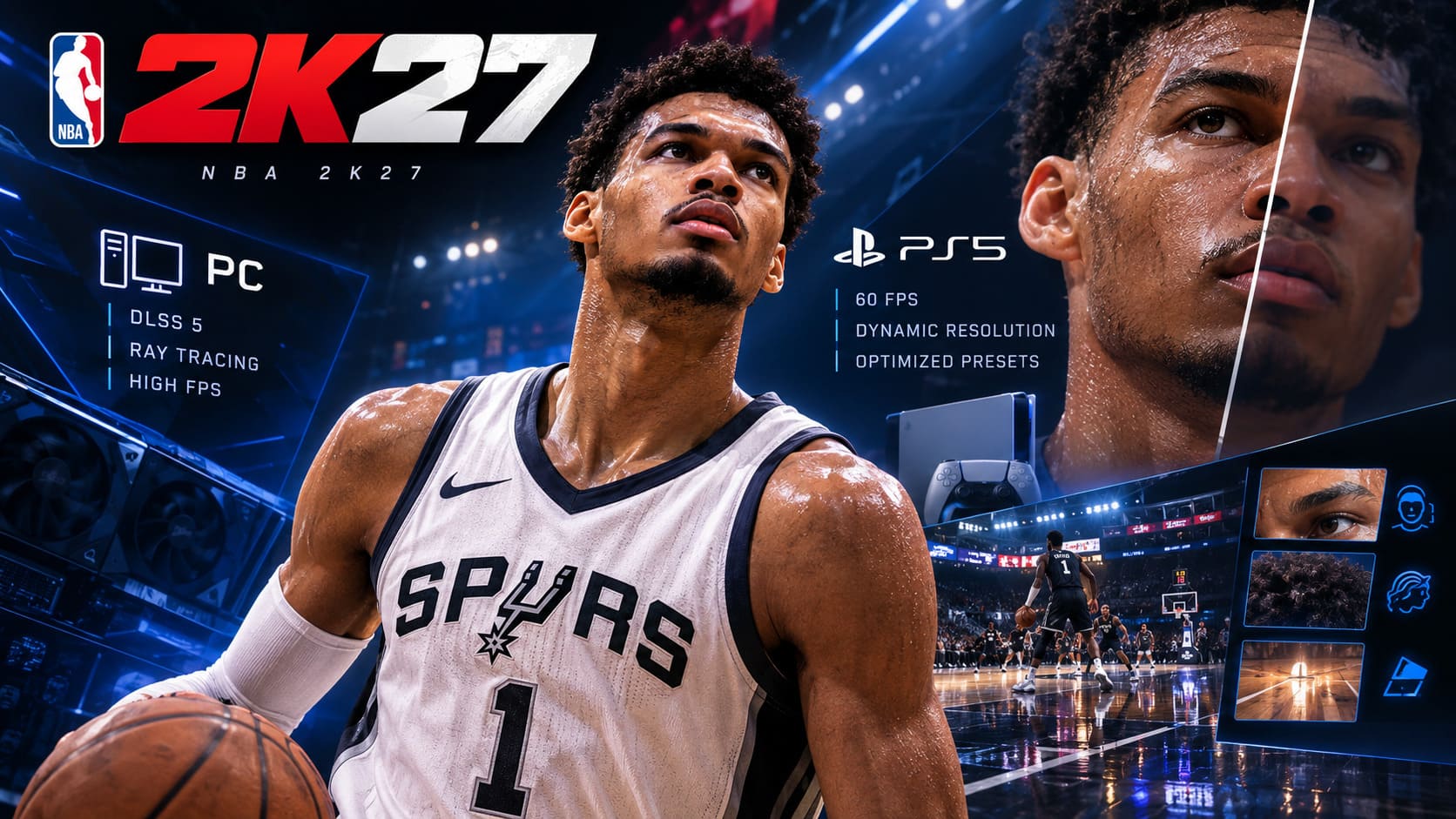
The PS5 has to maintain a consistent experience across every machine. Developers can’t assume that a player has an RTX 5090, 32GB of RAM and a ridiculous NVMe drive sitting underneath their desk. The console version therefore relies on carefully controlled presets and dynamic resolution techniques to keep gameplay around its 60 FPS target.
That consistency is one of the PS5’s biggest strengths, but it also creates a ceiling.
On PC, the situation is completely different. NBA 2K27 supports a huge range of hardware, from older GPUs such as the GeForce GTX 1060 5GB and Radeon RX 5500 XT to enthusiast-class RTX 50-series cards. The recommended tier reportedly reaches the RTX 2070 or RX 5700, while high-end systems can push far beyond the console presentation.
| Feature | PS5 | PC |
|---|---|---|
| Graphics Preset | Fixed/Optimized | Fully Customizable |
| Target FPS | 60 FPS | 60–240+ FPS |
| Resolution | Dynamic/Console Optimized | Custom Resolution |
| Ray-Traced Features | Limited/Controlled | Advanced Options |
| Upscaling | Console Solution | DLSS / Other Options |
| Texture Budget | Fixed | Hardware Dependent |
And honestly, this is where PC starts flexing.
NBA 2K27 DLSS 5 Neural Rendering Is the Big PC Advantage
The feature that immediately caught my attention is NVIDIA DLSS 5 Neural Rendering.
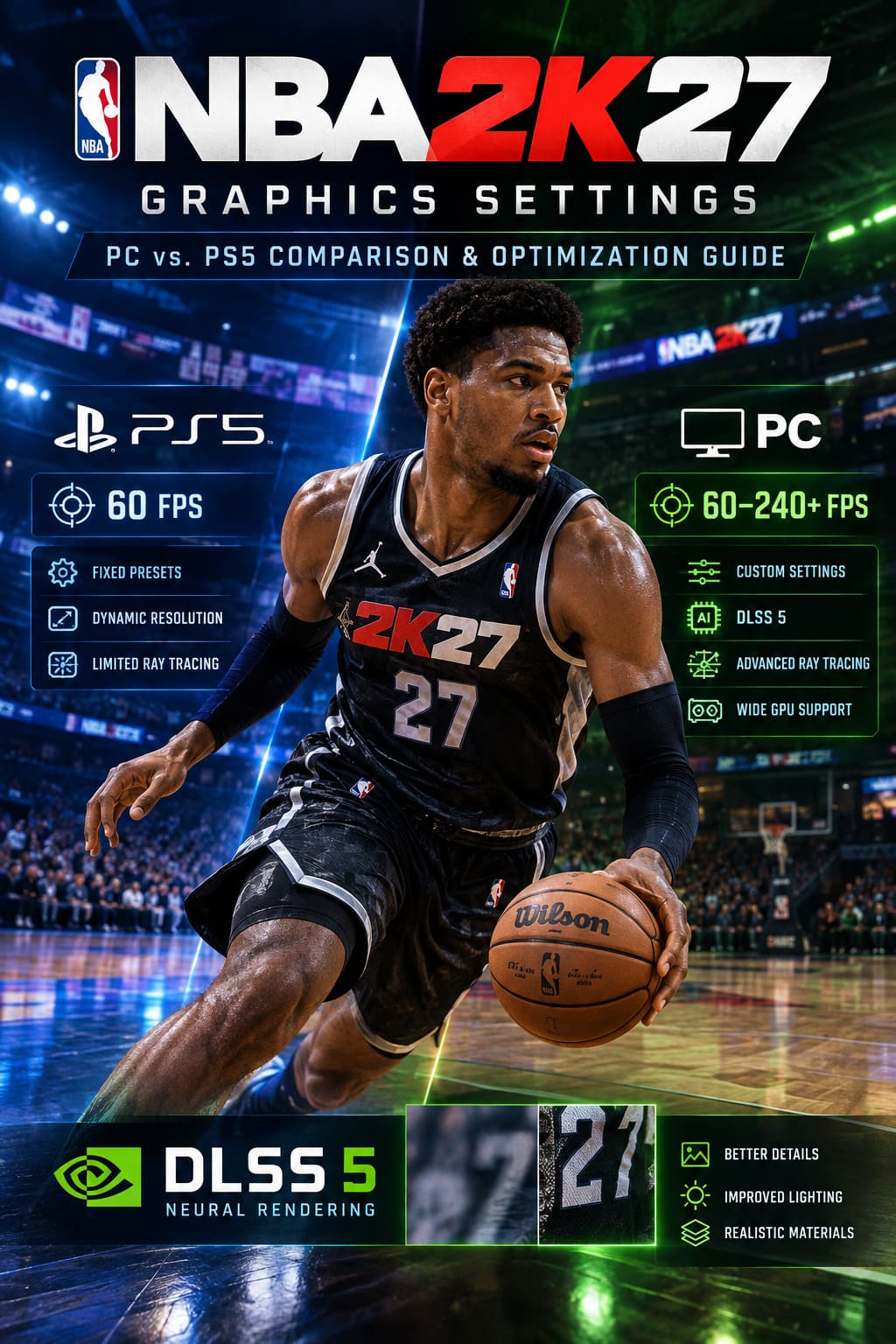
Traditional upscaling techniques reconstruct an image from a lower-resolution render. That’s already incredibly useful, but DLSS 5 pushes the idea much further by using neural processing to improve how fine details, materials and lighting are represented.
NBA 2K27 is particularly interesting because basketball games are packed with tiny visual details. You’re constantly looking at faces, hair, jerseys, sweat, polished hardwood, arena signage and reflective surfaces.
On compatible RTX hardware, DLSS 5 can help reconstruct those details in a way that makes the image feel substantially more alive.
The implementation is also refreshingly straightforward. Instead of dumping a dozen intimidating neural-rendering sliders into the graphics menu, NBA 2K27 essentially gives players a simple toggle for the feature.
That’s a good decision in my book. Most players don’t want to spend an evening wondering whether “Neural Material Reconstruction Precision” should be set to 72 or 74. They want to play basketball.
Player Faces Look Better Where It Actually Matters
Player models are one of the first places where you can spot the difference between the platforms.
The PS5 version still looks excellent during normal gameplay. From the standard broadcast camera, you’re unlikely to complain about it. The presentation is sharp, detailed and miles beyond the old last-generation versions of NBA 2K.
Move the camera closer, though, and things get more interesting.
The PS5 has to manage its texture memory and rendering workload carefully. Under certain lighting conditions, skin can look slightly too smooth. Faces can have that familiar “video game skin” appearance where pores and tiny imperfections disappear.
A high-end PC configuration can preserve considerably more detail.
With maximum texture quality and DLSS 5 enabled, skin pores, sweat, facial imperfections, eye reflections and tiny surface details can remain visible during replays. Instead of looking like a perfectly polished digital model, players can appear much closer to their real-world counterparts.
This isn’t something you’ll necessarily notice while sprinting down the court at full speed. But watch a slow-motion replay after a ridiculous dunk and the difference becomes much easier to appreciate.
Hair, Shadows and Ambient Occlusion Get Serious
Hair rendering has always been one of those areas where sports games can betray themselves.
From a distance, hair looks fine. Zoom in and suddenly you’re looking at something that seems suspiciously close to a plastic helmet.
NBA 2K27’s PC version has more room to breathe. Higher-quality ambient occlusion and contact shadows give hair and facial features much better depth. Individual strands can interact more convincingly with light, while shadows around the eyes, mouth and hairline help anchor the model.
That last part sounds minor, but it matters.
Good contact shadows stop a character model from looking like a collection of separate assets stuck together. The face, hair and clothing begin to feel like they occupy the same physical space.
It’s one of those upgrades you don’t always consciously notice, but once you compare the versions side by side, going back is surprisingly difficult.
Ray-Traced Reflections Make the Court Pop
If there’s one graphical setting that immediately screams “high-end PC,” it’s ray-traced reflections.
The NBA 2K series has always loved shiny basketball courts. Hardwood floors are practically a visual trademark of the franchise, and NBA 2K27 takes advantage of that with more advanced reflection technology on PC.
The difference becomes obvious when the arena gets busy.
Jumbotrons, banners, players and bright stadium lights can be reflected across the polished floor with much greater accuracy. Instead of a basic reflection approximation, the environment feels more connected.
There is a catch, though.
Ray-traced reflections are expensive.
Very expensive.
If you’re using an older RTX 20-series card, RTX 30-series GPU or comparable AMD hardware, I would not blindly crank this option to maximum just because the slider exists. In a competitive basketball game, losing a large chunk of your frame rate for prettier reflections is a terrible trade.
I’d rather have a rock-solid high refresh rate than stare lovingly at a perfect reflection while missing a wide-open three.
PS5 Wins the Stability Battle
Here’s where I have to give Sony’s console its flowers.
The PS5 experience is remarkably simple.
You install NBA 2K27, launch it, pick your mode and play. There are no GPU driver versions to investigate, no shader cache experiments, no Windows background applications fighting for resources and no mysterious PC configuration that suddenly tanks performance after an update.
The console aims for 60 FPS, and its dynamic resolution system helps preserve that target when the action becomes chaotic.
A crowded paint, fast break or camera transition can push rendering workloads hard. The PS5’s advantage is that the hardware and software stack are predictable.
PC is more powerful, but it’s also more complicated.
That’s the trade.
PC Can Absolutely Destroy 60 FPS
Once you move to capable PC hardware, NBA 2K27 stops being a 60 FPS game.
Depending on your GPU, CPU, resolution and graphics settings, 120 FPS, 144 FPS, 165 FPS and even 240 FPS become realistic targets.
For casual players, that might sound excessive.
For competitive players, it isn’t.
Higher refresh rates make motion noticeably smoother, and lower input latency can make controls feel more immediate. When you’re timing a shot meter or trying to react to a defender, every bit of responsiveness helps.
Frame Generation can push those numbers even higher. NVIDIA’s Multi-Frame Generation options can produce huge frame-rate figures on compatible RTX 50-series hardware when combined with DLSS technologies.
But don’t make the classic mistake of chasing a giant FPS number while the base frame rate is unstable.
240 fake-feeling frames are not automatically better than a stable 120 FPS.
Get your native rendering performance under control first. Then experiment with Frame Generation.
My Recommended NBA 2K27 PC Graphics Settings
If I were setting up NBA 2K27 on a gaming PC today, this would be my starting point:
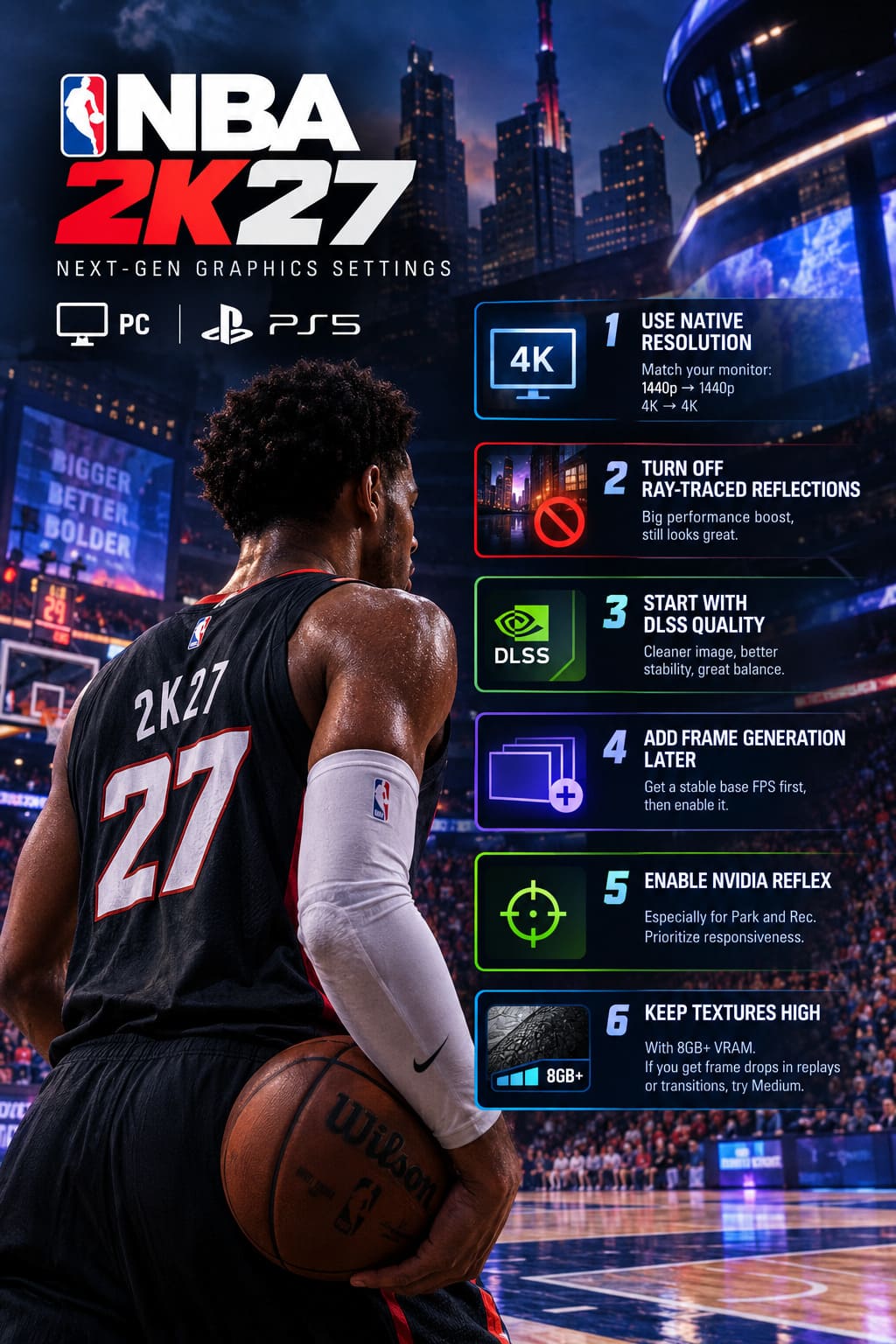
1. Use Your Native Resolution
Set the output resolution to match your monitor.
If you’re playing on a 1440p display, start at 1440p. If you’re on a 4K monitor, start at 4K.
Don’t immediately drop resolution because you see one bad benchmark. Find the actual bottleneck first.
2. Turn Off Ray-Traced Reflections on Mid-Range GPUs
This is the easiest performance win.
If your system is struggling, disable Ray-Traced Reflections before destroying texture quality or resolution.
The game will still look excellent, while the GPU gets a considerable workload reduction.
3. Start With DLSS Quality
For compatible NVIDIA hardware, DLSS Quality is an excellent starting point.
It can provide a cleaner and more stable image than you might expect from an internal lower-resolution render. If performance is already strong, keep it there rather than immediately jumping to more aggressive modes.
4. Add Frame Generation After Stabilizing Base FPS
Don’t use Frame Generation to hide poor baseline performance.
First make sure the actual rendered frame rate feels good. Once the game is already stable, enable Frame Generation and see whether the additional smoothness is worth it for your setup.
5. Enable NVIDIA Reflex
For competitive modes such as Park and Rec, latency matters.
Set NVIDIA Reflex to Enabled or Enabled + Boost on supported hardware. I would absolutely prioritize responsiveness over a few extra decorative graphical effects when playing competitively.
6. Keep Textures High With Enough VRAM
If your GPU has 8GB or more of VRAM, High texture quality is a sensible target.
If you’re experiencing strange frame drops during replays, camera cuts or transitions, try lowering textures to Medium. Sudden spikes rather than consistently low FPS can sometimes point toward a VRAM limitation.
Which Version Looks Better?
If we’re talking strictly about maximum visual quality, PC wins.
A powerful RTX 50-series system running NBA 2K27 at high resolution with DLSS 5 Neural Rendering, advanced reflections, high texture quality and a high refresh rate can produce a version of the game that the standard PS5 simply cannot match.
The difference isn’t necessarily dramatic from the broadcast camera. NBA 2K27 is designed to look good on consoles, and it does.
But zoom into a player during a replay. Look at sweat and skin. Watch hair under arena lights. Examine the reflections across the hardwood. Then switch to a high-end PC.
That’s when the gap starts to feel real.
NBA 2K27 RTX 50 Series Optimization Guide: Max FPS and DLSS 5 Tuning
Why PS5 Still Makes a Ton of Sense
The PS5 shouldn’t be dismissed just because PC has more horsepower.
For many players, 60 FPS stability is enough. The console experience is predictable, easy to use and free from the endless tweaking that comes with PC gaming.
If you want to sit down, pick up a controller and play NBA 2K27 without spending an hour optimizing settings, the PS5 remains an excellent choice.
There’s also the broader console ecosystem and established online audience to consider. For players who care primarily about competitive matchmaking and convenience, those advantages can easily outweigh the extra visual detail available on PC.
NBA 2K27 MyPLAYER Body Type Guide: How to Unlock and Change Your Appearance
Final Verdict: PC for Power, PS5 for Convenience
After looking at the graphics, performance and hardware differences, my verdict is pretty straightforward.
NBA 2K27 on PC is the superior version for enthusiasts.
If you own a powerful gaming rig, especially one equipped with a modern RTX 50-series GPU, the combination of high refresh rates, customizable graphics, advanced reflections and DLSS 5 Neural Rendering gives you the most technically impressive NBA 2K experience available.
But I wouldn’t tell every player to abandon the PS5.
The console version is still incredibly polished. Its locked performance target, optimized settings and plug-and-play nature are genuinely valuable. There is something satisfying about knowing you can launch the game and immediately start playing without wondering whether a driver update broke something.
For me, though, the PC version is the one I’d choose.
NBA 2K27 finally feels like a proper next-gen PC basketball game rather than a console version squeezed onto Windows. The ability to push beyond 60 FPS is already a major advantage, and the additional rendering features take the presentation another step further.
Just don’t make the mistake of maxing every setting blindly.
Turn down the expensive stuff that doesn’t meaningfully affect gameplay, keep your frame time stable, use DLSS intelligently, and let your hardware do what it was built to do.
Because when NBA 2K27 is running smoothly at a high refresh rate, with detailed player models and a beautifully lit court underneath you, the game stops feeling like another annual sports release.
It starts looking like the basketball sim PC players should have been getting all along.