How to Fix Forza Horizon 6 Crossplay Disabled Error on PC and Xbox (2026 Guide)
The launch of Forza Horizon 6 delivered exactly what racing fans were hoping for: a massive open world, impressive visuals, smoother driving physics, and one of the most active online communities the series has ever seen. Naturally, one of the biggest features is crossplay, allowing PC and Xbox players to race together without worrying about platform barriers.
Unfortunately, not everything has gone smoothly since release. One issue that keeps appearing across gaming communities is the dreaded Crossplay Disabled error. Some players find that the option is locked in the settings menu, while others have crossplay enabled but still cannot join friends, receive invites, or enter shared online sessions.
After spending a considerable amount of time troubleshooting the problem on both PC and Xbox systems—and after helping several friends solve the same issue—I noticed that the error is rarely caused by a single bug. In most cases, it’s a chain of account, network, or system-service problems that prevent Forza Horizon 6 from properly connecting to Xbox Network services.
This guide covers the methods that consistently produced results and explains why they work.
Why the Crossplay Error Happens
From my experience, Forza Horizon 6 relies heavily on Microsoft’s ecosystem. Unlike many multiplayer games that use their own account systems, Horizon constantly communicates with Xbox services even when you’re playing through Steam.
When one of these services fails, the game often responds by disabling multiplayer functions altogether.
The most common causes include:
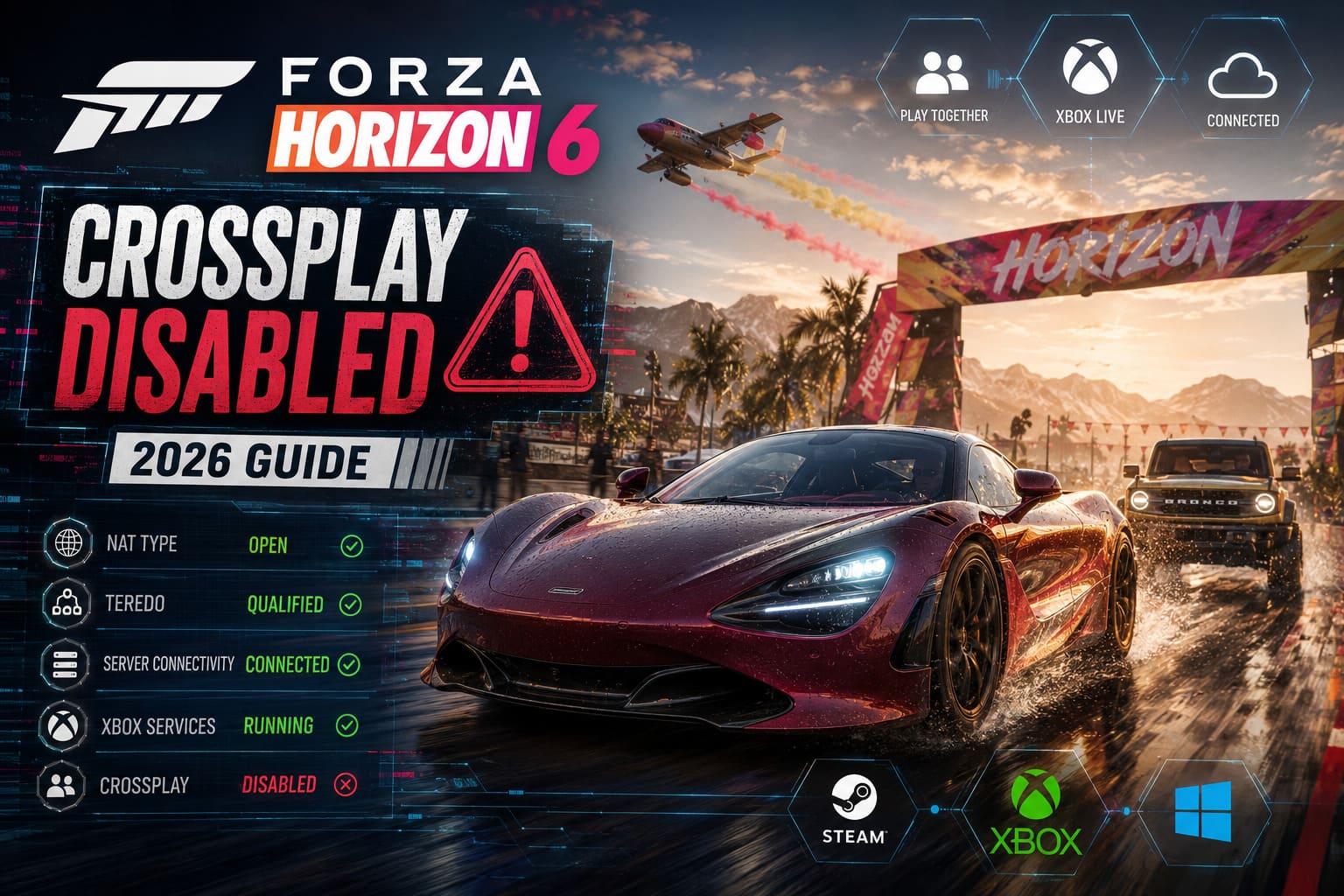
- Broken or outdated Gaming Services on Windows
- Xbox App authentication problems
- Microsoft account synchronization issues
- Restricted Xbox privacy settings
- Strict NAT types and Teredo failures
- Background applications interfering with network communication
The good news is that most of these problems can be fixed without reinstalling the entire game.
Quick Diagnosis Table
| Problem | Platform | Common Symptom | Recommended Fix |
|---|---|---|---|
| Gaming Services corruption | PC | Crossplay disabled, online errors | Reinstall Gaming Services |
| Account mismatch | PC | Cannot join friends | Re-sign into Microsoft services |
| NAT restrictions | PC/Xbox | Multiplayer unavailable | Open NAT and reset network settings |
| Privacy restrictions | Xbox | Crossplay option locked | Adjust Xbox privacy settings |
| Service conflicts | PC | Online functions randomly fail | Disable conflicting background software |
Fix #1: Update Gaming Services on Windows
This was the solution that worked for me first.
Many players update the game itself but forget that Microsoft’s Gaming Services package is equally important. If it becomes corrupted, Forza Horizon 6 may lose access to Xbox multiplayer features.
What I recommend:
- Open Microsoft Store.
- Navigate to Library.
- Select Check for Updates.
- Install every available update related to:
- Gaming Services
- Xbox App
- Microsoft Store
If everything already appears updated, consider reinstalling Gaming Services completely.
After restarting my system, crossplay functionality immediately returned.
Fix #2: Restart Critical Xbox Services
One thing I’ve noticed throughout years of PC gaming is that background services often fail silently. Windows may report everything as normal while essential gaming services are actually stuck.
Open the Services management panel and verify that these services are running:
- Xbox Live Auth Manager
- Xbox Live Networking Service
- Xbox Live Game Save
- Xbox Accessory Management Service
- GameInput Service
Set their startup mode to Automatic whenever possible.
A simple restart of these services has fixed matchmaking issues for several players I know.
Fix #3: Verify Your Microsoft Account Setup
This sounds obvious, but account synchronization remains one of the biggest causes of crossplay failures.
I’ve seen situations where:
- Steam was linked to one Microsoft account
- Xbox App used another account
- Microsoft Store was signed into a third profile
The result? Online authentication completely breaks.
Best practice:
- Sign out from the Xbox App.
- Sign out from Microsoft Store.
- Close both applications.
- Restart the PC.
- Sign back into the same Microsoft account everywhere.
Also make sure Windows automatically synchronizes:
- Date
- Time
- Time zone
Incorrect system time can create authentication issues that look unrelated at first glance.
Fix #4: Check NAT Type and Teredo Connectivity
This is one of the most overlooked troubleshooting steps.
Forza Horizon has historically depended on Microsoft’s networking framework, and NAT problems continue to affect multiplayer functionality even in 2026.
What to check
Open Xbox networking diagnostics on Windows and verify:
| Network Status | Result |
|---|---|
| NAT Type | Open |
| Server Connectivity | Connected |
| Teredo | Qualified |
If any of these fail, multiplayer performance can suffer dramatically.
A router restart solved the issue for one of my racing teammates after hours of troubleshooting elsewhere.
In some situations, manually resetting Teredo settings can also restore connectivity.
Fix #5: Disable Problematic Background Software
This solution surprised me the most.
Several racing enthusiasts using advanced sim-racing hardware discovered that calibration software and device-management tools occasionally interfere with Horizon’s online services.
Applications that have been linked to multiplayer issues include:
- National Instruments utilities
- NI Domain Service
- Certain wheel and pedal calibration suites
- Aggressive firewall packages
- Some virtualization software
If crossplay suddenly stopped working after installing new hardware software, temporarily disable those utilities and test the game again.
The difference can be immediate.
Xbox Players: Check Privacy Settings First
On Xbox Series X and Series S, the most common cause is usually not networking—it is account permissions.
Many users accidentally inherit restrictive privacy settings from older profiles or family account configurations.
Verify the following settings:
Account → Privacy & Online Safety → Xbox Privacy
Make sure:
- Join cross-network play = Allow
- Play with people outside Xbox = Allow
- Communication permissions = Open or Everybody
Even if crossplay appears enabled inside the game, these account-level settings can override everything.
Clear the Xbox Cache
Another fix that consistently works involves performing a complete power cycle.
I know many players rely heavily on Quick Resume, but I’ve seen multiplayer problems persist because cached session data never fully resets.
Recommended procedure:

- Shut down the Xbox completely.
- Hold the power button for roughly 10 seconds.
- Disconnect power for several minutes.
- Reconnect and boot normally.
- Launch Forza Horizon 6 from a fresh startup.
Avoid Quick Resume during troubleshooting.
Several online-related issues disappeared immediately after a full cache reset.
Keep the Console and Game Updated
This may sound basic, but version mismatches are a known reason why crossplay becomes unavailable.
If one platform is running a newer build than another, matchmaking services may temporarily disable cross-platform interaction.
Before spending hours troubleshooting:
- Check for Xbox system updates
- Check for Forza Horizon 6 updates
- Restart after installing updates
I’ve encountered cases where a small patch solved matchmaking problems without any additional fixes.
Confirm In-Game Crossplay Settings
After fixing system-level problems, verify that Forza Horizon 6 itself recognizes the changes.
Navigate to:
Pause Menu → Settings → HUD & Gameplay
Locate the crossplay option and confirm it is enabled.
If prompted to reconnect to online services, accept the notification and allow the game to reload its network session.
One trick that occasionally helps is:
- Enter Horizon Solo.
- Wait for the offline world to load.
- Return to Horizon Life.
This forces the game to establish a fresh connection to multiplayer servers.
Where to Sell Duplicate Cars Fast in Forza Horizon 6: The Ultimate Credits Guide
My Final Thoughts
After years of playing online racing games, I’ve learned that multiplayer problems are rarely caused by one simple bug. Forza Horizon 6 is no exception. While the Crossplay Disabled error looks like a game issue, most cases actually originate from Microsoft’s network infrastructure, account authentication systems, or local device configurations.
If I had to prioritize the fixes based on what I’ve personally seen work most often, the order would be:
- Update or reinstall Gaming Services
- Verify Microsoft account synchronization
- Check Xbox privacy permissions
- Open NAT and repair Teredo connectivity
- Disable conflicting background software
Following those steps resolves the vast majority of crossplay problems reported by both PC and Xbox players.
Once everything is configured correctly, cross-platform racing works exceptionally well. Convoys connect quickly, online sessions populate properly, and the game finally delivers the shared Horizon experience that many players purchased it for in the first place. The troubleshooting process can be frustrating, but the solution is usually much closer than it initially appears.