Cobra Strike Steam Deck Compatibility: Can You Play It Handheld?
There is something incredibly satisfying about taking a classic military arcade formula and bringing it into the modern indie scene. Cobra Strike instantly feels like a love letter to the old-school helicopter action games that defined the 90s, while adding modern design choices that make the experience much more comfortable for today’s players. The idea of jumping into an attack helicopter, flying through hostile territory, destroying enemy forces, and completing dangerous missions sounds almost perfect for quick Steam Deck sessions.
For many handheld gamers, the biggest question is not about the gameplay itself. The real question is simple: Can Cobra Strike actually run well on Steam Deck? Nobody wants to buy a fast-paced aerial combat game only to discover poor optimization, uncomfortable controls, or compatibility problems with SteamOS.
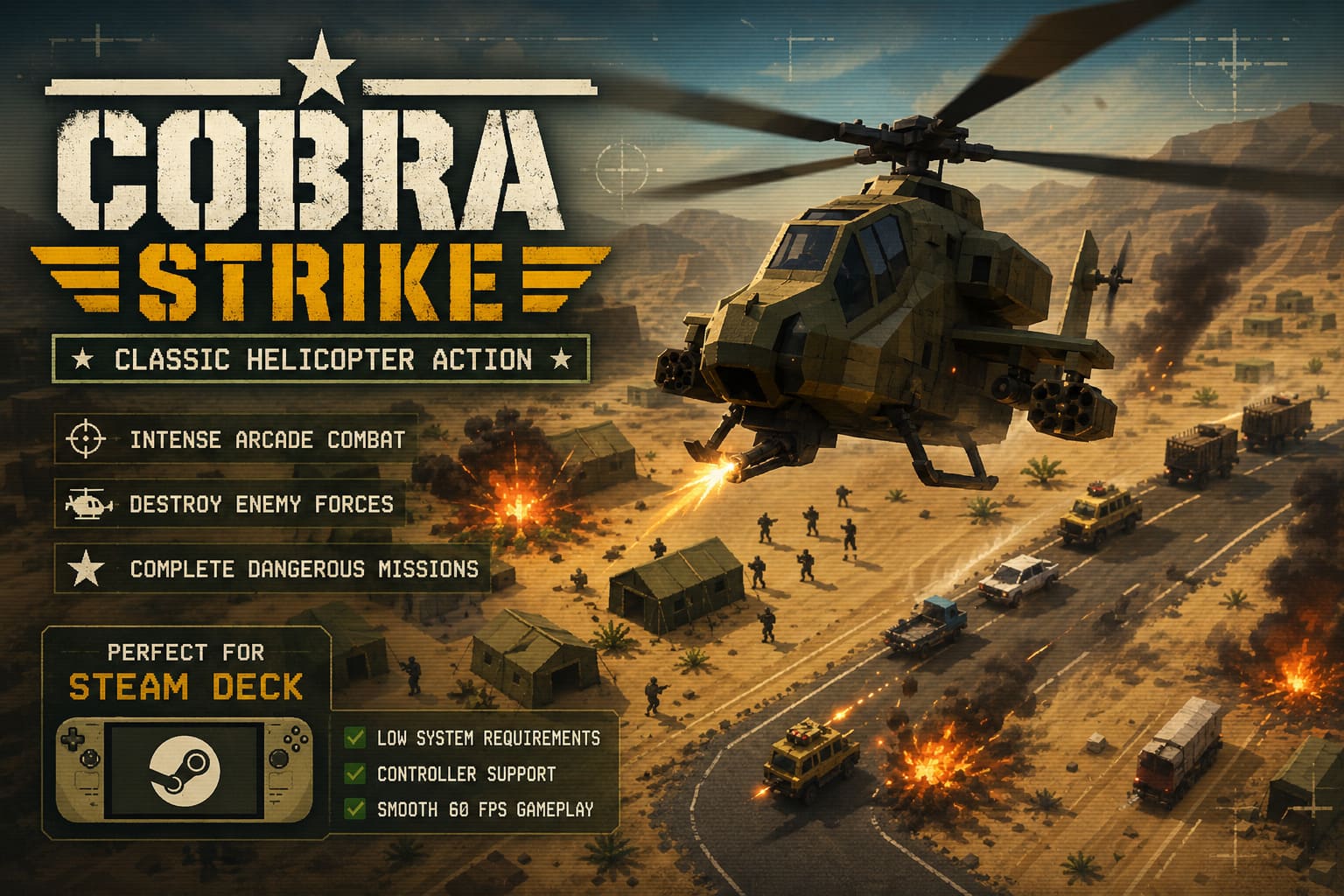
After looking at the available technical details, developer information, system requirements, and the overall design philosophy behind the game, Cobra Strike appears to be an excellent match for Valve’s handheld PC. While it does not currently have an official Steam Deck compatibility rating, almost every sign points toward a smooth portable experience.
Best Modern Desert Strike Alternative: The Helicopter Arcade Shooter Revival You Need to Play
Cobra Strike Steam Deck Verified Status Explained
The first thing most Steam Deck owners check before buying a new game is the official compatibility badge from Valve. These ratings help players understand whether a title is fully optimized, playable with minor adjustments, or still waiting for testing.
At the moment, Cobra Strike is listed as Unknown regarding Steam Deck compatibility. This may look worrying at first, but for an upcoming indie release, this status is completely normal.
The Unknown label does not mean the game cannot run on SteamOS. It simply means Valve has not completed its official testing process yet. Since Cobra Strike is still preparing for release, the game has likely not gone through the full Deck verification process.
From following many indie releases, this situation happens frequently. Plenty of games launch without a Verified badge and still work perfectly from the first day. Valve testing often happens closer to release or shortly after players begin reporting their experiences.
The more important factor is the game’s technical foundation. Hardware requirements, controller support, and software compatibility usually tell a much clearer story than the badge itself.
Why Cobra Strike Hardware Requirements Are Perfect for Steam Deck
One of Cobra Strike’s biggest strengths is its lightweight design. Instead of focusing on ultra-realistic graphics and demanding visual effects, the game embraces a stylized low-poly military look inspired by classic helicopter shooters from the 16-bit and 32-bit eras.
This approach is honestly a smart choice for handheld gaming. Steam Deck players do not always need the most demanding games possible. Sometimes the best portable experiences are titles that launch quickly, run smoothly, and deliver pure gameplay without unnecessary technical problems.
The available PC requirements for Cobra Strike are extremely modest:
| Requirement | Specification |
|---|---|
| Operating System | Windows 10 / Windows 11 |
| Processor | Dual Core CPU |
| Memory | 4 GB RAM |
| Graphics | 2 GB VRAM GPU |
| DirectX | Version 12 |
| Storage | Around 4 GB Available Space |
The Steam Deck easily exceeds these requirements. Valve’s handheld uses a custom AMD APU featuring a Zen 2 quad-core processor, RDNA 2 graphics technology, and 16 GB of unified LPDDR5 memory.
In practical terms, Cobra Strike is asking for entry-level PC hardware while the Steam Deck was designed to handle significantly more demanding games. The system should have no trouble running the game, and players can expect stable performance without worrying about heavy battery drain or overheating.

Helicopter Controls and Steam Deck Input Experience
Performance is only one part of the handheld experience. Controls can completely determine whether a game feels enjoyable or frustrating.
Many indie PC games struggle on Steam Deck because they are designed primarily around keyboard and mouse controls. A helicopter combat game with complicated inputs could quickly become uncomfortable if players are forced to rely on touchpads or custom community layouts.
Fortunately, Cobra Strike appears to avoid this problem by supporting traditional controller input. The game is designed around gamepads, which means Steam Deck users should have a natural experience immediately after launching.
- Analog sticks provide smooth helicopter movement and aiming control.
- Triggers handle weapons and important combat actions.
- Face buttons manage interactions, equipment, and mission commands.
- D-pad controls provide additional options during gameplay.
The Steam Deck automatically works as an X-input controller, so Cobra Strike should recognize the handheld’s controls without requiring complicated setup. Players should not need to manually create keyboard shortcuts or download special community configurations.
The arcade-style helicopter movement also seems like a perfect fit for dual analog sticks. Flying, turning, aiming, and attacking should feel much more natural compared to traditional keyboard controls.
Proton Compatibility: How Will Cobra Strike Work on SteamOS?
Because SteamOS is built on Linux, Windows games depend on Valve’s Proton compatibility layer to run properly. The good news is that Cobra Strike appears to avoid many of the common problems that prevent games from working on Steam Deck.
The biggest compatibility issues usually come from multiplayer games using aggressive anti-cheat systems. Technologies such as kernel-level protection often create problems for Linux users.
Cobra Strike is focused on a single-player action experience, meaning it avoids one of the biggest obstacles for Steam Deck compatibility.
Based on similar indie games using DirectX technology, there is a strong possibility that Cobra Strike will run through standard Proton versions without major issues.
If players experience launch problems, possible solutions will likely include:
- Using Proton Experimental through Steam compatibility settings.
- Testing the latest stable Proton versions.
- Checking community compatibility reports after release.
This is common for new PC releases. Many games receive improved Steam Deck compatibility shortly after launch as more players test different settings.
Expected Cobra Strike Steam Deck Performance
Looking at the gameplay style and technical requirements, Cobra Strike should be a comfortable performer on Steam Deck. The game includes explosions, enemy vehicles, scrolling environments, and intense helicopter battles, but the visual style is not designed to push hardware limits.

I would expect this to be the type of game that feels instantly comfortable on a handheld. It has the right combination of fast action, simple controls, and lightweight performance requirements.
| Category | Expected Steam Deck Performance |
|---|---|
| Resolution | 1280×800 Native Display |
| Frame Rate | Likely Stable 60 FPS |
| Battery Usage | Low To Moderate |
| Loading Times | Very Fast |
| Controls | Excellent With Gamepad |
Recommended Steam Deck Settings for Cobra Strike
When the game launches, these settings should provide the best handheld experience:
- Lock refresh rate to 60Hz for smooth helicopter movement.
- Use native 1280×800 resolution for the sharpest image quality.
- Avoid unnecessary graphical effects if you want maximum battery life.
- Switch to Proton Experimental if the game has startup issues.
The Steam Deck OLED model should also perform extremely well thanks to improved efficiency and longer battery life. A lightweight indie action game like Cobra Strike is exactly the kind of title where the advantages of OLED hardware become noticeable.
Final Verdict: Is Cobra Strike Worth Playing on Steam Deck?
Based on everything currently known, Cobra Strike looks like a fantastic Steam Deck game.
The missing Verified badge should not discourage handheld players. The game has almost every feature needed for a strong portable experience: low system requirements, controller support, a single-player design, and a lightweight visual style.
This is exactly where Steam Deck shines. While major AAA releases can be impressive, smaller action games often deliver some of the most enjoyable handheld sessions. Jumping into a helicopter mission, completing objectives during a short break, and continuing later feels like the perfect use case for this type of game.
Until Valve completes official testing, there is no absolute guarantee. However, all available signs suggest that Cobra Strike should run smoothly on Steam Deck from launch, giving players the chance to enjoy classic-inspired helicopter combat anywhere they want.