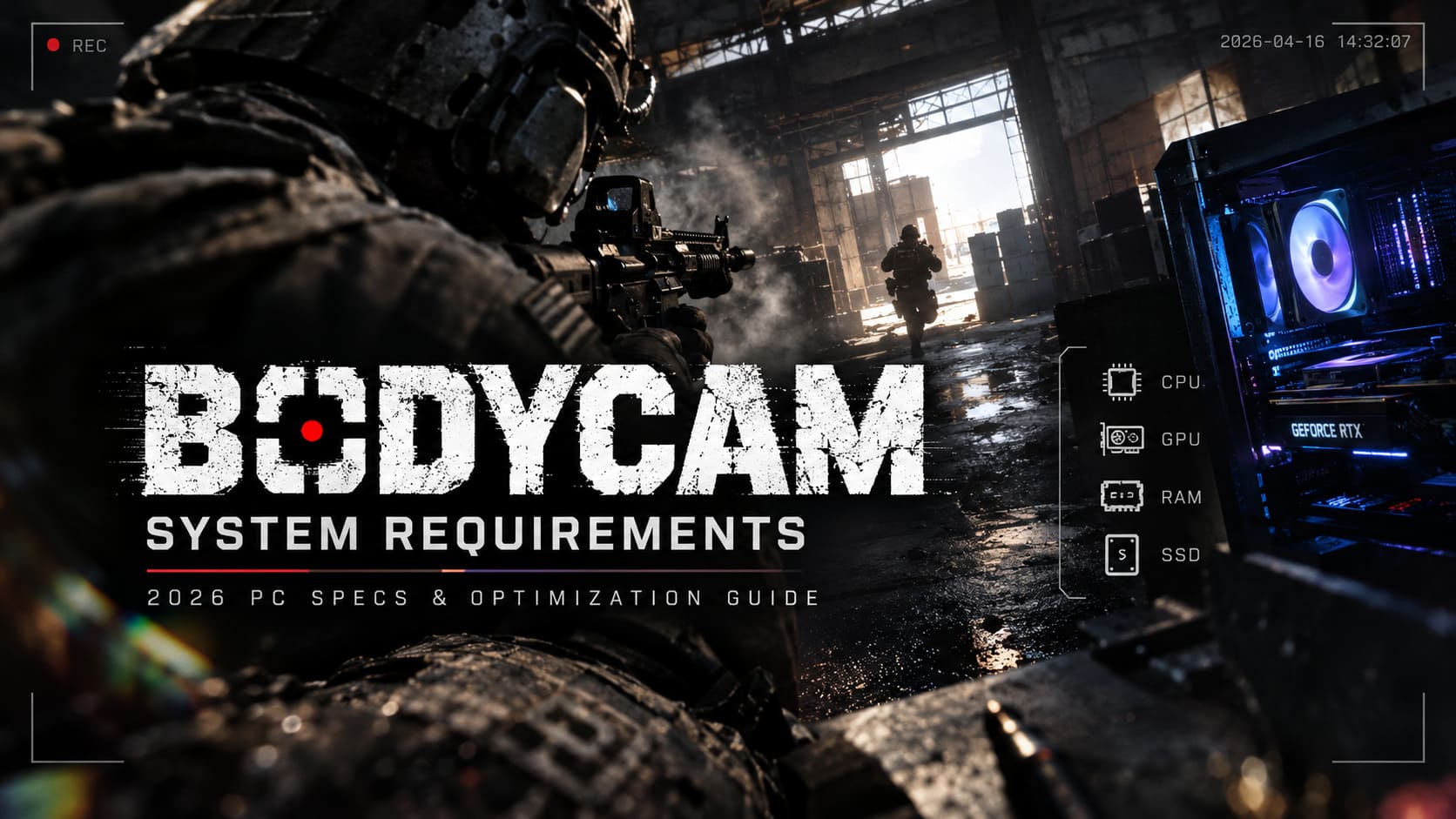
Bodycam System Requirements: 2026 PC Specs and Optimization Guide
Bodycam isn’t just another multiplayer shooter anymore. After spending dozens of hours jumping between cramped apartment raids, industrial warehouses, forests, and smoke-filled firefights, I can confidently say it’s one of the most demanding competitive games on PC in 2026. The visual style looks incredible because it sacrifices almost nothing for realism. Every flashlight bounce, every dust particle, every reflection, and every camera shake comes with a hardware cost.
And honestly? The official system requirements only tell half the story.
If you’re planning to buy Bodycam or wondering why your PC suddenly struggles after recent updates, here’s the guide I wish I had before tweaking settings for hours. I’ll break down what hardware actually works, which components matter the most, and where you can gain free FPS without turning the game into a blurry mess.
Official Bodycam PC Requirements (2026)
Let’s start with the specs listed by the developers.
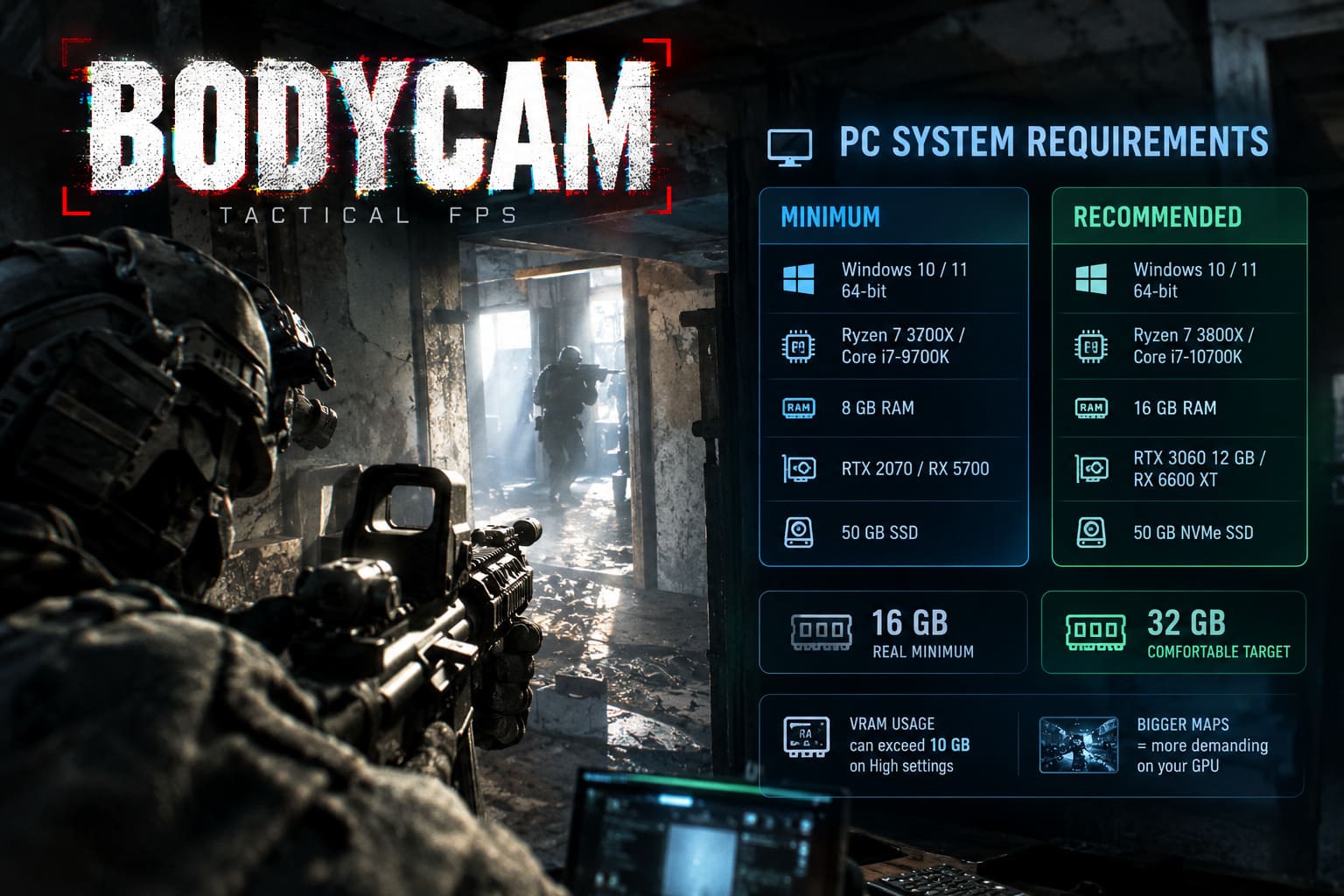
| Component | Minimum | Recommended |
|---|---|---|
| Operating System | Windows 10 / 11 64-bit | Windows 10 / 11 64-bit |
| Processor | Ryzen 7 3700X / Core i7-9700K | Ryzen 7 3800X / Core i7-10700K |
| Memory | 8 GB RAM | 16 GB RAM |
| Graphics Card | RTX 2070 / RX 5700 | RTX 3060 12 GB / RX 6600 XT |
| Storage | 50 GB SSD | 50 GB NVMe SSD |
These numbers will launch the game. They won’t necessarily give you a competitive experience.
My Reality Check After Playing Bodycam
Here’s the biggest surprise: 8 GB of RAM is basically obsolete for Bodycam.
The game constantly streams Unreal Engine 5 assets while you’re moving through maps. Add Discord, Steam, Windows, and a browser in the background, and memory usage skyrockets.
What happens on an 8 GB system?
- Random freezes during firefights.
- Texture pop-in.
- Long loading times after respawning.
- Occasional crashes when maps change.
I’d treat 16 GB as the real minimum and 32 GB as the comfortable target.
The same applies to VRAM. Bodycam happily uses more than 10 GB on High settings, especially on larger maps packed with destructible objects and lighting effects.
What PC You Need for 1080p Gameplay
1080p is still where most players are competing. The good news is you don’t need flagship hardware.
Best Budget Build for 1080p
| Hardware | Recommendation |
|---|---|
| CPU | Ryzen 5 5600X or Intel Core i5-12400F |
| GPU | RTX 4060 or Radeon RX 7600 |
| RAM | 16 GB Dual Channel |
| Storage | PCIe NVMe SSD |
Expected Performance
Medium Settings: 60–75 FPS
DLSS / FSR Quality: 70–90 FPS
This setup feels genuinely smooth without sacrificing too much image quality.
1440p Is Where Bodycam Really Shines
If you ask me which resolution Bodycam was secretly designed for, it’s 1440p.
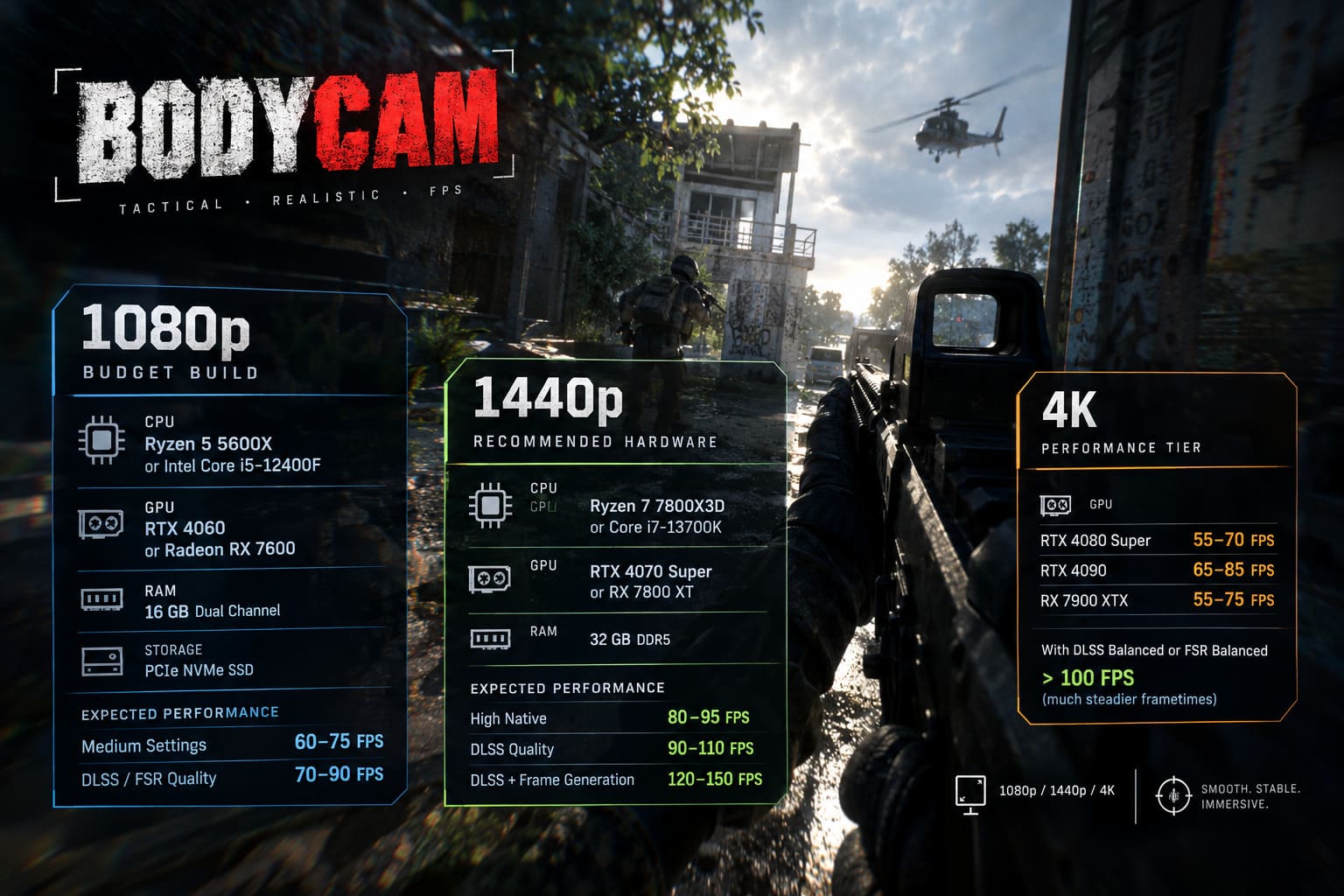
Enemy silhouettes become easier to identify through vegetation, shadows look cleaner, and the bodycam filter doesn’t destroy sharpness the way it sometimes does at 1080p.
Recommended 1440p Hardware
| Component | Sweet Spot |
|---|---|
| CPU | Ryzen 7 7800X3D or Core i7-13700K |
| GPU | RTX 4070 Super or RX 7800 XT |
| Memory | 32 GB DDR5 |
Performance You Can Expect
| Graphics Settings | FPS |
|---|---|
| High Native | 80–95 |
| DLSS Quality | 90–110 |
| DLSS + Frame Generation | 120–150 |
This is the configuration I’d recommend to almost anyone building a new gaming PC in 2026.
Can You Play Bodycam in 4K?
Yes.
Should you use native 4K Epic settings? Probably not.
Even extremely powerful GPUs lose a lot of performance once Lumen, Nanite, and volumetric lighting all start working together.
4K Performance Tier
| GPU | Native 4K Epic |
|---|---|
| RTX 4080 Super | 55–70 FPS |
| RTX 4090 | 65–85 FPS |
| RX 7900 XTX | 55–75 FPS |
Turn on DLSS Balanced or FSR Balanced and those numbers climb well over 100 FPS with much steadier frametimes.
That’s a better trade for multiplayer than chasing native resolution.
Why Unreal Engine 5 Punishes Older PCs
Bodycam is one of the best examples of Unreal Engine 5 pushing modern hardware.
Lumen Is Beautiful… and Brutal
Real-time global illumination changes every environment dynamically.
Walk into a dark hallway with a flashlight and watch light bounce naturally off concrete walls.
Looks incredible.
Costs a lot of GPU performance.
Lowering Global Illumination is still the single biggest FPS gain in the game.
Nanite Loves VRAM
Nanite streams millions of polygons without traditional LODs.
- Incredible environmental detail.
- Massive geometry density.
- Better distant objects.
The downside?
- Heavy VRAM usage.
- Constant asset streaming.
- Bigger SSD bandwidth requirements.
Virtual Shadow Maps
Bodycam’s shadows look frighteningly realistic.
They’re also one of the biggest GPU killers after Global Illumination.
RAM and VRAM Matter More Than You Think
I see a lot of players upgrading CPUs first.
I’d actually prioritize memory if you’re already running a decent processor.
Recommended Memory Capacity
| Capacity | Verdict |
|---|---|
| 8 GB | Avoid completely. |
| 16 GB | Playable with background apps closed. |
| 32 GB | Recommended for smooth gameplay. |
| 64 GB | Useful for creators and multitasking. |
VRAM Recommendations
| VRAM | Experience |
|---|---|
| 8 GB | Medium settings recommended. |
| 10 GB | Acceptable at High. |
| 12 GB | Ideal for 1080p and 1440p High. |
| 16 GB+ | Best for Ultra textures and 4K. |
The annoying thing about running out of VRAM isn’t lower FPS.
It’s frametime spikes.
The game suddenly pauses for a split second while assets move into system memory.
Those stutters lose firefights.
SSD vs HDD: This Isn’t Even a Debate
Installing Bodycam on an HDD in 2026 is a terrible idea.
What Happens on an HDD
- Texture streaming delays.
- Invisible walls for a second.
- Audio desync.
- Long respawn loading screens.
- Stuttering while entering new buildings.
Use an NVMe SSD Instead
A PCIe 4.0 NVMe SSD makes a noticeable difference because Bodycam constantly streams assets during gameplay.
Faster storage won’t magically increase FPS.
It does reduce hitching.
And that’s arguably more important in a tactical shooter.
Best Bodycam Graphics Settings for Maximum FPS
These settings keep most of the visual quality while removing the biggest performance offenders.
| Setting | Recommendation |
|---|---|
| Resolution | Native 1080p or 1440p |
| DLSS / FSR | Quality (Balanced if needed) |
| Global Illumination | Low |
| Shadow Quality | Medium |
| Texture Quality | High (12 GB+ VRAM) |
| Effects | Medium |
| Motion Blur | Off |
| Chromatic Aberration | Off |
| NVIDIA Reflex | Enabled |
Biggest FPS Boosts in Order
- Lower Global Illumination.
- Reduce Shadow Quality.
- Enable DLSS or FSR.
- Disable Motion Blur.
- Disable Chromatic Aberration.
These changes usually preserve the gritty bodycam atmosphere surprisingly well.
Should You Use Frame Generation?
Frame Generation is fantastic when your base FPS is already healthy.
Enable It If:
- You’re using RTX 40-series.
- You’re using RX 7000-series.
- Native FPS stays above 45–50.
Don’t Enable It If:
- You’re below 40 FPS.
- Mouse input already feels sluggish.
- You’re CPU bottlenecked.
Always pair Frame Generation with NVIDIA Reflex or the AMD equivalent to keep latency under control.
CPU Bottlenecks Are Real in Large Matches
Bodycam isn’t purely GPU limited.
The CPU handles:
- Bullet impact calculations.
- Particle physics.
- Debris simulation.
- Audio positioning.
- Multiplayer synchronization.
CPUs That Still Hold Up Well
| CPU | Performance |
|---|---|
| Ryzen 5 5600X | Excellent for 1080p. |
| Core i5-12400F | Great value option. |
| Ryzen 7 7700X | Strong 1440p performance. |
| Ryzen 7 7800X3D | Outstanding gaming CPU. |
| Core i7-13700K | Excellent multitasking and gaming. |
The 7800X3D remains one of the strongest gaming processors for Unreal Engine 5 titles because its large cache helps reduce CPU-related frametime spikes.
Common Mistakes That Hurt Performance
I’ve seen these settings destroy performance more often than outdated hardware.
- Installing the game on an HDD.
- Running High or Epic Global Illumination on mid-range GPUs.
- Leaving unnecessary apps open with only 16 GB RAM.
- Using Ultra textures on an 8 GB graphics card.
- Enabling Frame Generation with a low base FPS.
A surprisingly clean Windows startup can improve consistency during long gaming sessions.
Is an RTX 3060 Still Good Enough?
Yes, but with realistic expectations.
The RTX 3060 12 GB remains one of the better value cards because its 12 GB VRAM ages much better than many newer 8 GB GPUs.
RTX 3060 Expectations
| Resolution | Settings | FPS |
|---|---|---|
| 1080p | Medium | 65–80 |
| 1080p | High + DLSS Quality | 60–70 |
| 1440p | Medium + DLSS Balanced | 50–65 |
| 1440p | High | 45–55 |
If you’re competitive, Medium settings with DLSS Quality still look surprisingly sharp.
Onimusha Way of the Sword Fast Travel Guide: How to Unlock and Use Spirit Mirrors
Final Verdict: Is Your PC Ready for Bodycam in 2026?
Bodycam is one of those games that rewards balanced hardware instead of simply chasing the most expensive graphics card. A fast NVMe SSD, enough RAM, and plenty of VRAM often improve the experience more than pushing every graphics slider to Epic.
Here’s the setup I’d recommend for most players:
| Target Experience | Recommended Hardware |
|---|---|
| 1080p Competitive | RTX 4060 or RX 7600, Ryzen 5 5600X / Core i5-12400F, 16 GB RAM, NVMe SSD. |
| 1440p High Refresh | RTX 4070 Super or RX 7800 XT, Ryzen 7 7800X3D / Core i7-13700K, 32 GB DDR5. |
| 4K Ultra | RTX 4080 Super, RTX 4090, or RX 7900 XTX paired with a Ryzen 7 7800X3D and at least 32 GB of fast DDR5 memory. |
If there’s one takeaway from hundreds of matches, it’s this: don’t chase Epic settings. Lower Global Illumination, keep shadows at Medium, use DLSS or FSR Quality, and invest in enough RAM and VRAM. Bodycam still looks stunning, but it feels dramatically smoother—and in a game where milliseconds decide every firefight, smooth frametimes matter far more than one extra reflection on a concrete wall.