The Sinking City 2 Demo Walkthrough Guide and Save File Carry Over Explained
The Sinking City 2 has made one of the more interesting changes I have seen in a horror sequel in recent years. Instead of simply expanding the investigative formula of the first game, Frogwares has pushed the series much closer to traditional survival horror. After spending time with the demo and working through its puzzles, combat encounters, and resource management, I came away feeling that this is a much more focused game than its predecessor.
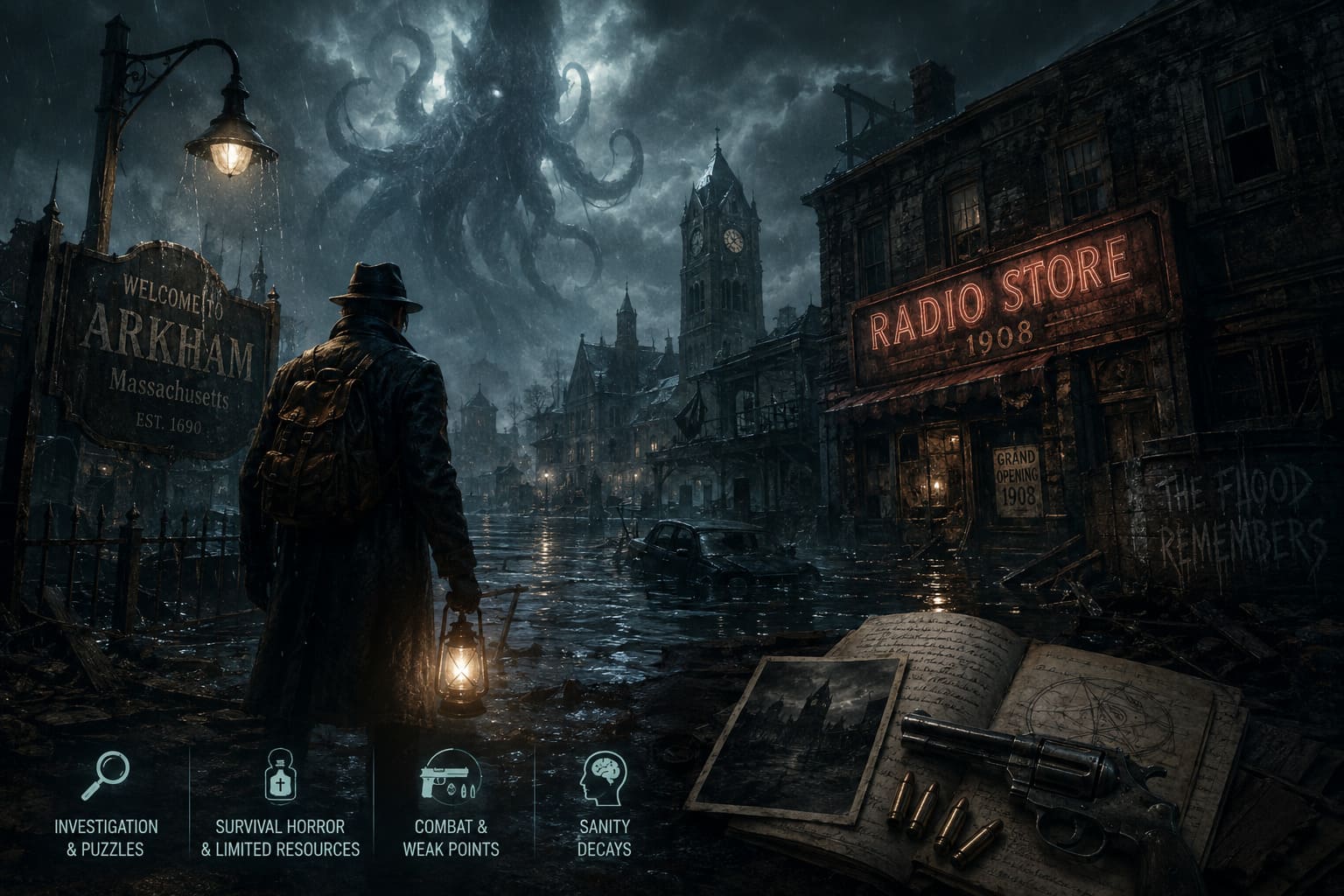
The Unreal Engine 5 presentation certainly helps. Flooded streets, rotting buildings, strange creatures and oppressive interiors give Arkham a completely different atmosphere. But what interested me most was not the graphics. It was how the game handles exploration and scarcity. The Sinking City 2 actually makes you think about every bullet, healing item and detour, which is exactly what I want from this type of horror game.
The roughly one-hour demo is short, but it gives a surprisingly good impression of the full experience. It also raises two practical questions: how do you get through the demo efficiently, and can your demo save be transferred into the full game?
Here is everything worth knowing.
The Sinking City 2 Demo Walkthrough
The demo puts you in control of Calvin Rafferty, an occult adventurer searching for a way to save Faye, his soulmate, from a supernatural slumber. The setup is immediately more personal than the detective-driven structure of the original game, while the gameplay itself feels much more influenced by modern survival horror.
If you have played games such as Resident Evil 2 Remake, you will recognize several ideas here: limited resources, dangerous corridors, locked rooms, safe areas and maps that encourage you to return to locations you previously couldn’t fully explore.
1. Survive the Opening Streets
The demo starts with Calvin moving through a flooded and decaying section of Arkham. There is no need to rush. In fact, rushing is probably the easiest way to waste resources.
Search broken crates, abandoned vehicles and other obvious points of interest for handgun ammunition and healing supplies. The environment rewards players who actually look around rather than following the main path.
Your first serious encounter is with a corpse infected by a Slitherworm. This is where the demo introduces one of its most important combat mechanics: staggering enemies by targeting their weak points.
Watch for the creature’s glowing yellow areas. Shooting these weak spots is considerably more effective than emptying your magazine into its body. Once the enemy enters a staggered state, move in and use a heavy melee attack.
That approach may feel risky at first, but ammunition is far more valuable than your health during the opening section. From my perspective, learning this system early makes the rest of the demo noticeably easier.
2. Apartment 6 and the Locked Safe
Eventually, you will enter a damaged apartment building and find Apartment 6.
Inside is an iron safe that immediately looks important. There is no shortcut around the lock, and you cannot simply force it open. The combination has to be discovered through environmental clues.
This is a classic survival-horror design choice that I personally prefer over simply giving the player a puzzle with no context. The game wants you to remember the location and investigate the surrounding area.
You can leave Apartment 6 for the moment and continue exploring. Make a mental note of the safe because you will soon have everything required to open it.
3. Finding the Radio Store Code
Continue down the main road and keep an eye out for enemies hiding around damaged structures. The Slitherworms are particularly effective at making familiar areas feel unsafe because they can appear when you least expect them.
Your next important destination is the abandoned Radio Store.
Search the interior carefully. Documents and other environmental details provide information about the history of the business. One particular document reveals the store’s founding year:
1908
That’s the combination you need for Apartment 6.
Before leaving, interact with the heavy object blocking the rear exit. Moving it creates a shortcut back toward the main street. It might seem like a small environmental interaction, but this is exactly the sort of thing that makes the demo feel like a genuine survival-horror map rather than a linear showcase.
4. Apartment 6 Safe Combination
Return to Apartment 6 and enter:
1-9-0-8
The safe contains Dolorocide Pills and handgun ammunition, making the detour worthwhile.
There is one catch.
Opening the safe triggers an enemy encounter. Two hostile mutated creatures appear shortly after you collect the contents. If you are already low on health, this can be an unpleasant surprise.
Personally, I would avoid standing directly in front of the safe after opening it. Grab the rewards and be ready to either fight efficiently or reposition into the hallway.
This is one of those small moments where The Sinking City 2 shows that it is trying to punish predictable behavior. The game knows that players love opening locked containers, and it uses that expectation against you.
5. The Bridge and Fuse Puzzle
Eventually, the route leads toward a bar and a large raised drawbridge. Unfortunately, the mechanism controlling the bridge has no power.
Nearby is a fuse box containing three empty slots.
Your objective is straightforward: find three electrical fuses and restore power to the mechanism.
The fuses are distributed around the nearby area, including the bar, surrounding structures and tool sheds. Search everything before assuming you are missing a key item.
Once all three fuses are collected, you have to arrange them correctly according to the electrical connections. The objective is to create a complete circuit so the power lines illuminate properly.
I actually liked this puzzle more than I expected. It is not particularly difficult, but it breaks up the combat and exploration without feeling like a completely unrelated minigame.
Once the circuit is complete, activate the mechanism and the enormous bridge begins to lower.
Quick Puzzle Reference
| Objective | Solution |
|---|---|
| Apartment 6 Safe | 1908 |
| Safe Rewards | Dolorocide Pills + Handgun Ammo |
| Bridge Puzzle | Find 3 Electrical Fuses |
| Fuse Objective | Complete the Electrical Circuit |
| Final Route | Cross the Lowered Bridge |
6. The Final Monster
Crossing the bridge doesn’t mean the demo is going to let you relax.
A large Lovecraftian creature appears and turns the final section into a proper combat test. This enemy is considerably more dangerous than the creatures encountered earlier.
Again, don’t waste ammunition by firing randomly.
Target the monster’s limb weak points and look for opportunities to stagger it. Maintain distance whenever possible, especially if your health is already low.
The fight is essentially a final exam for the combat system the demo has introduced. If you learned to conserve ammunition and exploit weak points during the earlier encounters, this battle is much more manageable.
After the creature is defeated, continue toward the dock. A final cinematic sequence brings the demo to its conclusion.
Does The Sinking City 2 Demo Save Transfer to the Full Game?
This is probably the most important question for anyone who has already completed the demo.
No. The demo’s progress does not carry over into the full release.
The demo is a standalone version designed to showcase the opening portion of The Sinking City 2. It is not intended to function as the first hour of your retail save.
That means you should expect to start again as Calvin when the full game launches.
At first, I found that slightly disappointing. Nobody likes replaying the same opening section after investing time into a demo. However, in a game like this, restarting isn’t necessarily a bad thing. Once you know where the important items are and remember the 1908 safe combination, you can move through the opening far more quickly.
The demo should therefore be treated as a preview rather than an early-access save.
New Game Plus Is a Different Story
The good news is that the full game is expected to offer New Game Plus, which is much more meaningful than demo save transfer.
After completing the main campaign, players can begin another playthrough while retaining significant progression.
The planned carry-over elements include:
- Perks and unlocked Perk Points
- Weapons and inventory progression
- Special cosmetic rewards
- Achievements and related progression
This should make a second run substantially different from the first. Instead of starting as a completely vulnerable Calvin, you can approach the earlier areas with abilities and equipment earned during the campaign.
For survival-horror fans, that’s particularly appealing because it gives you a reason to revisit areas you already know while experimenting with different upgrades and difficulty settings.
The Sinking City 2 PC Save Location
If you are playing on PC, backing up your save files is still a good habit, especially during the first weeks after launch when patches and driver updates can occasionally create unexpected problems.
The expected local save directory is:
%localappdata%\TSCGame\Saved\SaveGames
The easiest way to access it is:
- Press Windows + R.
- Enter
%localappdata%\TSCGame\Saved\SaveGames. - Press Enter.
- Copy the contents of the folder somewhere safe if you want a manual backup.
I recommend doing this before experimenting with files, changing configurations or installing major updates. A simple backup can save you from losing hours of progress.
Of course, cloud synchronization should also be available depending on the platform and configuration, but I still prefer having a local backup for games where I have invested dozens of hours.
Twisted Tower Playtest Feedback & Changes: Bioshock Meets Disney Horror Evolution
What I Think of the Demo
The biggest surprise for me is how different The Sinking City 2 feels compared with the original.
The first game was heavily built around investigation, deduction and exploring a strange version of Arkham. The sequel appears far more interested in creating tension through combat, restricted resources and environmental exploration.
That change will not please everyone.
If what you loved about the original was primarily its investigative mechanics, this new direction may feel like a major departure. But if you wanted Frogwares to take the unsettling atmosphere of The Sinking City and combine it with a more traditional survival-horror framework, the demo makes a strong case for the sequel.
The weak-point combat system is particularly promising. It gives players something to think about instead of turning every encounter into a basic shooting gallery.
The environmental design is another highlight. Flooded streets, abandoned interiors and damaged infrastructure create the impression that Arkham is slowly collapsing around you. Unreal Engine 5 certainly helps with the visual presentation, but good art direction is doing just as much work.
The one-hour length is also enough to understand what Frogwares is aiming for without spoiling too much.
Twisted Tower Walkthrough: Complete 5 Levels Guide to Survive the Horror
Final Verdict
The Sinking City 2 demo is short, but it is dense enough to give horror fans a useful preview of the full game. The 1908 Apartment 6 safe combination, the three-fuse bridge puzzle and the final monster encounter are the main things worth remembering if you want a faster second run through the demo.
More importantly, don’t waste time trying to transfer your demo save. Demo progress does not carry into the full release, so your retail playthrough begins from the start.
That’s not necessarily a problem. Once you know the layout, the opening puzzles and the locations of important resources, the opening should be much quicker the second time around.
The bigger question is whether Frogwares’ new survival-horror direction works.
Based on the demo, I think it does.
The Sinking City 2 feels less like a direct continuation of the original and more like Frogwares taking its Lovecraftian world and rebuilding it around survival-horror fundamentals. For me, that’s a risky change, but a refreshing one. If the full campaign can maintain the atmosphere, enemy variety, puzzle design and resource pressure demonstrated in this opening section, The Sinking City 2 could end up being one of the more interesting horror releases of 2026.