Star Wars Zero Company PS5 Pro Graphics vs Performance Mode: Which Is Better?
I’ve played enough strategy games, action games, and technically demanding console releases to know that the “best” graphics mode is rarely the one with the biggest number attached to it.
Sometimes 30 FPS with beautiful lighting feels perfectly fine. Sometimes 60 FPS is the difference between a game feeling polished and feeling strangely sluggish. And then there are games where a 120 FPS mode sounds fantastic on paper but involves enough visual compromises that I end up switching back after ten minutes.
Star Wars Zero Company is an interesting case.
Bit Reactor’s tactical take on the Clone Wars is primarily a turn-based strategy game, but it also includes third-person exploration and cinematic sequences. That creates a slightly unusual situation on PS5 Pro: you’re not choosing between two modes for a conventional action game. You’re deciding whether visual clarity during tactical missions is more important than smoother camera movement while exploring.
After spending time with both settings, I think Graphics Mode is the better choice for most PS5 Pro owners, although Performance Mode makes a lot of sense if you have a 120Hz display and really care about fluidity.
Here’s how I see the two modes after actually playing the game.
The Short Version: Graphics Mode Wins for Me
If you just want my recommendation without reading the entire comparison, I would start with Graphics Mode on PS5 Pro.
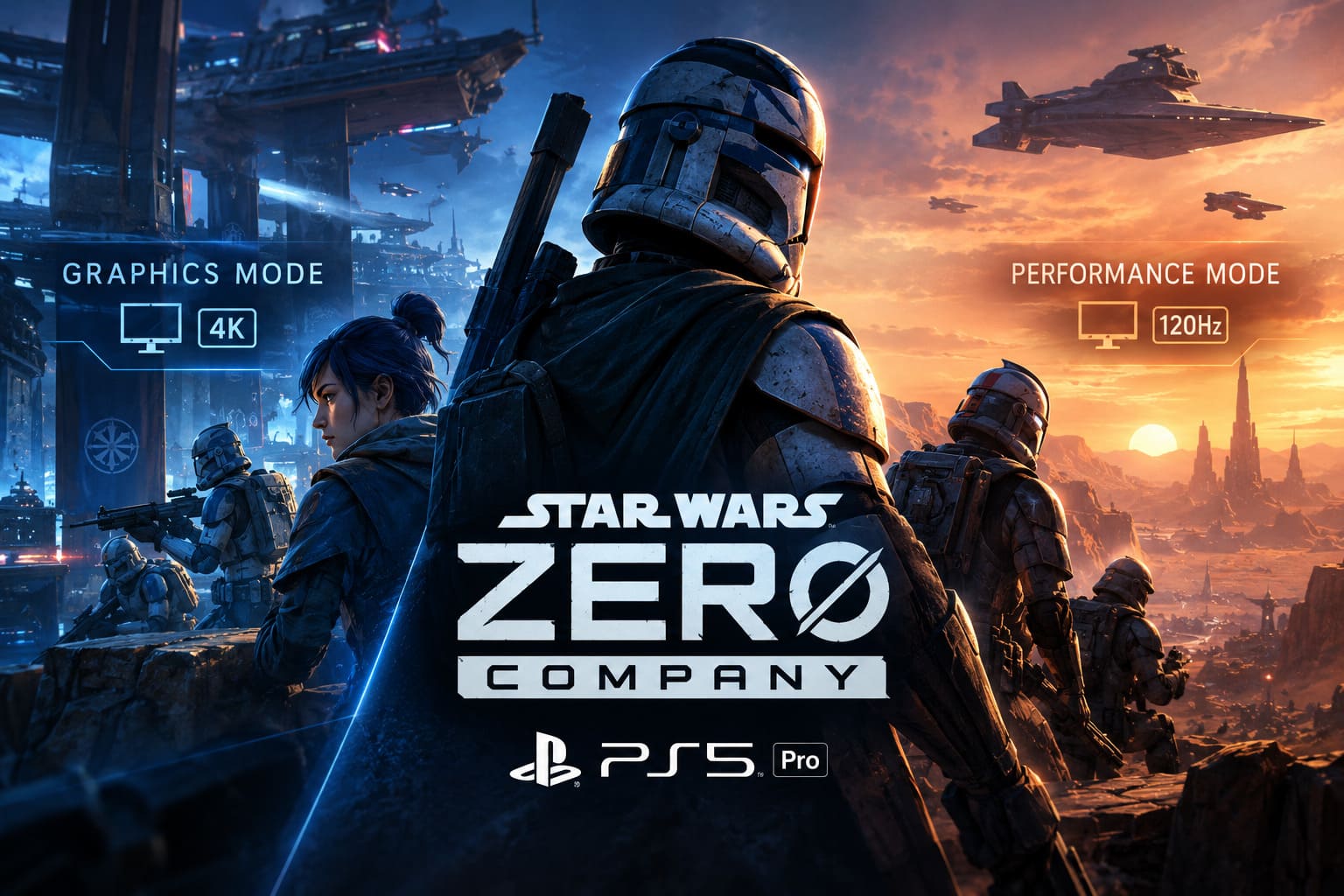
The reason is simple: Zero Company is fundamentally a strategy game.
You spend a huge amount of time examining the battlefield, checking cover positions, moving the camera around the map, inspecting characters, and looking at environmental details. Higher image quality is therefore more noticeable than it would be in a fast-paced shooter.
The improved lighting, cleaner shadows, stronger environmental definition, and sharper overall presentation make the Clone Wars setting feel considerably more convincing.
Performance Mode is smoother, though, and I wouldn’t dismiss it.
If you’re playing on a 120Hz television or gaming monitor, the higher frame-rate target can make exploration feel dramatically more responsive. Moving through The Den and rotating the camera around characters simply feels nicer.
The question is whether that smoothness is worth giving up some visual fidelity.
For me, it isn’t.
PS5 Pro Graphics vs Performance Mode
Here is the practical difference between the two presets as I experienced them:
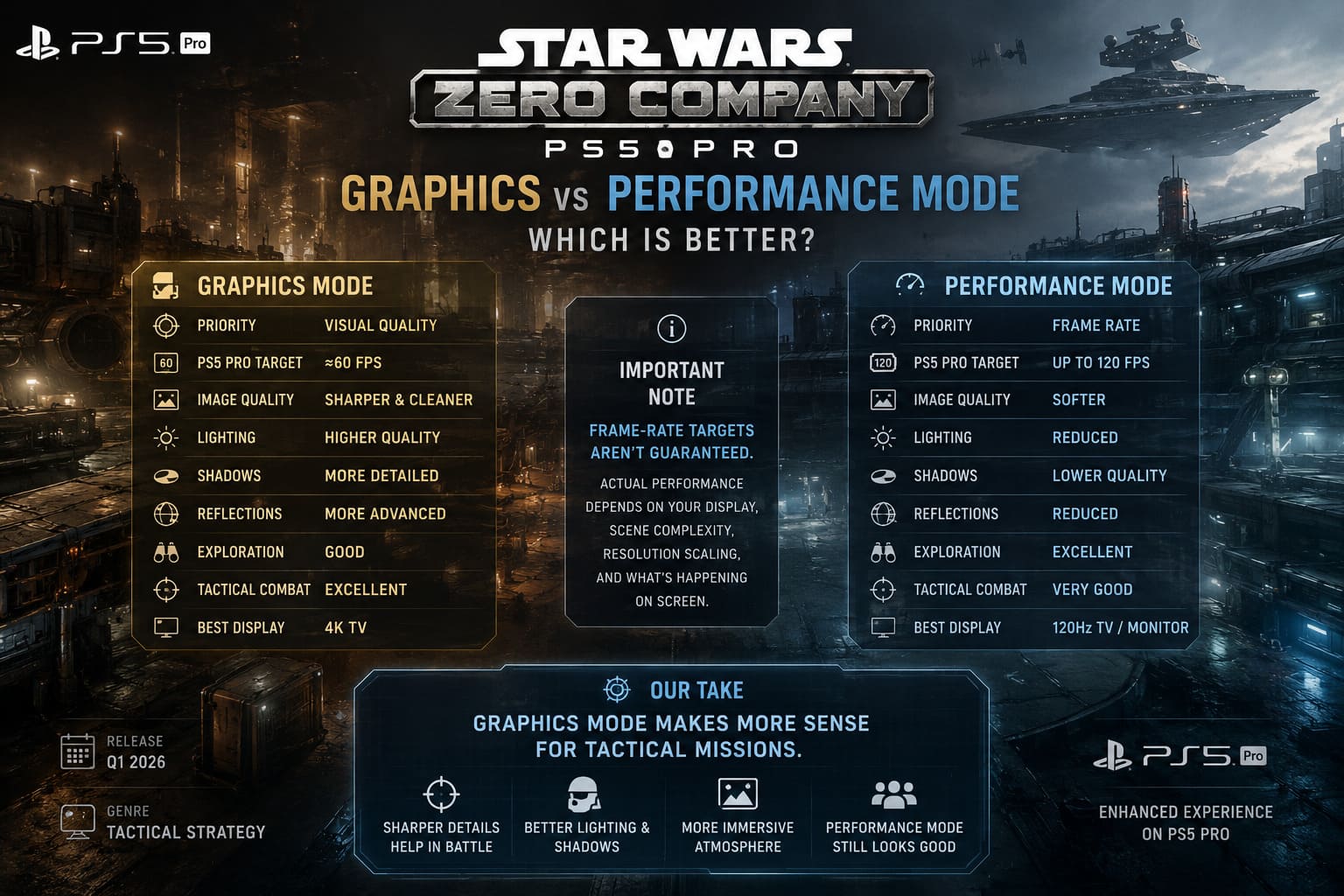
| Feature | Graphics Mode | Performance Mode |
|---|---|---|
| Main Priority | Visual Quality | Frame Rate |
| PS5 Pro Target | Around 60 FPS | Up to 120 FPS |
| Image Quality | Sharper and cleaner | Softer |
| Lighting | Higher quality | Reduced |
| Shadows | More detailed | Lower quality |
| Reflections | More advanced | Reduced |
| Exploration | Good | Excellent |
| Tactical Combat | Excellent | Very Good |
| Best Display | 4K TV | 120Hz TV/Monitor |
There is an important caveat here: frame-rate targets aren’t the same thing as guaranteed frame rates.
Your display, scene complexity, resolution scaling, and what is happening on screen can all affect the actual result. I wouldn’t buy a 120Hz television specifically for Zero Company expecting the game to behave like a competitive 120 FPS shooter.
That’s simply not what this game is trying to be.
Why Graphics Mode Makes More Sense in Tactical Missions
The biggest advantage of Graphics Mode becomes obvious once you enter combat.
Zero Company frequently gives you a fairly wide view of the battlefield. You’re looking at several characters, pieces of cover, destructible objects, terrain, effects, and UI elements simultaneously.
That means image quality matters.
A softer internal resolution isn’t necessarily disastrous, but once you’ve spent enough time with the sharper presentation, switching to Performance Mode makes some details noticeably less defined.
Armor textures don’t have quite the same crispness. Small environmental objects blend together more easily. Shadows lose some definition.
None of this destroys the experience.
In fact, Performance Mode still looks good.
But the difference becomes easier to appreciate when you’re sitting close to a large 4K screen.
And this is one of those situations where screenshots don’t necessarily tell the whole story. The higher-quality lighting and shadows aren’t just about making promotional screenshots prettier. They contribute to the atmosphere when you’re slowly scanning a battlefield and deciding where your squad should move next.
The Ray-Tracing Difference Is More Noticeable Than I Expected
This is probably the area where I noticed the biggest visual difference between the modes.
Graphics Mode makes better use of the PS5 Pro’s additional rendering horsepower, particularly with lighting and reflections.
Blaster fire interacting with the environment looks more convincing. Metallic surfaces react better to nearby light sources, while wet or reflective surfaces can produce more convincing reflections.
It isn’t a completely different game, but the atmosphere is stronger.
Performance Mode takes a more aggressive approach to reducing rendering costs. Some effects are simplified, and reflections and lighting don’t have the same level of fidelity.
Again, that’s a completely reasonable trade-off.
A higher frame rate requires sacrifices somewhere, and I’d much rather see a game intelligently reduce expensive effects than deliver an unstable frame rate.
Still, the visual difference is one of the main reasons I keep returning to Graphics Mode.
What About PSSR vs FSR?
This is where things get a little more complicated.
Image reconstruction is extremely important on modern consoles because developers don’t necessarily render every frame at a full native 4K resolution. Instead, the game can render internally at a lower resolution and reconstruct the final image.
On PS5 Pro, PSSR (PlayStation Spectral Super Resolution) is particularly interesting because it is designed to reconstruct additional detail using Sony’s machine-learning-based technology.
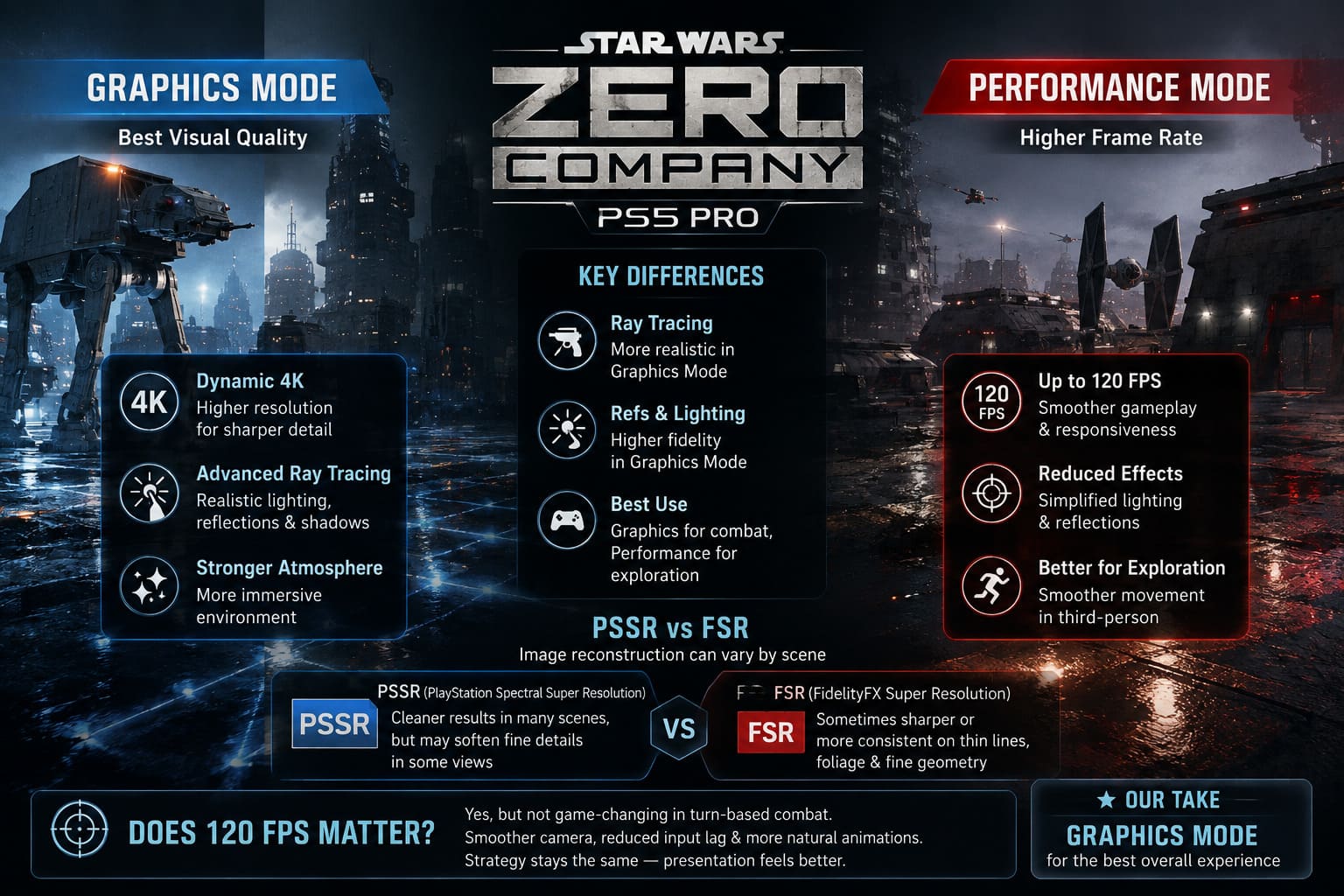
In theory, that sounds like the obvious choice.
In practice, I’ve learned not to assume that the newest reconstruction technology automatically looks best in every game.
Zero Company has a somewhat unusual visual presentation. The isometric tactical camera means you’re frequently looking at thin lines, grid elements, small characters, vegetation, debris, and fine environmental geometry.
Those are exactly the kinds of details that can expose reconstruction problems.
Depending on the scene, FSR can sometimes appear sharper or more predictable, while PSSR can produce a cleaner result in other situations.
My advice is simple: don’t choose your upscaler because one name sounds more technologically advanced.
Look at the game on your own display.
Spend five minutes comparing identical locations, particularly areas containing foliage, fences, character outlines, and fine environmental details. You’ll quickly notice which reconstruction method you personally prefer.
Performance Mode Is Fantastic Outside Combat
This is where Performance Mode makes its strongest argument.
Zero Company isn’t exclusively an isometric strategy game.
When you’re outside tactical missions, the experience can shift into a third-person perspective. You’re moving around The Den and exploring environments in a much more conventional fashion.
And this is where higher frame rates feel immediately useful.
Move the camera quickly in Graphics Mode and everything is perfectly playable. Switch to Performance Mode, however, and the difference in responsiveness becomes obvious.
Camera movement feels smoother.
Character movement feels smoother.
Turning around quickly feels smoother.
Even walking around an environment can feel more responsive.
I’ve played plenty of games where developers add a high-frame-rate mode and I immediately ask myself, “Do I really need this?”
Here, I understand the appeal.
Third-person exploration benefits from higher frame rates much more than the turn-based combat does.
That’s the strange part of Zero Company’s graphics options: each mode is effectively optimized for a different part of the game.
Does 120 FPS Actually Matter in a Turn-Based Strategy Game?
Yes — but probably not as much as you think.
There’s a common argument that a tactical game doesn’t need high frame rates because you’re not aiming at enemies in real time.
That’s technically true.
But FPS isn’t only about competitive reaction time.
Higher frame rates can make camera movement smoother, reduce perceived input latency, and make animations feel more natural.
So while I don’t need 120 FPS to move a soldier from one piece of cover to another, I certainly notice the difference when rotating the camera or navigating a third-person environment.
The problem is that Zero Company doesn’t suddenly become a better strategy game at 120 FPS.
Your decisions don’t become more interesting. The tactical system doesn’t become deeper. Your squad doesn’t magically become more responsive during turn-based actions.
You’re primarily getting a smoother presentation.
For some players, that’s enough.
For me, the visual upgrade is more valuable.
How Stable Is Each Mode?
Neither mode should be treated as completely immune to performance problems.
Modern games can have difficult scenes, especially when there are lots of effects, destruction, lighting changes, or cinematic transitions happening simultaneously.
Zero Company can experience occasional frame-rate fluctuations during particularly demanding moments.
Large explosions and heavily populated scenes can put additional pressure on the hardware, while transitions and cinematic sequences can sometimes produce brief inconsistencies.
The good news is that the tactical gameplay itself generally feels much more controlled than the most demanding visual moments suggest.
That’s important.
A brief dip during a cinematic transition doesn’t bother me nearly as much as persistent stuttering during every camera movement.
The latter would make me change modes immediately.
How to Fix Star Wars Zero Company Shader Compilation Stuttering on Startup (PC Guide)
Which PS5 Pro Mode Should You Use?
After comparing both, this is how I’d break it down.
Choose Graphics Mode if:
- You primarily care about image quality.
- You have a large 4K television.
- You spend most of your time in tactical missions.
- You enjoy examining environmental details.
- Better lighting and shadows matter to you.
- You prefer a more cinematic Clone Wars presentation.
- Around 60 FPS is already smooth enough for you.
Choose Performance Mode if:
- You strongly prefer high frame rates.
- You own a 120Hz display.
- You spend a lot of time exploring The Den.
- Smooth camera movement bothers you more than reduced visual quality.
- You are sensitive to lower frame rates.
- You don’t mind softer textures and simplified lighting.
Star Wars Zero Company Best Squad Build: Top Authored and Custom Operator Combinations (2026 Guide)
My Personal Verdict
After playing around with both settings, Graphics Mode is the one I would leave enabled on my PS5 Pro.
That’s not because Performance Mode is bad. Quite the opposite — it is arguably the more technically impressive option when you consider how much smoother exploration can feel.
But I’ve played enough games to know that resolution and frame rate numbers don’t exist in isolation.
The important question is: what does the game actually need?
A tactical Star Wars game built around positioning, cover, squad composition, environmental storytelling, and battlefield observation benefits enormously from visual clarity.
When I’m planning a turn, I want the battlefield to look as clean and detailed as possible. I want cover objects to be easy to identify. I want characters and environments to retain their visual definition.
And honestly, the Clone Wars setting deserves it.
There are moments in Zero Company where the combination of lighting, character models, environments, and Star Wars production design looks fantastic. Those are the moments that make me happy I chose the higher-fidelity preset.
Performance Mode would be my alternative if I were playing primarily on a 120Hz display or if I found myself spending much more time exploring than fighting.
But for a normal playthrough?
Graphics Mode is my pick.
The PS5 Pro gives Star Wars Zero Company enough extra power that you don’t have to accept the traditional “beautiful but 30 FPS” compromise. You can get a substantially better visual presentation while still maintaining a frame rate that feels perfectly appropriate for tactical gameplay.
And that’s ultimately why the PS5 Pro version is so appealing: you can prioritize fidelity without feeling like you’re sacrificing playability.
For a game where every turn is about carefully examining the battlefield and making the right decision, I’d rather have a sharper, more atmospheric battlefield than chase a frame-rate number I’ll barely notice during combat.