Crimson Desert Ray Tracing Crash Fix & PS5 to PC Cross Save Not Transferring Solutions
After spending countless hours exploring the dangerous landscapes of Pywel, fighting through brutal encounters, and testing every graphical option available, one thing becomes obvious: Crimson Desert is an ambitious game that pushes modern hardware extremely hard. Pearl Abyss created a visually stunning open-world action RPG packed with cinematic combat, massive environments, and some seriously impressive technology. But that ambition also comes with technical headaches.
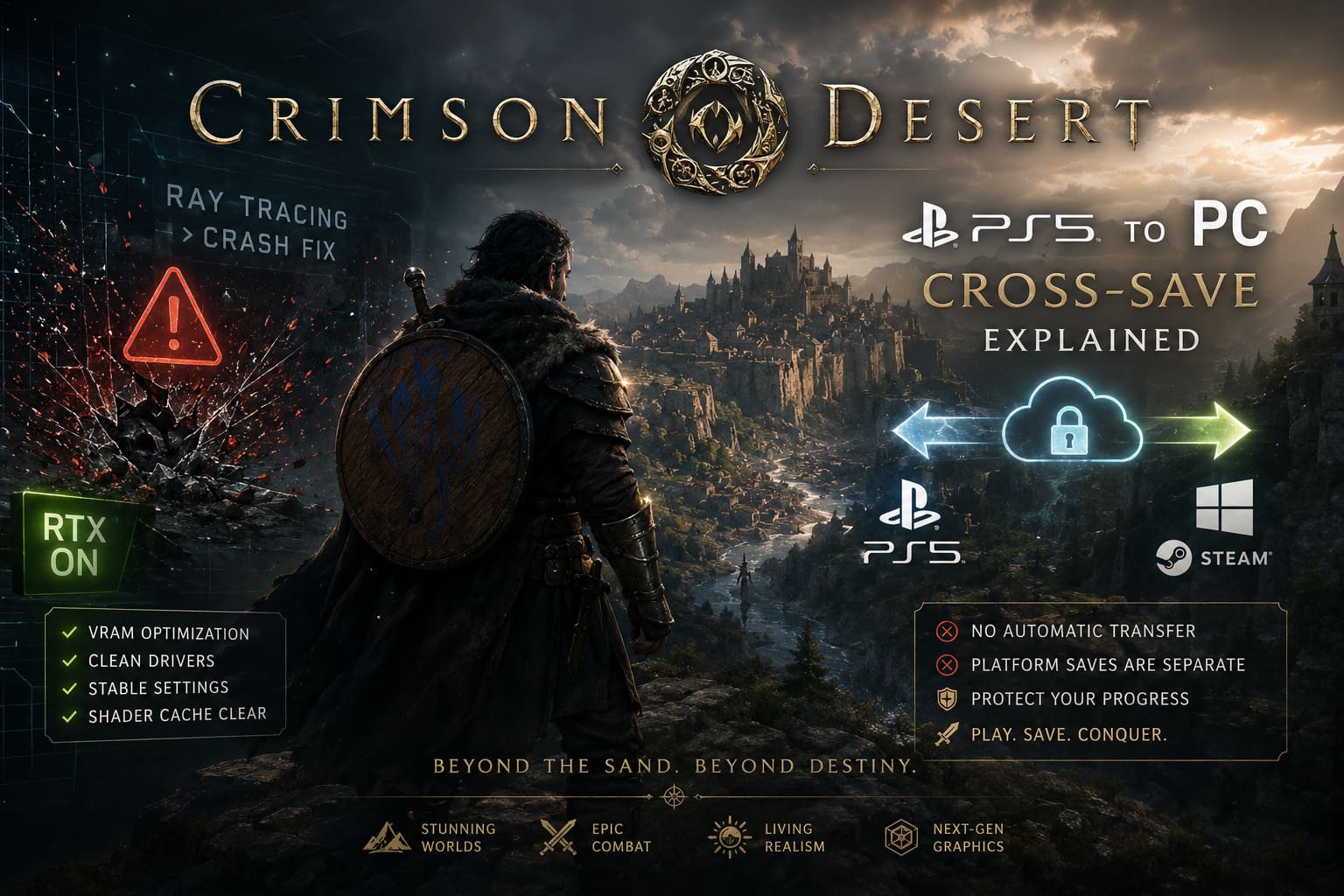
Many players jumping into Crimson Desert in 2026 have encountered two frustrating problems that keep appearing across gaming communities: PC crashes caused by Ray Tracing settings and confusion surrounding PlayStation 5 to PC cross-save transfers.
The first issue is especially common among players running high-end systems. A powerful GPU does not always guarantee a smooth experience when advanced lighting systems, shader compilation, and demanding engine features collide. Crimson Desert’s BlackSpace Engine can create breathtaking visuals, but when Ray Tracing, Frame Generation, and maximum graphical presets are pushed too far, some systems simply cannot keep up.
The second problem affects players who purchased the game on multiple platforms. Many expected to continue their adventure seamlessly between PS5 and PC, only to discover that their character progression remained locked to the original platform.
After testing different settings, analyzing community reports, and looking through player troubleshooting experiences, these are the most reliable solutions for getting Crimson Desert running properly.
Why Crimson Desert Ray Tracing Causes PC Crashes
Ray Tracing is one of Crimson Desert’s biggest visual highlights. The game uses advanced lighting techniques including Ray Traced Global Illumination, realistic reflections, improved shadows, and NVIDIA Ray Reconstruction technology. When everything works correctly, Pywel looks incredible — sunlight reacts naturally, environments feel more alive, and water surfaces become dramatically more realistic.
The problem is that these features are extremely demanding.
The biggest culprit behind many crashes appears to be VRAM pressure. When the game reaches the limit of available graphics memory, especially during demanding scenes like large cities, forests, desert areas, or cinematic sequences, the engine can fail to properly manage resources.
Common crash situations include:
- Loading into a new area after fast travel.
- Entering visually dense environments.
- Watching opening cutscenes.
- Fighting with multiple effects on screen.
- Using Ray Reconstruction together with Frame Generation.
- Running maximum lighting settings on GPUs with limited VRAM.
Many players report sudden crashes to desktop with no useful error message, making the problem even more annoying to diagnose.
Main Causes Behind Crimson Desert Ray Tracing Instability
Based on community testing, several settings appear to create the biggest problems:
| Problem | Why It Causes Crashes |
|---|---|
| Ray Tracing set to maximum | Extremely high GPU memory usage |
| Ray Reconstruction enabled | Can conflict with certain driver versions |
| DLSS Frame Generation | Creates additional rendering workload |
| Maximum lighting quality | Heavy global illumination calculations |
| Old shader cache files | Can conflict with updated game files |
| GPU overclocking | Exposes stability problems under heavy load |
The good news is that most crashes can be reduced or completely eliminated without sacrificing too much visual quality.
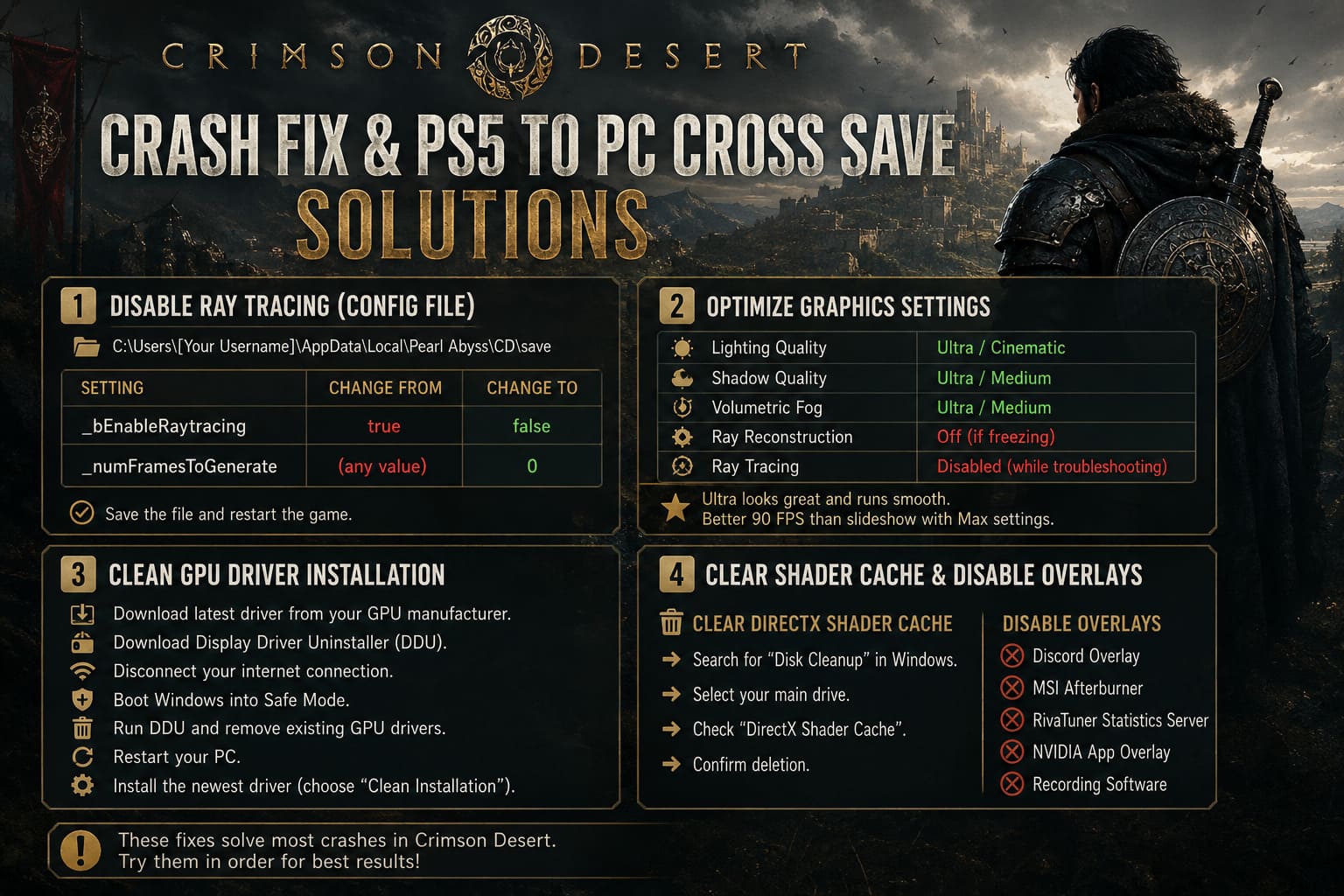
Fix 1: Disable Ray Tracing Through Configuration Files
If Crimson Desert crashes before you can even reach the graphics menu, changing settings inside the game becomes impossible. The easiest solution is manually disabling Ray Tracing through the configuration files.
Follow these steps:
- Open Windows File Explorer.
- Navigate to:
C:\Users\[Your Username]\AppData\Local\Pearl Abyss\CD\save
- If the AppData folder is hidden, enable Hidden Items in Windows Explorer.
- Find the file:
user_engine_option_save
or
user_engine_option_save.xml
- Open the file with Notepad.
- Search for:
_bEnableRaytracing
Change the value from:
true
to:
false
- Search for:
_numFramesToGenerate
Change the value to:
0
This disables Frame Generation, which can sometimes create conflicts with Ray Tracing features.
Save the file and restart Crimson Desert.
For many players, this single adjustment is enough to get back into the game without repeated crashes.
Fix 2: Optimize Graphics Settings Instead of Running Everything on Maximum
Crimson Desert looks fantastic even without every setting pushed to the absolute limit. In fact, some of the highest presets currently appear to create unnecessary instability.
Recommended stable settings:
- Lighting Quality: Ultra or Cinematic
- Shadow Quality: Ultra or Medium
- Volumetric Fog: Ultra or Medium
- Ray Reconstruction: Off if freezing occurs
- Ray Tracing: Disabled during troubleshooting
The difference between Ultra and Max settings is often difficult to notice during normal gameplay, but the performance impact can be massive.
A smooth 90 FPS experience will always feel better than a slideshow with slightly better reflections.
Fix 3: Perform a Clean GPU Driver Installation
Driver problems are another major source of crashes in demanding games. Crimson Desert relies heavily on modern rendering features, meaning outdated driver files and corrupted shader caches can cause unexpected failures.
A proper clean installation process:
- Download the newest graphics driver from your GPU manufacturer.
- Download Display Driver Uninstaller (DDU).
- Disconnect your internet connection.
- Boot Windows into Safe Mode.
- Run DDU and remove existing GPU drivers.
- Restart your PC.
- Install the newest driver using the clean installation option.
This removes leftover files from previous drivers that may interfere with Crimson Desert.
Fix 4: Clear Shader Cache and Disable Overlays
Shader problems are one of the most overlooked reasons for random crashes.
To clear the DirectX shader cache:
- Search for Disk Cleanup in Windows.
- Select your main drive.
- Enable DirectX Shader Cache.
- Confirm deletion.
Also disable unnecessary overlays while testing.
Potential troublemakers include:
- Discord Overlay
- MSI Afterburner
- RivaTuner Statistics Server
- NVIDIA App Overlay
- Recording software
These tools inject themselves into the rendering process, and some games simply do not cooperate with them.
Fix 5: Remove GPU and CPU Overclocks
Crimson Desert is excellent at exposing unstable hardware settings.
A graphics card that appears perfectly stable in other games may crash after an hour in Crimson Desert because the engine constantly pushes multiple systems simultaneously.
Return these settings to stock:
- GPU core clock
- GPU memory clock
- Voltage adjustments
- CPU overclock profiles
- Undervolting settings
Many players have reported that removing aggressive memory overclocks completely solved random crashes.
PS5 to PC Cross-Save Problem Explained
The second major frustration is not a technical bug — it is a platform limitation.
Many players assumed Crimson Desert would offer full cross-progression between PlayStation 5 and PC. Unfortunately, the current save architecture does not work that way.
Your progress is tied to the ecosystem where you purchased and play the game.
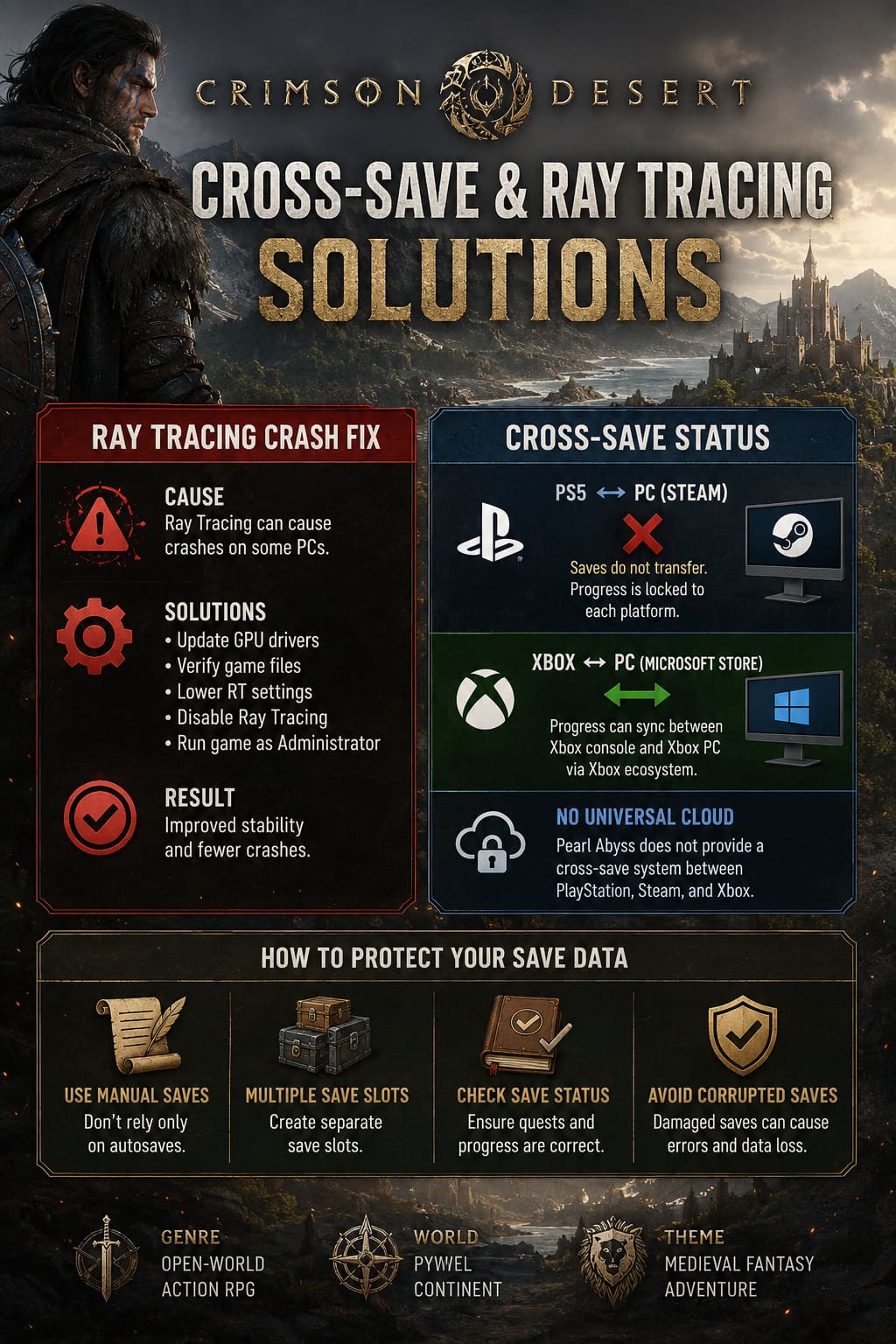
PS5 and Steam Cross-Save Situation
At this time:
- PS5 saves cannot automatically transfer to Steam.
- There is no universal Pearl Abyss cloud profile connecting both platforms.
- PlayStation cloud saves cannot be imported into the PC version.
This means your character progression, completed quests, equipment, and world progress remain separated.
For players who purchased Crimson Desert twice expecting a seamless transition, this limitation is understandably disappointing.
Xbox and PC Cross-Progression Works Differently
Players using the Microsoft ecosystem have a different situation.
If Crimson Desert supports the Xbox Play Anywhere structure through the Microsoft Store version, progress can synchronize between Xbox console versions and Xbox PC application versions.
However, this does not apply to Steam users.
The Steam edition remains separate from Microsoft’s cloud ecosystem.
How to Protect Your Save Data
Even without cross-save support, protecting your progress is important.
- Use manual saves instead of relying only on autosaves.
- Create separate save slots.
- Check that your save file displays correct quest information.
- Avoid continuing from corrupted save data.
A damaged save file can create problems that look like synchronization issues.
How to Fix Crimson Desert “Profile Data Loading Failed” Error on PC and Consoles
Will Crimson Desert Add Full Cross-Save Later?
The possibility remains one of the biggest requests from the community.
Players have repeatedly asked for:
- Unified Pearl Abyss accounts.
- Platform linking.
- Cloud-based progression.
- Shared character profiles.
If Pearl Abyss introduces account synchronization in a future update, players should watch for patch notes mentioning:
- Account Linking.
- Cloud Integration.
- Cross-Platform Progression.
Until then, PS5 and Steam players should treat their saves as completely separate.
Crimson Desert GPU Bypass Tool: How to Run the Game on Unsupported Graphics Cards
Final Thoughts: Getting the Best Crimson Desert Experience
Crimson Desert is the type of game that makes you appreciate powerful hardware, but it also reminds players that cutting-edge visuals can come with technical compromises.
The best experience is not always achieved by turning every setting to maximum. A stable frame rate, clean drivers, optimized lighting, and controlled Ray Tracing settings will provide a much better adventure through Pywel.
For PC players dealing with crashes, disabling problematic Ray Tracing features, clearing shader caches, and removing unstable overclocks are the strongest solutions available.
For console and PC players hoping to share progress, the current reality is simple: PS5 and Steam saves operate separately. Keep backups, manage expectations, and watch future updates from Pearl Abyss.
Crimson Desert has the foundation of a fantastic action RPG. With a few technical adjustments, players can spend less time fighting crashes and more time fighting enemies in one of the most impressive open worlds of the generation.