Beast of Reincarnation PC Optimization Guide: Best Graphics Settings for RTX 4060
I’ll admit it—I wasn’t expecting Game Freak to surprise me this much. After spending years making Pokémon games, the studio took a massive risk with Beast of Reincarnation, and honestly, I’m glad they did. The world is darker, the combat feels far more demanding, and Unreal Engine 5 gives ruined Japan an atmosphere that’s hard to forget.
Unfortunately, the visual leap comes with a familiar problem. Like many modern UE5 releases, this game can punish mid-range hardware if you simply crank every slider to Ultra. As someone who spends way too much time tweaking graphics menus before even starting the campaign, I wanted to see how far an RTX 4060 8GB could really go without sacrificing smooth gameplay.
The good news? You absolutely don’t need a flagship GPU to enjoy this adventure. You just need to avoid a few settings that secretly destroy performance while barely improving image quality.
How to Fix Beast of Reincarnation Crash on Launch, Startup Crashing, and Black Screen on PC
Why Beast of Reincarnation Is Surprisingly Demanding
Many players assumed that a Game Freak title would be relatively lightweight. After all, this isn’t a giant open-world simulation from one of the biggest AAA studios.
That assumption disappears within minutes of launching the game.
Dense forests infected by the Blight, detailed vegetation, cinematic lighting, particle-heavy combat, and huge environments all combine into one of the most technically ambitious games the developer has ever produced. Unreal Engine 5 certainly helps create an incredible atmosphere, but it also asks a lot from your hardware.
The RTX 4060 remains one of the most popular graphics cards on Steam for a reason. It’s excellent at 1080p gaming, supports DLSS 3, and offers solid efficiency. The biggest limitation isn’t raw GPU power—it’s the 8GB VRAM capacity, which can become a bottleneck surprisingly quickly.
The Biggest Performance Problems on RTX 4060
After several hours of testing different presets, some clear patterns emerged.
| Performance Issue | Impact | Recommended Solution |
|---|---|---|
| VRAM Overflow | Severe stuttering and blurry textures | Keep textures at Medium |
| Shadow Rendering | Large FPS loss | Use Medium shadows |
| Volumetric Fog | Heavy GPU load | Lower to Medium |
| Shader Compilation | Random micro-stutters | Increase Shader Cache |
| Frame Generation Disabled | Lower average FPS | Enable DLSS 3 Frame Generation |
Interestingly, most of the worst slowdowns aren’t caused by combat itself. They usually happen when entering new regions or rotating the camera across dense environments packed with vegetation.
That’s classic Unreal Engine behavior.
Don’t Chase Ultra Settings
One mistake I see everywhere is people assuming that Ultra automatically equals better visuals.
In Beast of Reincarnation, that’s simply not true.
Several settings offer almost invisible visual improvements while eating massive chunks of performance. If someone blind-tested Medium versus Epic during actual gameplay, I doubt many players could consistently identify the difference.
Instead of maxing everything, focus on preserving the game’s atmosphere.
The forests will still feel haunting.
The ruined cities still look incredible.
Emma and Koo’s combat animations remain spectacular.
You’ll simply enjoy them with far fewer dropped frames.
Graphics Options That Actually Matter
Not every graphics option deserves equal attention.
Some settings barely affect performance, while others completely transform your frame rate.
High Impact Settings
These deserve your attention first.
- Shadow Quality — One of the biggest FPS killers. Medium delivers excellent visuals while recovering a significant amount of performance.
- Texture Quality — The RTX 4060 simply doesn’t have unlimited VRAM. Medium is the safest option throughout the campaign.
- Volumetric Lighting — Beautiful, but extremely expensive during exploration.
- Foliage Density — Dense forests are everywhere. Lowering this slightly improves consistency without making the world look empty.
Medium Impact Settings
These offer smaller gains but are still worth adjusting.
- Effects Quality
- Ambient Occlusion
- Post Processing
- Reflection Quality
Low Impact Settings
These can usually stay fairly high.
- View Distance
- Level of Detail (LOD)
- Texture Filtering
These settings cost surprisingly little compared to their visual benefits.
My Recommended RTX 4060 Settings (1080p)
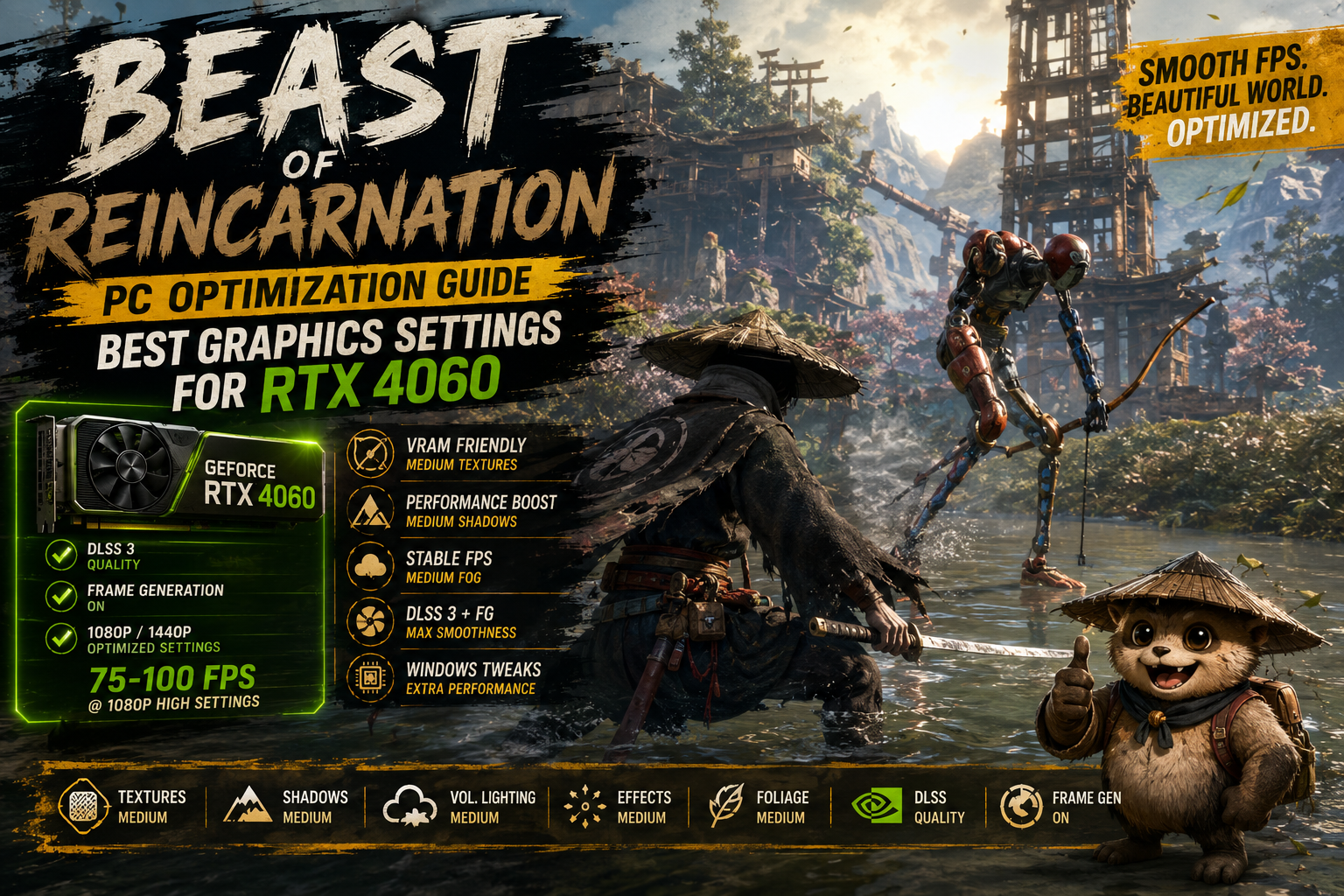
After experimenting with multiple configurations, this setup consistently delivered the best balance between visuals and responsiveness.
| Setting | Recommendation |
|---|---|
| Resolution | 1920×1080 |
| Display Mode | Fullscreen |
| DLSS | Quality |
| Frame Generation | ON |
| Texture Quality | Medium |
| Shadow Quality | Medium |
| Volumetric Lighting | Medium |
| Effects | Medium |
| Ambient Occlusion | High |
| Foliage | Medium |
| View Distance | High |
| Motion Blur | OFF |
| Depth of Field | OFF |
| Bloom | Low |
With this configuration, gameplay generally stays between 75–100 FPS, depending on the area and enemy density.
Boss encounters remain much smoother than using the High or Epic presets.
Recommended RTX 4060 Settings (1440p)
Yes, the RTX 4060 can absolutely handle 1440p.
You simply need to be realistic.
Running native resolution with maximum settings isn’t the card’s strongest scenario, but DLSS changes everything.
Here’s what I’d use.
| Setting | Recommendation |
|---|---|
| Resolution | 2560×1440 |
| DLSS | Balanced |
| Frame Generation | ON |
| Texture Quality | Medium |
| Shadows | Low-Medium |
| Volumetric Lighting | Low |
| Effects | Medium |
| Foliage | Medium |
| View Distance | Medium |
The experience usually stays around 60 FPS while still looking remarkably sharp.
Personally, I’d rather play with balanced settings and smooth combat than chase Ultra graphics while dealing with constant frame pacing issues.
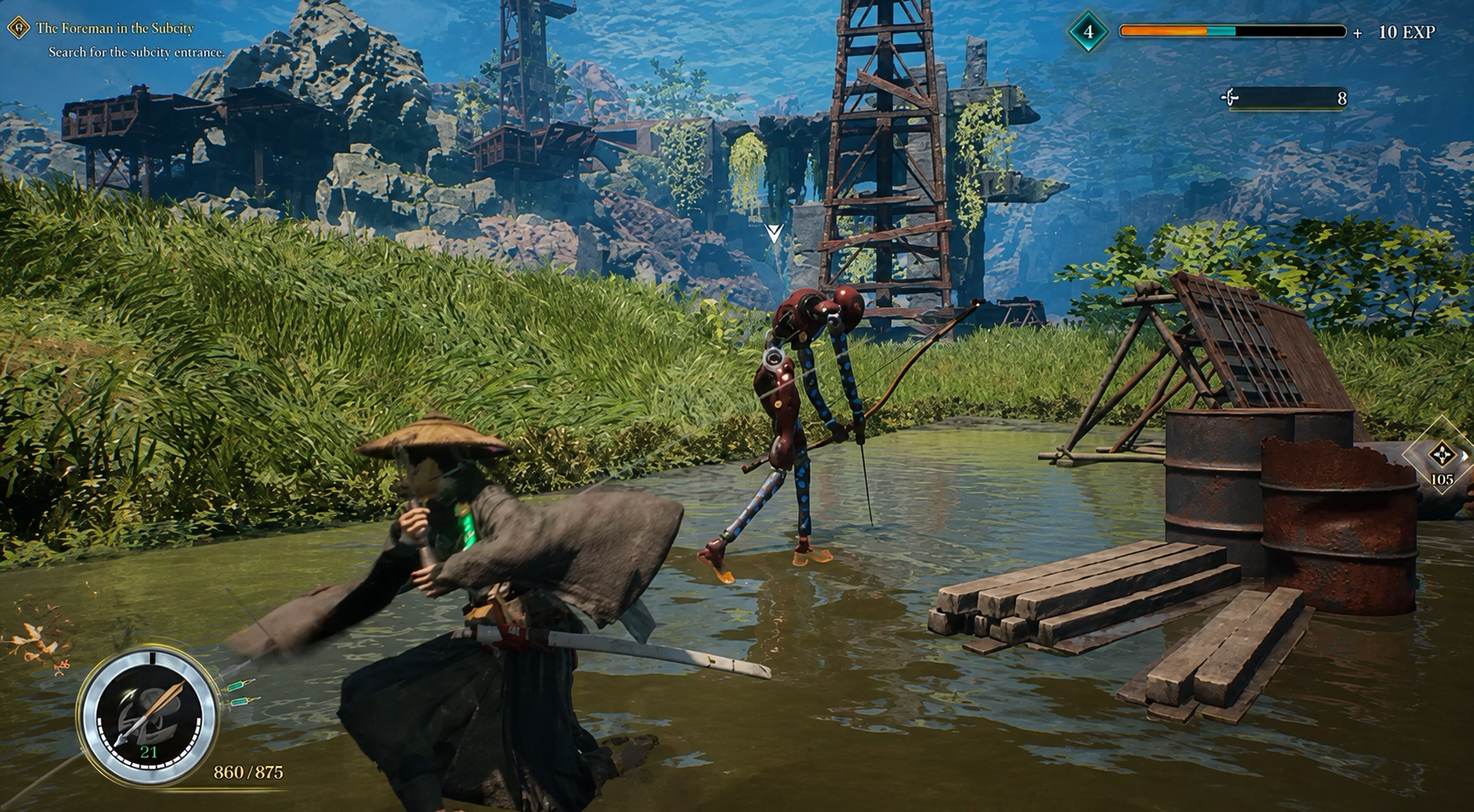
DLSS 3 Is Practically Essential
Normally I like testing games at native resolution first.
Here, though, DLSS 3 completely changes the experience.
Image quality remains impressively clean, especially in Quality mode at 1080p, while Frame Generation dramatically improves perceived smoothness during traversal and combat.
Without it, the RTX 4060 feels noticeably more restricted.
With it enabled, the game suddenly becomes much more comfortable to play.
If you’re buying this GPU today, DLSS 3 is honestly one of its biggest strengths, and Beast of Reincarnation takes full advantage of it.
Windows Tweaks Worth Doing
Graphics settings aren’t the whole story.
Several quick Windows adjustments noticeably improved overall stability during my testing.
Enable Hardware-Accelerated GPU Scheduling (HAGS)
This feature is required for DLSS Frame Generation to function correctly. Make sure it’s enabled before launching the game.
Turn On Resizable BAR
Resizable BAR helps reduce asset streaming hiccups by allowing the CPU to access GPU memory more efficiently.
Most modern motherboards already support it, but it’s worth checking your BIOS if you’re unsure.
Increase NVIDIA Shader Cache
Changing Shader Cache Size from Default to 10GB or Unlimited noticeably reduced shader compilation stutters after the first few hours.
The difference isn’t dramatic immediately, but longer sessions become much smoother.
Settings You Can Safely Disable
Some graphical effects simply don’t improve the experience enough to justify their cost.
If you’re looking for extra performance, I’d disable these first:
- Motion Blur
- Depth of Field
- Film Grain (if available)
- Chromatic Aberration
- Excessive Bloom
Besides the FPS improvement, the image also becomes noticeably cleaner during fast melee combat.
Emma’s attacks are easier to track, enemy animations remain clearer, and the overall presentation feels sharper.
Is the RTX 4060 Enough?
After spending plenty of time experimenting with different configurations, I’d confidently say yes.
The RTX 4060 isn’t overwhelmed by Beast of Reincarnation—it just needs sensible settings.
Trying to force Epic textures, maximum shadows, and native rendering pushes the card beyond what its 8GB memory was really designed for. Once you accept that Medium textures paired with DLSS provide nearly identical visual quality, performance becomes far more consistent.
I never felt like I was sacrificing the artistic direction of the game.
The haunting forests still looked stunning.
The abandoned cities remained atmospheric.
Combat stayed fluid, which matters far more than tiny improvements in shadow detail.
Final Verdict
Beast of Reincarnation proves that beautiful visuals don’t always require the most expensive hardware—they require smart optimization. The RTX 4060 remains an excellent GPU for this adventure as long as you avoid the common trap of enabling every graphical feature simply because it’s available.
My advice is simple: prioritize DLSS Quality, keep textures and shadows at Medium, disable unnecessary cinematic effects, and make sure Windows is configured correctly. Those few changes transform the experience from occasional stuttering into consistently smooth gameplay, allowing the breathtaking world of Emma and Koo to shine without constantly reminding you that Unreal Engine 5 can be unforgiving. If your goal is stable performance with excellent visuals, this balance is the one I’d recommend every time.