Star Wars Zero Company PC Requirements: Minimum and Recommended Specs Revealed
If you have been waiting for a Star Wars strategy game that actually makes you think before pulling the trigger, Star Wars Zero Company is shaping up to be one of the more interesting releases of 2026. Developed by Bit Reactor in collaboration with Respawn Entertainment and published by Electronic Arts, the game takes the Clone Wars and turns them into a tactical, turn-based battlefield rather than another lightsaber-heavy action adventure.
Star Wars Zero Company launches on August 27, 2026, for PC, PlayStation 5, and Xbox Series X/S, with the PC version built around Unreal Engine 5. That last part matters. UE5 can produce some seriously good-looking environments, but it also has a habit of making older gaming PCs sweat.
I have spent plenty of time tweaking demanding PC games, and the system requirements for Zero Company immediately caught my attention. The minimum specs are not outrageous, but the recommended requirements make it pretty clear that this isn’t designed for an ancient office PC with a gaming GPU bolted into it.
So, is your PC ready to follow Hawks and his squad through the Clone Wars? Here is what you need to know about the Star Wars Zero Company PC requirements, including minimum specs, recommended hardware, RAM, GPU requirements, SSD storage, and what kind of real-world performance you should expect.
Star Wars Zero Company Minimum PC Requirements
Let’s start with the hardware needed just to get into the game without aiming for fancy graphics settings.
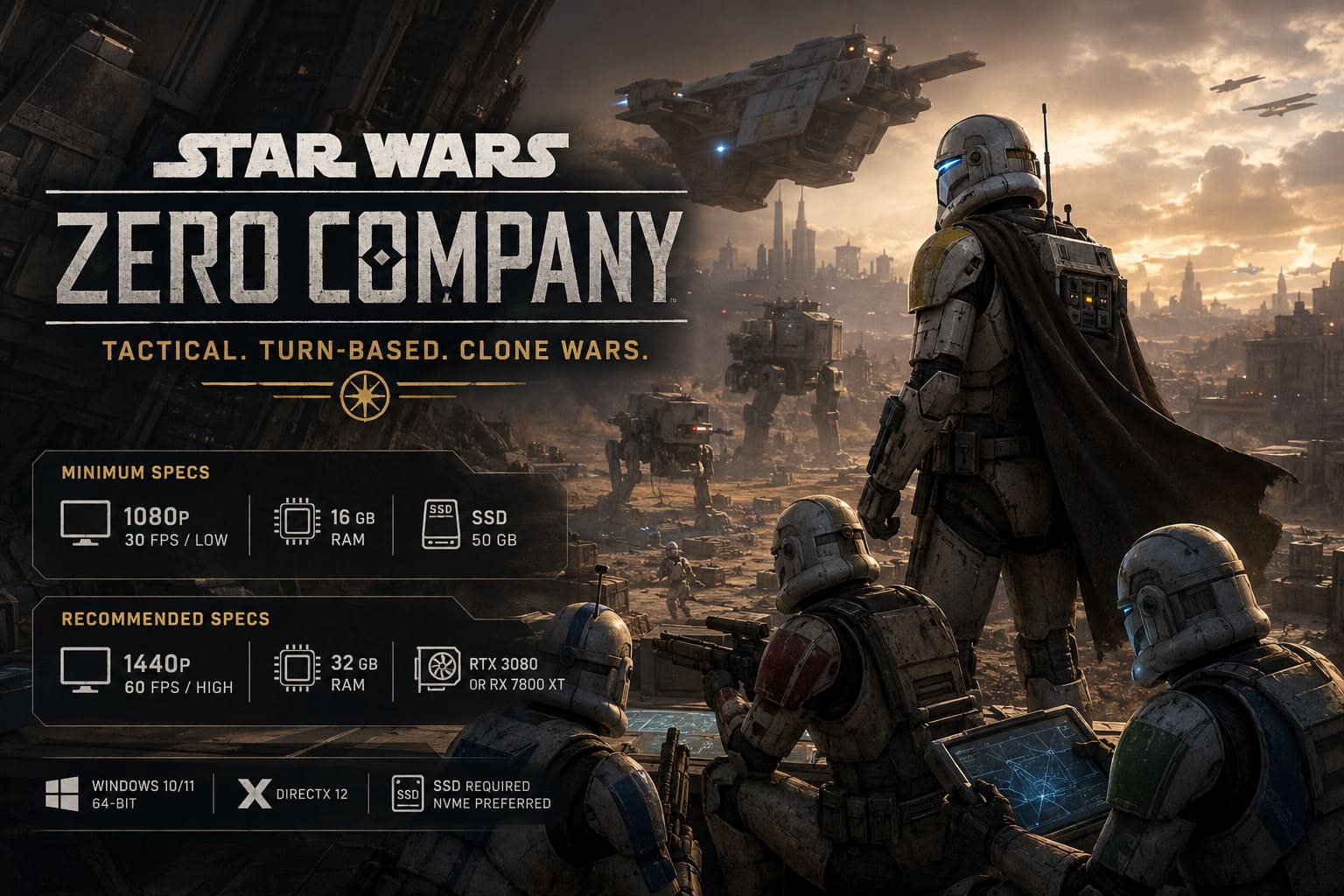
Electronic Arts lists the minimum configuration around 1080p resolution, 30 FPS, and Low graphics settings. That isn’t exactly the setup I would choose for a new gaming PC in 2026, but for a turn-based strategy game, 30 FPS is much more manageable than it would be in something like a competitive shooter.
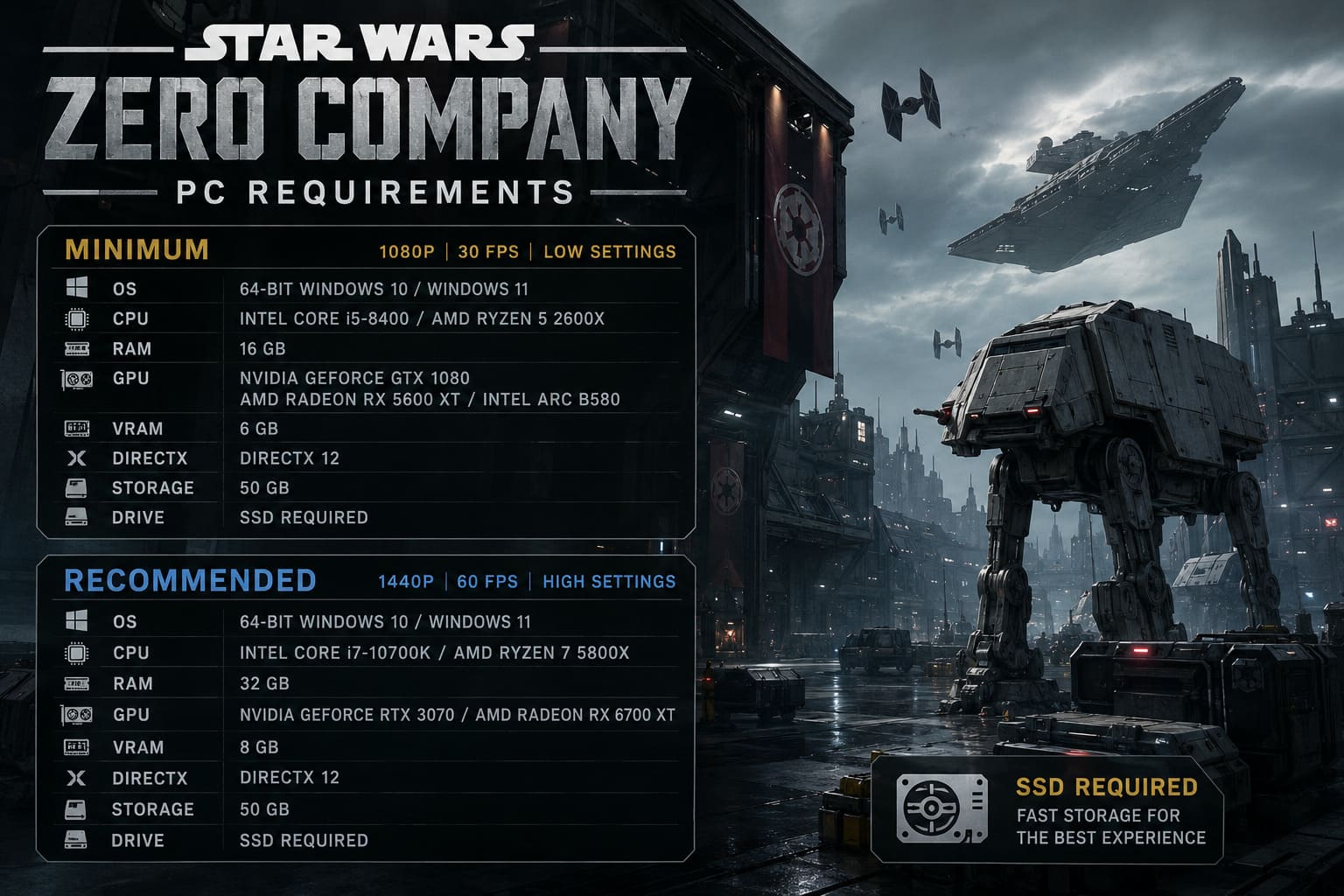
| Component | Minimum Requirement |
|---|---|
| Operating System | 64-bit Windows 10 or Windows 11 |
| CPU | Intel Core i5-8400 / AMD Ryzen 5 2600X |
| RAM | 16 GB |
| GPU | NVIDIA GeForce GTX 1080 / AMD Radeon RX 5600 XT / Intel Arc B580 |
| VRAM | 6 GB |
| DirectX | DirectX 12 |
| Storage | 50 GB |
| Drive | SSD Required |
| Target | 1080p / 30 FPS / Low |
The interesting part here is the GPU requirement. A GTX 1080 is definitely showing its age in 2026, but it remains a capable card for 1080p gaming when developers don’t go completely wild with graphical effects.
The Ryzen 5 2600X and Core i5-8400 are also older processors. Neither one would be my first choice for a fresh gaming build today, but they still offer enough CPU horsepower to meet the baseline requirements.
The 16 GB RAM requirement is much less surprising. That’s still perfectly reasonable for a minimum configuration, although I would personally consider 32 GB the sweet spot if you’re building or upgrading a PC specifically for modern Unreal Engine 5 games.
What Can You Expect From the Minimum Specs?
This is where the numbers need a little context.
A requirement like 1080p at 30 FPS on Low can sound rough, but Zero Company isn’t a twitch shooter. You aren’t going to lose a firefight because your frame rate dropped from 60 to 47 while you’re selecting a movement tile.
The turn-based structure gives the hardware some breathing room from a gameplay perspective.
You’ll spend a lot of your time studying the battlefield, positioning squad members, choosing abilities, taking cover, and deciding which enemy should get the next blaster shot. A stable 30 FPS can therefore be perfectly playable.
That said, I would still expect the minimum configuration to make compromises.
Large battlefields, particle effects, destructible environments, multiple characters on screen, and heavy lighting effects could put additional pressure on older CPUs and GPUs. If you’re running a GTX 1080-class system, Low settings at 1080p should be considered the target rather than the starting point for experimentation.
And please don’t try to squeeze the game onto an old hard drive just because you have one sitting in the case.
That brings us to one of the most important requirements.
An SSD Is Not Optional
One of the easiest requirements to overlook is also one of the most important: Star Wars Zero Company requires an SSD.
The game needs approximately 50 GB of storage, and Electronic Arts does not support traditional HDD installation for the PC version.
Honestly, I’m glad to see this requirement.
Modern games are constantly streaming textures, animations, environmental assets, audio files, and other data while you play. Unreal Engine 5 makes this even more relevant when developers are building detailed environments and large, multi-stage missions.
Zero Company isn’t simply throwing you into a tiny room with four characters and a handful of enemies. Its missions can involve different stages and changing objectives, meaning the game needs to move plenty of data around while you’re playing.
An old mechanical HDD can become a bottleneck here.
You might technically have enough storage space, but that doesn’t mean the game will behave well on a slow drive. Long loading screens, texture pop-in, delayed asset streaming, and general stuttering are exactly the kind of problems an SSD requirement is intended to prevent.
If you have a PCIe NVMe M.2 SSD, that’s the setup I would use.
You don’t necessarily need the fastest, most expensive Gen 5 drive on the market. A good modern NVMe SSD is more than enough for a gaming installation.
Recommended Star Wars Zero Company PC Specs
Now we get to the configuration I would actually recommend for players who want to experience the game properly.
Electronic Arts targets the recommended specification at 1440p resolution, 60 FPS, and High graphics settings.
The jump from minimum to recommended is significant, particularly when it comes to RAM and GPU power.
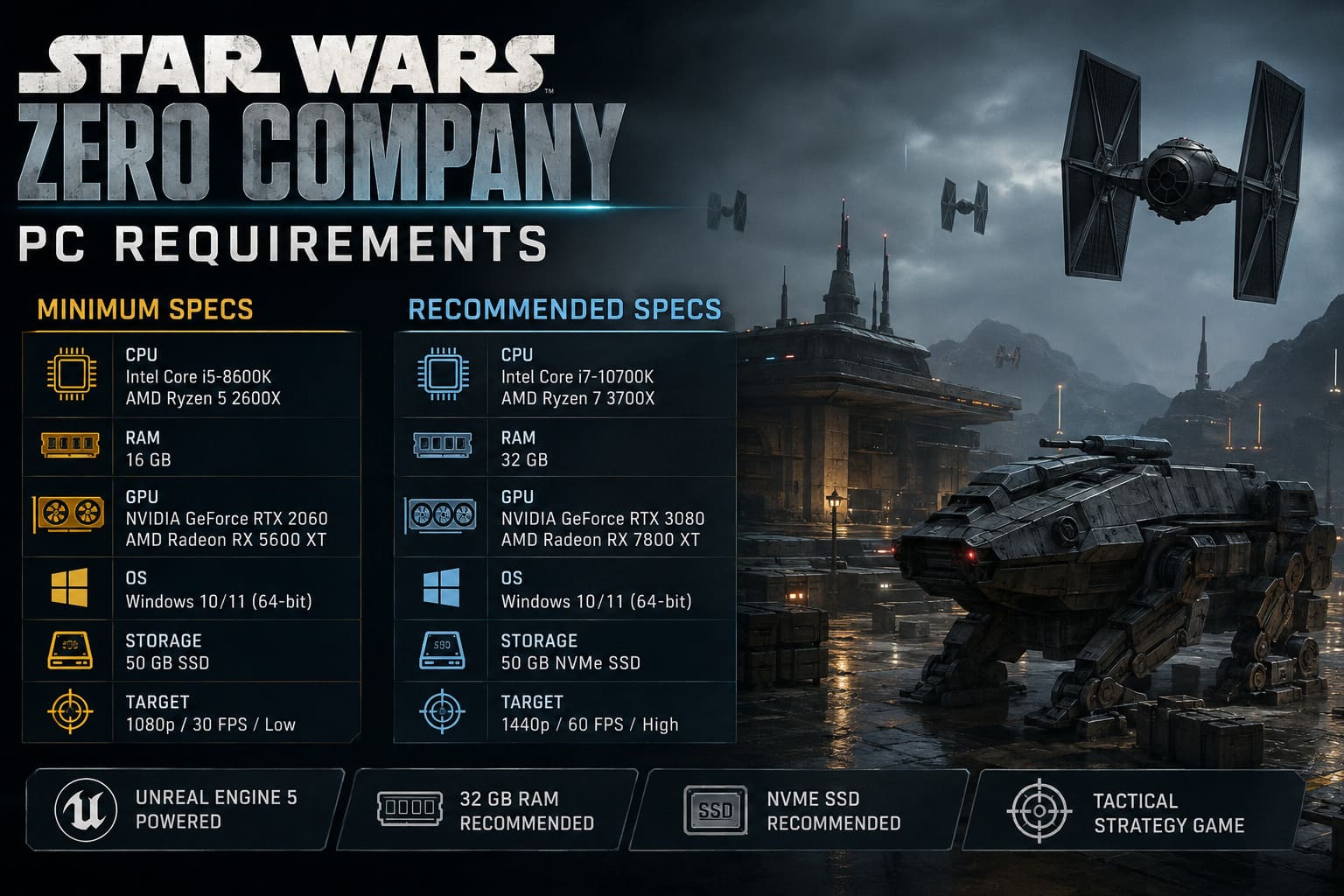
| Component | Recommended Requirement |
|---|---|
| Operating System | 64-bit Windows 10 or Windows 11 |
| CPU | Intel Core i7-10700K / AMD Ryzen 7 3700X |
| RAM | 32 GB |
| GPU | NVIDIA GeForce RTX 3080 / AMD Radeon RX 7800 XT |
| DirectX | DirectX 12 |
| Storage | 50 GB |
| Drive | High-Speed NVMe SSD |
| Target | 1440p / 60 FPS / High |
This is considerably more demanding than the minimum configuration.
The Core i7-10700K and Ryzen 7 3700X are both older by 2026 standards, but they’re still respectable CPUs. The bigger story is the move to 32 GB of RAM and an RTX 3080 or RX 7800 XT-class GPU.
That’s a serious jump.
Why Does Star Wars Zero Company Need 32 GB of RAM?
The RAM requirement is probably the part that will make the biggest number of PC gamers stop and look twice.
Sixteen gigabytes is still enough for plenty of games, but 32 GB has increasingly become the comfortable choice for demanding modern PC titles.
Zero Company is built with Unreal Engine 5 and features detailed tactical environments, numerous characters, visual effects, animations, AI calculations, and environmental assets.
The more complicated the battlefield becomes, the more data your system needs to keep readily available.
When you run out of physical RAM, Windows starts leaning more heavily on the page file, using storage as a slower extension of system memory. That’s when you can get the ugly stuff: sudden stutters, inconsistent frame pacing, asset-loading delays, and those moments where the game seems to pause for a fraction of a second for no obvious reason.
For a game where you’re carefully planning your next move, constant hitching would be incredibly annoying.
So while 16 GB gets you through the minimum requirement, I would absolutely recommend 32 GB for a new Zero Company gaming PC.
RTX 3080 and RX 7800 XT: Still Powerful in 2026
The recommended GPU tier is also worth discussing.
The NVIDIA GeForce RTX 3080 was a monster of a card when it launched, and while newer generations have obviously moved the performance bar forward, it still has enough raw power for demanding 1440p gaming.
The Radeon RX 7800 XT occupies a similar performance class and is also a very sensible 1440p card.
The important thing is that you don’t necessarily need to own these exact GPUs.
PC requirements are not a magical compatibility wall. A newer GPU with similar or better performance can absolutely make sense. Modern cards such as the RTX 5060 Ti and RTX 5070, along with comparable AMD hardware, can provide a more efficient route into this performance range.
If I were building a PC today specifically for Zero Company, I wouldn’t hunt down an RTX 3080 just because it appears on the official requirements list. I’d look at current-generation hardware instead.
You’re buying a gaming machine for 2026, not rebuilding a time capsule.
What About 4K Gaming?
Here’s the thing: the official recommended specification focuses on 1440p at 60 FPS, not native 4K.
That tells you something.
If you’re hoping to run Star Wars Zero Company at native 4K with every graphical option cranked to the ceiling, you should not treat the recommended RTX 3080/RX 7800 XT configuration as a guaranteed 4K setup.
A 4K display pushes roughly twice as many pixels as 1440p, and Unreal Engine 5 can be demanding when lighting, shadows, geometry, textures, and effects are pushed hard.
For 4K, I’d want considerably more GPU headroom.
The good news is that Zero Company is a tactical game. You don’t necessarily need 120 or 144 FPS to enjoy it. A stable 60 FPS with high image quality is arguably the better target.
Personally, I’d rather play at 1440p High with rock-solid frame pacing than crank the resolution to 4K and watch the frame rate bounce around.
A Balanced PC Build Makes More Sense Than Chasing Extreme Specs
One thing I really like about these requirements is that they don’t force players into an absurd enthusiast-level setup.
A sensible 2026 gaming PC with a modern Ryzen processor, 32 GB of DDR5 memory, and a current mid-range or upper-mid-range GPU should be able to sit comfortably between the minimum and recommended tiers.
A configuration built around something like a Ryzen 5 7500F or Ryzen 7 7700, paired with an RTX 5060-class or RTX 5070-class GPU and 32 GB of DDR5 RAM, is the kind of balanced setup I’d personally consider.
The key word is balanced.
There is little point spending a fortune on a monster graphics card while pairing it with an ancient CPU and 16 GB of RAM. Likewise, dropping a huge amount of money on a flagship processor won’t magically turn a weak GPU into a 1440p powerhouse.
For Zero Company, I’d prioritize the GPU, 32 GB of RAM, and a decent NVMe SSD.
PC Requirements at a Glance
If you just want the quick version, here’s how I would interpret the official requirements:
- 1080p / 30 FPS / Low: GTX 1080, RX 5600 XT, or Intel Arc B580 with 16 GB RAM.
- 1440p / 60 FPS / High: RTX 3080 or RX 7800 XT with 32 GB RAM.
- Storage: 50 GB minimum.
- Drive: SSD required, with NVMe strongly preferred.
- Operating System: 64-bit Windows 10 or Windows 11.
- API: DirectX 12.
The minimum configuration should get the job done, but the recommended tier is much closer to what I’d want for a comfortable long-term experience.
Star Wars Zero Company Release Date, Preorder Rewards, and The Den Strategic Gameplay Guide
Final Verdict: Is Your PC Ready for Zero Company?
The Star Wars Zero Company PC requirements are demanding enough to reflect its Unreal Engine 5 foundation without becoming completely ridiculous.
The minimum hardware is still approachable for players with older gaming PCs, although the 1080p/30 FPS Low target makes it clear that you shouldn’t expect miracles from a GTX 1080-era machine. The recommended specification is where things get more serious, especially with 32 GB RAM and an RTX 3080 or RX 7800 XT.
The SSD requirement is the one thing I would not try to work around. If your gaming PC still relies on an HDD as its primary game drive, this is a good excuse to finally make the switch to NVMe.
For most players, though, the bigger takeaway is simple: you don’t need a ridiculous flagship PC to enjoy Star Wars Zero Company.
A modern mid-range gaming rig with a decent six- or eight-core CPU, 32 GB of RAM, a capable current-generation GPU, and an NVMe SSD should put you in a very comfortable position.
And honestly, that’s exactly where I want a tactical Star Wars game to land.
I don’t need 200 FPS while ordering a clone trooper to take cover behind a destroyed speeder. Give me sharp visuals, stable frame pacing, responsive controls, detailed battlefields, and enough GPU headroom to keep the Clone Wars looking properly cinematic.
If your PC can hit 1440p, 60 FPS, High settings, you’re in the sweet spot. At that point, the only thing left to worry about is whether Hawks and his squad can survive the next mission.