The Blood of Dawnwalker Xbox Play Anywhere & Cross Save Support Explained
The Blood of Dawnwalker is shaping up to be one of those RPGs where your save file could become almost as important as your gear. Rebel Wolves is building its first game around meaningful decisions, a constantly moving 30-day countdown, branching character relationships, and a protagonist who lives two very different lives depending on the time of day.
That makes the question of cross-save, Xbox Play Anywhere, cross-buy, and cloud progression much more than a technical footnote.
If you are planning to play as Coen on an Xbox Series X|S but occasionally switch to a Windows PC, you will want to know exactly how Microsoft’s ecosystem handles the game. Nobody wants to spend 30 hours shaping a vampire’s fate only to discover that their console and PC versions are effectively living in separate universes.
The good news is that Microsoft’s ecosystem is designed specifically for this kind of hardware hopping.
Is The Blood of Dawnwalker an Xbox Play Anywhere Game?
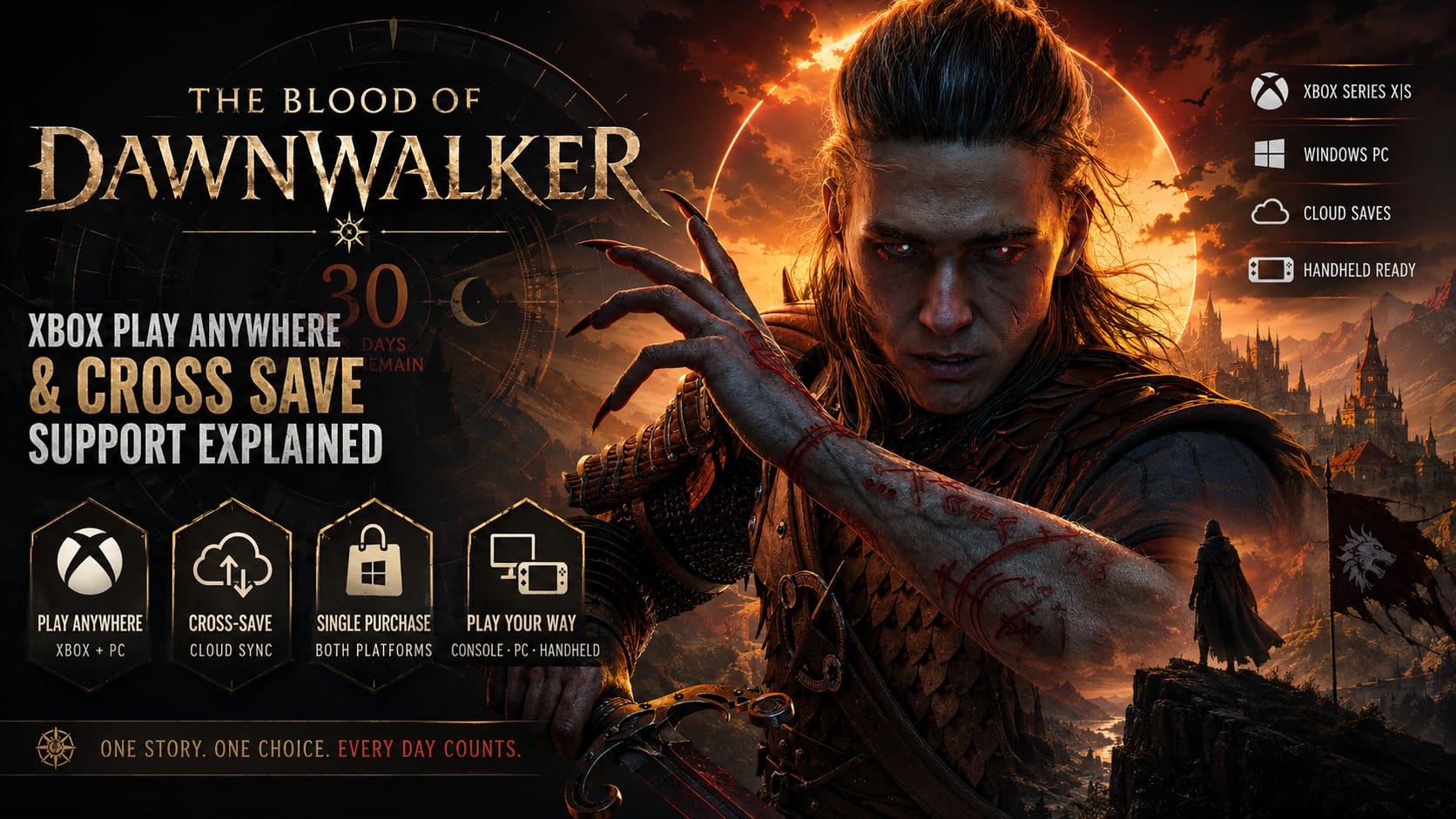
Yes. The Blood of Dawnwalker is an Xbox Play Anywhere title, meaning players who purchase the eligible digital version through the Microsoft Store receive access to the Xbox and Windows PC versions without buying the game twice.
This is easily one of the best reasons to consider the Microsoft Store version if you already own both an Xbox and a gaming PC.
The basic idea is straightforward:
| Feature | Xbox Play Anywhere Version |
|---|---|
| Xbox Series X|S Access | Yes |
| Windows PC Access | Yes |
| Single Digital Purchase | Yes |
| Cross-Save | Supported |
| Cloud Save Synchronization | Supported |
| Steam License Included | No |
| GOG License Included | No |
Buy the eligible digital copy through Microsoft’s ecosystem and your purchase is tied to your Microsoft/Xbox account rather than being treated as two completely separate products.
For players with an Xbox Series X in the living room and a powerful Windows gaming rig sitting on a desk, that’s a seriously useful setup.
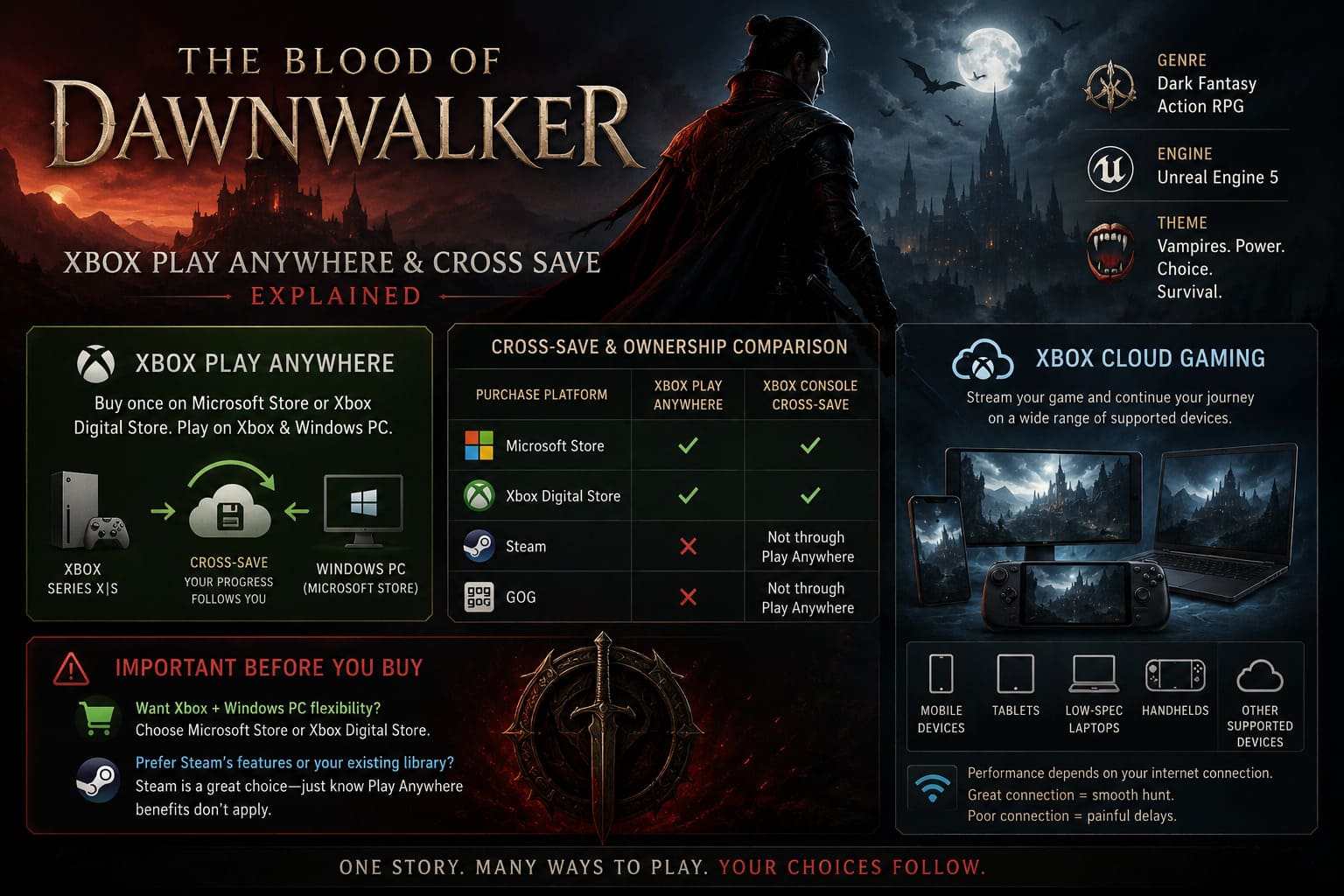
You can play on console one night, move to the PC the next day, and continue from the same ecosystem without purchasing another copy.
There is one important catch, though: Play Anywhere is not a universal cross-platform ownership system.
How Xbox Play Anywhere Works With The Blood of Dawnwalker
Microsoft’s Play Anywhere program is built around a unified digital license.
If you purchase The Blood of Dawnwalker digitally through the Microsoft Store, the eligible Xbox and Windows PC versions are connected to that purchase. You don’t need to purchase a separate Xbox license and another PC license simply because you want to use both devices.
This is particularly attractive for Dawnwalker because the title is built around long-form RPG progression.
You’re not just unlocking weapons and leveling up a character. Your campaign revolves around Coen’s choices, relationships, vampire abilities, human interactions, quests, alliances, and the limited time available to influence Vale Sangora.
Having that entire campaign attached to one ecosystem makes switching hardware much less painful.
There is also a practical reason I like this approach. Big RPGs are exactly where fragmented saves become annoying. You might have two hours available at your desk but only an hour before bed on the couch. If both systems share your progression, you don’t have to decide where your “real” playthrough lives.
Does The Blood of Dawnwalker Have Cross-Save?
Yes, cross-save support is part of the Xbox ecosystem experience.
Your progression is associated with your Xbox/Microsoft account and synchronized through Microsoft’s cloud infrastructure. This means that moving from an Xbox Series X|S to the Windows PC version does not require manually copying save files between machines.
Your campaign can include things such as:
- Manual and automatic saves
- Character progression
- Quest progress
- Narrative decisions
- Unlocked abilities
- Campaign state
- Your current position in the story
The important thing here is that cloud synchronization is doing the heavy lifting.
You play on Xbox, save your progress, and later launch the Windows version using the same account. The PC can then synchronize with the latest available cloud save.
For an RPG based around irreversible decisions, that’s exactly the sort of quality-of-life feature players want.
Imagine spending an entire evening making difficult choices as Coen, shutting down your Xbox, then booting the game on your PC the following morning. You shouldn’t have to recreate that progress manually.
The cloud should handle the boring part while you get back to the vampire business.
Does Cross-Save Work Between Xbox and Steam?
This is where things get considerably more complicated.
Xbox Play Anywhere does not mean that every PC storefront automatically shares your ownership and saves.
The Microsoft Store version belongs to Microsoft’s ecosystem. Steam belongs to Valve’s ecosystem. GOG operates separately as well.
So if you purchase The Blood of Dawnwalker on Steam, you should not assume that the Steam version automatically gives you the Xbox Play Anywhere license or that your Steam cloud saves will seamlessly appear on an Xbox Series X|S.
They are different storefront environments.
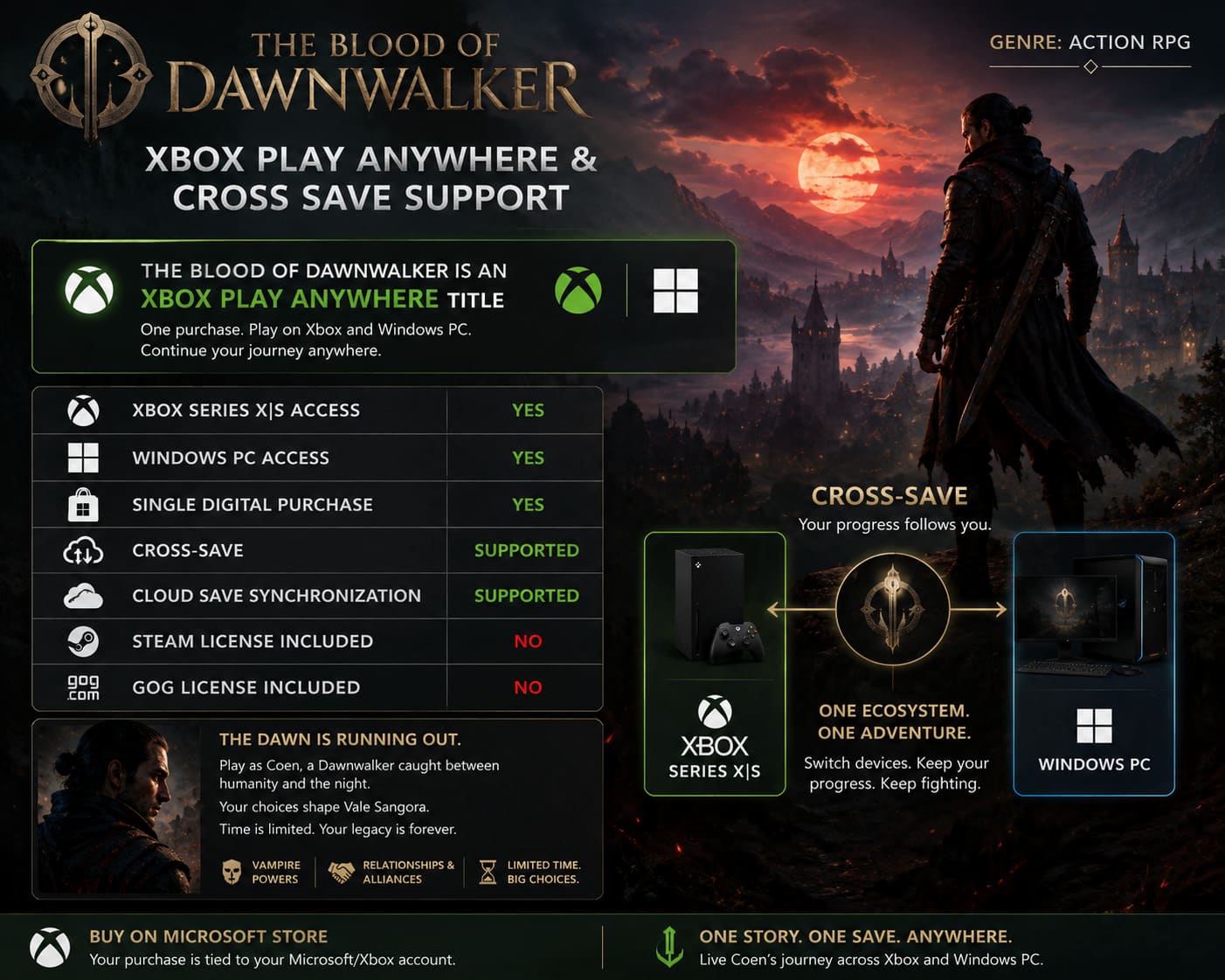
| Purchase Platform | Xbox Play Anywhere Ownership | Xbox Console Cross-Save |
|---|---|---|
| Microsoft Store | Yes | Yes |
| Xbox Digital Store | Yes | Yes |
| Steam | No | Not through Play Anywhere |
| GOG | No | Not through Play Anywhere |
This distinction is incredibly important before buying the game.
If your priority is Xbox + Windows PC flexibility, the Microsoft Store version is the obvious ecosystem choice.
If you are buying the Steam edition because you prefer Steam’s interface, achievements, community features, or your existing PC library, that’s a completely reasonable decision too. Just don’t buy it expecting Microsoft’s Play Anywhere benefits to magically follow your Steam license.
What About Xbox Cloud Gaming?
Cloud gaming adds another interesting layer to the whole setup.
If the game is available to you through Microsoft’s supported cloud gaming options, your cloud-streaming session can potentially become another way of accessing the same campaign ecosystem.
This is particularly interesting for Dawnwalker because Unreal Engine 5 can be demanding on PC hardware.
A high-end desktop might handle the game far more comfortably than a compact handheld, especially when you’re pushing higher resolutions and demanding graphical settings. But streaming changes the equation.
Instead of rendering the entire game locally, the remote hardware handles the heavy work and sends the resulting gameplay to your supported device.
That opens up possibilities for players who want to continue their campaign on:
- Compatible mobile devices
- Tablets
- Lower-spec Windows laptops
- Supported handheld setups
- Other supported cloud-gaming devices
Obviously, cloud gaming is only as good as the connection underneath it. A fast and stable connection can make the experience surprisingly smooth. A terrible Wi-Fi connection can turn a dramatic vampire hunt into a slideshow with input delay.
So I wouldn’t treat cloud streaming as a replacement for a powerful gaming PC or Xbox Series X|S. I’d treat it as another tool in the box.
Can You Play The Blood of Dawnwalker on ROG Ally or Legion Go?
Windows gaming handhelds make the Play Anywhere situation even more interesting.
Devices such as the ASUS ROG Ally X and Lenovo Legion Go run Windows, which means they can access the Windows PC ecosystem rather than functioning like traditional closed console platforms.
If you own the eligible Microsoft Store version of Dawnwalker, you can install the PC version through the Xbox app and use your Microsoft account.
That makes handheld play a very attractive proposition.
Picture the setup:
Xbox Series X → Windows PC → Windows handheld
You could spend the evening playing on the television, move to your PC the following morning, then continue the same campaign on a handheld while traveling.
That is exactly the kind of flexibility that Play Anywhere is good at providing.
There is, however, a big technical reality that shouldn’t be ignored.
Dawnwalker is being built with Unreal Engine 5, and large-scale UE5 games can put serious pressure on CPU, GPU, memory bandwidth, and thermals. A Windows handheld can run demanding games, but it isn’t going to magically have the same performance headroom as a desktop equipped with a high-end GPU.
You may need to compromise on resolution, shadows, effects, view distance, or upscaling.
Personally, I’d rather have a stable handheld profile at sensible settings than chase ultra graphics and watch the frame rate collapse whenever Coen walks into a dense village.
Does Play Anywhere Mean Steam Deck Support?
Not in the same way.
The Steam version is the natural route for players who want to use Steam’s ecosystem, including Steam Deck compatibility where supported by the game and Valve’s platform.
The Microsoft Store PC version and Steam version are separate storefront products.
That’s the key takeaway.
Xbox Play Anywhere does not turn a Microsoft Store purchase into a Steam license.
So if your gaming life revolves around Steam Deck, Steam achievements, Steam Cloud, and your existing Steam library, the Steam edition may make more sense.
If your gaming life revolves around Xbox Series X|S and Windows PC, the Microsoft Store version is much more appealing.
There isn’t one universally “correct” version. It depends entirely on where you spend your gaming time.
What Happens to Your Saves When You Switch Devices?
For the Microsoft ecosystem, the intended experience is refreshingly simple.
- Start your campaign on Xbox Series X|S.
- Save your progress.
- Your compatible save data synchronizes with the Xbox cloud.
- Launch the Windows PC version using the same Microsoft account.
- Allow the game to synchronize.
- Continue your campaign.
The entire point is to eliminate manual save transfers.
For a game with a 30-day narrative clock, this matters even more than it would in a normal RPG.
If you’re halfway through an important quest chain and decide to switch machines, you don’t want to lose the exact campaign state that you created.
Dawnwalker is built around consequences. The world reacts to what you do — and potentially to what you fail to do. Your save is effectively a record of that evolving world.
That’s why reliable cloud progression isn’t just convenient here. It’s part of preserving the experience.
Will Your Dawnwalker Save Transfer to Future Games?
This is perhaps the most interesting long-term aspect of the game’s design.
Rebel Wolves has positioned The Blood of Dawnwalker as the beginning of a larger dark fantasy RPG saga, rather than simply a one-off project.
The development team has discussed planning the broader narrative with future installments in mind. That raises an obvious question:
Will the decisions you make in Dawnwalker matter in future games?
The broader vision suggests that player choices and outcomes are intended to have lasting narrative value, with future entries potentially building upon the state created by the original game.
That could mean the fate of characters, relationships, alliances, and major decisions eventually become relevant to later chapters.
For fans of choice-driven RPGs, this is the exciting stuff.
The best scenario would be starting the next game and seeing your previous campaign reflected in ways that aren’t just a two-line dialogue reference. If Rebel Wolves can make the consequences feel genuinely meaningful, Dawnwalker could establish the kind of continuity that RPG players love.
At the same time, players should separate confirmed cross-save functionality within the Xbox ecosystem from assumptions about exactly how future game save transfers will work. A sequel’s technical implementation can change, and the details of importing an old campaign may not be identical to ordinary Xbox cloud synchronization.
The Blood of Dawnwalker PC Performance Guide: Best Settings for High FPS
Which Version Should You Buy?
If you’re deciding where to purchase Dawnwalker, I’d make the choice based on your hardware rather than chasing one mythical “best” version.
Choose the Microsoft Store/Xbox version if:
- You own both Xbox Series X|S and Windows PC.
- You want Xbox Play Anywhere.
- Cross-device progression is a major priority.
- You want your Xbox and Windows purchases connected.
- You regularly move between console and PC.
Choose Steam if:
- Your primary platform is PC.
- You strongly prefer the Steam ecosystem.
- You want Steam-specific features and integration.
- Steam Deck is central to your gaming setup.
Choose based on your ecosystem first. Graphics settings, frame rates, and platform-specific features matter, but buying the wrong storefront version for your preferred hardware can become a much bigger headache later.
The Blood of Dawnwalker Best Builds Guide: Elite Human and Vampire Combat Meta
The Bottom Line
The Blood of Dawnwalker is unusually well suited to players who bounce between Xbox and Windows PC. Xbox Play Anywhere removes the need to purchase separate eligible digital copies for those two platforms, while cloud synchronization allows your campaign progression to follow your Microsoft account.
That makes the Microsoft ecosystem particularly attractive for players who own an Xbox Series X|S and a gaming PC.
The major limitation is storefront separation. Steam and GOG are not extensions of Xbox Play Anywhere, so buying the game elsewhere on PC should not be treated as equivalent to purchasing the Microsoft Store version.
For handheld players, Windows devices add another layer of flexibility, while cloud gaming can offer an alternative when local hardware isn’t powerful enough to comfortably run a demanding Unreal Engine 5 RPG.
And honestly, this is exactly the sort of infrastructure I want for a game like Dawnwalker.
When an RPG gives me a limited number of days, permanent consequences, branching decisions, and a character who can literally live as a human by day and vampire by night, I don’t want to waste time thinking about which machine contains the correct save.
I want to make the choice, save the game, shut the system down, and pick up where I left off.
For Xbox and Windows players, that’s the biggest strength of The Blood of Dawnwalker’s Play Anywhere setup: the hardware can change without forcing your campaign to change with it.