Onimusha Way of the Sword PC Requirements: Minimum Specs, SSD & Download Size Revealed
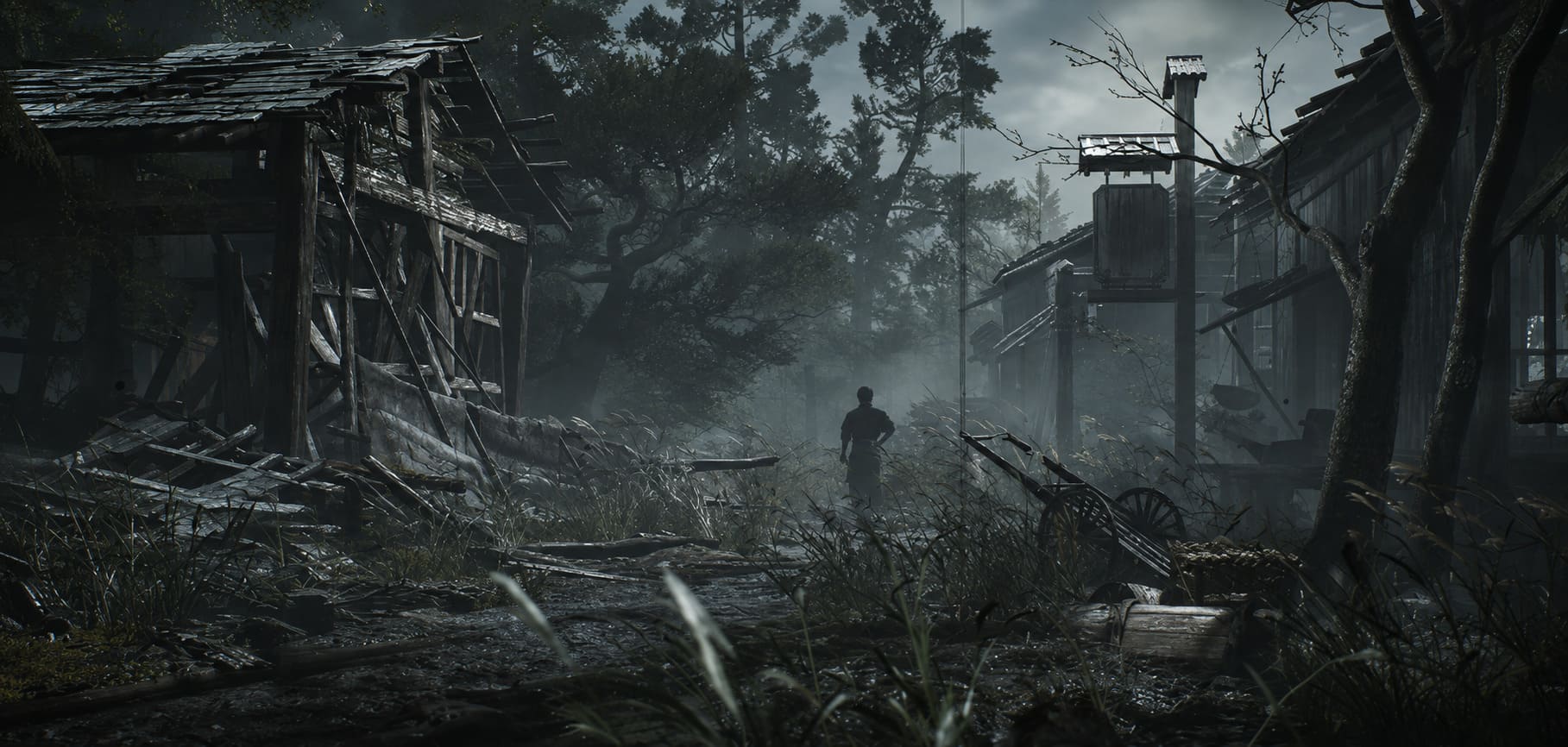
If you have been waiting for a proper new Onimusha game, Onimusha: Way of the Sword is the kind of release that immediately grabs my attention. Capcom is taking one of its classic franchises and giving it the full modern treatment with the RE Engine, detailed environments, cinematic combat, motion-captured animations, and a dark interpretation of feudal Japan.
As someone who spends far too much time testing new AAA games on PC, though, there is always one question before I get too excited: how demanding is it actually going to be?
The good news is that Onimusha: Way of the Sword doesn’t require some ridiculous flagship PC just to launch. The bad news is that Capcom has made Windows 11, DirectX 12, 16 GB of RAM, and an SSD part of the expected setup. So if your gaming rig is getting a little long in the tooth, this is one of those games worth checking before you hit that purchase button.
I’ve gone through the Onimusha: Way of the Sword PC requirements, storage requirements, recommended hardware, and the role of upscaling to give you a clearer idea of what kind of experience you can expect.
Onimusha: Way of the Sword PC Requirements at a Glance
Capcom is targeting relatively modern PC hardware for the game. Interestingly, the official targets aren’t built around native 1080p rendering. Both the minimum and recommended configurations assume that upscaling is being used, which is an important detail when looking at the performance numbers.
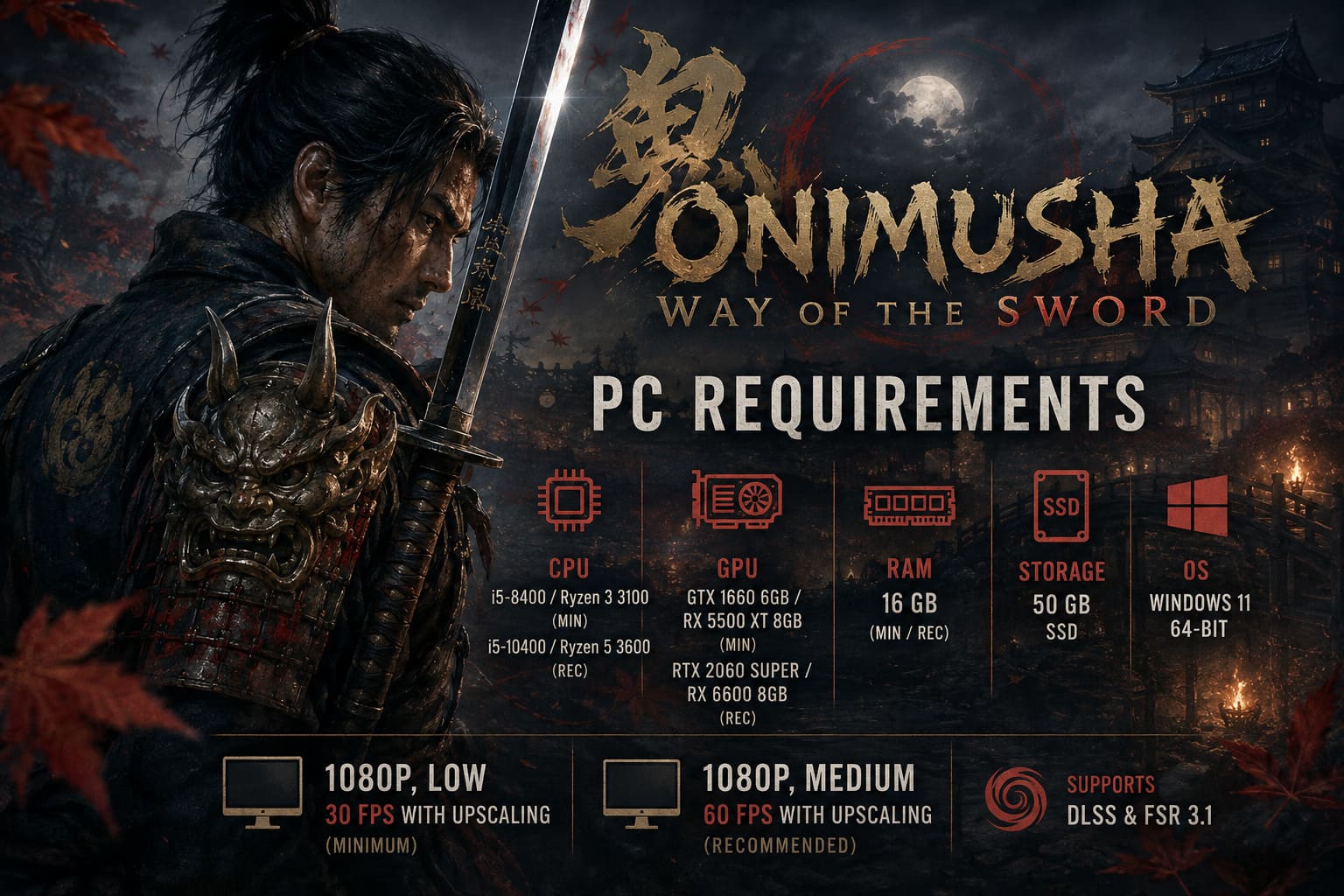
Here is the breakdown:
| Specification | Minimum | Recommended |
|---|---|---|
| OS | Windows 11 64-bit | Windows 11 64-bit |
| CPU | Intel Core i5-8400 / Ryzen 3 3100 | Intel Core i5-10400 / Ryzen 5 3600 |
| RAM | 16 GB | 16 GB |
| GPU | GTX 1660 6GB / RX 5500 XT 8GB | RTX 2060 Super 8GB / RX 6600 8GB |
| DirectX | DirectX 12 | DirectX 12 |
| Storage | 50 GB SSD | 50 GB SSD |
| Target | 1080p, Low, 30 FPS with Upscaling | 1080p, Medium, 60 FPS with Upscaling |
And yes, 30 FPS is the official minimum target. That’s probably the number that stands out most to me.
For a fast-paced sword combat game in 2026, I personally wouldn’t want to play at 30 FPS unless I absolutely had to. Onimusha: Way of the Sword is built around timing attacks, reacting to enemies, and chaining combat actions together. A stable 60 FPS should make a noticeable difference to how responsive the game feels.
What the Minimum PC Requirements Really Mean
The minimum configuration is not exactly terrifying by modern AAA standards.
An Intel Core i5-8400 or Ryzen 3 3100, combined with 16 GB of RAM and a GTX 1660 or RX 5500 XT, is still within reach for plenty of gaming PCs. But there’s an important distinction between running the game and running it well.
Capcom’s minimum target is 1080p at Low settings and approximately 30 FPS with upscaling. In other words, this configuration is designed to get you into the game rather than deliver the definitive visual experience.
If you’re using something around a GTX 1660, I would personally start with the Low preset and then experiment. Don’t immediately crank every setting upward because you’ve got a few extra frames available in an indoor scene. AAA games can behave very differently once you reach a large outdoor environment or a combat sequence with multiple enemies.
The 16 GB RAM requirement is also worth taking seriously. That’s enough for the game itself under normal circumstances, but modern Windows PCs rarely run the game in complete isolation.
I’ve always found it funny when people say, “16 GB is plenty,” while simultaneously having Chrome with 30 tabs, Discord, Spotify, OBS, Steam, RGB software, a browser overlay, and five other things running in the background.
If that’s your setup, 32 GB of RAM is the more comfortable choice.
Recommended Specs Are Much More Interesting
The recommended configuration moves up to an Intel Core i5-10400 or AMD Ryzen 5 3600, paired with either an RTX 2060 Super or Radeon RX 6600.
These aren’t cutting-edge GPUs anymore, but they’re still perfectly respectable 1080p gaming cards.
Capcom’s target here is 60 FPS at 1080p on the Medium preset with upscaling. That’s much closer to the kind of experience I’d personally aim for.
The RTX 2060 Super is particularly interesting because it also gives PC players access to NVIDIA’s DLSS technology. Depending on the final implementation and available settings, DLSS can help maintain a smoother frame rate without making the image look like someone smeared Vaseline across the screen.
That’s important in Onimusha, because the game’s visual identity depends heavily on atmosphere.
We’re talking about dark fantasy, samurai combat, detailed historical environments, atmospheric lighting, and dramatic enemy encounters. I would much rather have a stable 60 FPS with sensible settings than force Ultra quality and watch the frame rate collapse every time something spectacular happens on screen.
Is an SSD Required for Onimusha: Way of the Sword?
Yes, and this is one part of the PC requirements I wouldn’t ignore.
Onimusha: Way of the Sword requires 50 GB of SSD storage.
The initial download is expected to be roughly 42–45 GB, while the installed game can occupy around 50 GB. Personally, I would avoid treating that 50 GB figure as the amount of space you need to have available.
Games grow.
Patches grow.
Temporary installation files exist.
And suddenly Windows is looking at you like you’ve committed a crime because you have 49.7 GB free.
I’d recommend keeping around 60–65 GB of free SSD space before installing the game. That gives you some breathing room for updates and avoids the annoying situation where a relatively small patch turns into a storage-management exercise.
Why does Capcom insist on an SSD?
The answer is modern asset streaming.
The RE Engine is designed to move a lot of data around quickly, particularly when games feature detailed environments and high-quality assets. An SSD can deliver significantly faster access times than an old mechanical hard drive.
For a modern action RPG, that’s becoming increasingly important.
If you still have a huge HDD sitting inside your PC, I’d use it for older games, archived files, and anything that doesn’t constantly stream assets. This is an SSD game.
Upscaling Is Basically Part of the Performance Formula
One detail in the official requirements deserves more attention than it usually gets: both performance targets depend on upscaling.
That’s a big clue about how Capcom expects PC players to approach performance.
Instead of rendering every pixel at native resolution, technologies such as NVIDIA DLSS and AMD FSR 3.1 can render internally at a lower resolution and reconstruct the final image.
When implemented properly, the difference can be surprisingly difficult to notice while you’re actually playing.
For me, this is especially useful in a game like Onimusha: Way of the Sword. I’m not staring at individual leaves and counting pixels while fighting a demon with a katana. I’m looking at the enemy, reacting to attacks, watching animations, and trying not to get murdered.
If upscaling gives me another 15–30 frames per second while keeping the image clean, I’m taking that deal.
What About CPU Performance?
The CPU requirements are relatively modest compared with what you might expect from a new AAA game.
The recommended Core i5-10400 and Ryzen 5 3600 are older mainstream processors, which is encouraging for players who upgraded their GPU more recently but haven’t rebuilt their entire system.
However, CPU performance can still matter during heavy combat.
Multiple enemies, AI calculations, physics, animations, environmental effects, and background processes can all contribute to CPU load. If your processor is already struggling in other modern games, simply owning a capable GPU doesn’t guarantee perfect frame pacing.
That’s another reason I wouldn’t recommend trying to squeeze every last bit of performance from the minimum configuration.
Stable frame pacing beats a higher average FPS every time.
Can You Play Onimusha: Way of the Sword on Steam Deck?
The game has a Playable rating on Steam Deck, but I would approach that with realistic expectations.
The Steam Deck is impressive hardware, but it was never designed to compete with modern desktop gaming PCs. To get Onimusha: Way of the Sword running comfortably, you’ll likely want to stay conservative with settings.
My starting point would be:
- Low graphical preset
- 30 FPS target
- FSR enabled
- Reduced visual effects where necessary
And honestly? A locked 30 FPS can make more sense on Steam Deck than constantly bouncing between 24, 31, 38, and 27 FPS.
For a handheld experience, consistency matters enormously.
Windows 11 and DirectX 12 Are Non-Negotiable
Another thing to check before purchasing is your operating system.
The official requirements specify Windows 11 64-bit and DirectX 12.
That means players hanging onto older Windows installations shouldn’t assume the game will behave properly simply because their hardware meets the CPU and GPU requirements.
I know upgrading an operating system isn’t nearly as exciting as buying a new graphics card, but if Onimusha: Way of the Sword is the game that finally forces you to move to Windows 11, well… at least you’re getting a samurai adventure out of it.
Denuvo and Launch-Day Performance
Onimusha: Way of the Sword also uses Denuvo Anti-Tamper DRM.
DRM isn’t something you’re going to notice every second while playing, but it can sometimes contribute to additional checks during startup or other parts of the PC experience.
If you’re dealing with crashes immediately after installation, I wouldn’t start by modifying obscure configuration files.
I’d go through the boring stuff first:
Update your GPU drivers, verify the game files, install the latest Windows updates, and reboot the PC.
Yes, these are the same troubleshooting steps people have been recommending since the dawn of Steam.
They also work surprisingly often.
Is Onimusha: Way of the Sword on Epic Games Store? PC Release, Price, and Editions Explained
My PC Recommendation for the Best Experience
If I were building a PC specifically to play Onimusha: Way of the Sword, I wouldn’t stop at the minimum requirements.
The official recommended specification is a much better baseline, but I’d still want a little headroom. 16 GB RAM will work, while 32 GB gives you significantly more breathing room for multitasking and future games.
I’d also make sure the game is installed on a reasonably fast SSD with plenty of free space.
As for the GPU, something around the RTX 2060 Super/RX 6600 class is a sensible starting point for 1080p gaming. If you’ve got something newer, even better — you’ll have more flexibility to increase visual quality while maintaining a smooth frame rate.
And that’s ultimately how I’d approach this game.
I don’t want to play Onimusha: Way of the Sword looking at a performance monitor every five seconds. I want to enjoy the swordplay, the environments, the monsters, and that gorgeous dark-fantasy atmosphere.
Final Verdict: Is Your PC Ready?
The Onimusha: Way of the Sword PC requirements are demanding enough to make older systems sweat, but they’re far from unreasonable for a modern gaming PC.
The biggest things to remember are Windows 11, DirectX 12, 16 GB RAM, a dedicated GPU, and an SSD. The minimum hardware targets 30 FPS at Low settings, while the recommended configuration aims for 60 FPS at Medium settings with upscaling.
For me, the SSD requirement is the easiest recommendation to accept. Modern AAA games are increasingly designed around fast storage, and Onimusha: Way of the Sword is clearly following that trend.
If your PC sits somewhere around the recommended specification, I’d say you’re in a comfortable position for 1080p gaming. If you’re closer to minimum, don’t panic — just be prepared to use Low settings, upscaling, and a sensible FPS target.
And honestly, I’d rather have that than miss out on a new Onimusha altogether.
After all, when Capcom brings back a classic samurai franchise with modern technology behind it, the last thing I want to do is spend the entire evening staring at benchmark graphs.
I want to pick up the sword and start cutting demons.