How to Fix Halo Campaign Evolved Microsoft Account Linking Failed & Early Access Not Working Errors
I have experienced plenty of rough game launches over the years. From overloaded MMO servers to broken day-one patches and DRM disasters, I’ve learned that the first few days after release can sometimes be more frustrating than exciting. Unfortunately, Halo: Campaign Evolved joins that long list of launches where technical issues have overshadowed what should have been an unforgettable return to one of gaming’s most iconic universes.
After spending hours testing different workarounds, comparing community reports, and troubleshooting multiple installations across PC and console, I noticed something important: most players are not dealing with a broken game. They’re dealing with broken authentication.
The campaign itself runs well once you’re actually inside the game. The real challenge is getting past Microsoft account verification, licensing validation, and the infamous early access errors.
If you’re stuck on an endless login screen, your Microsoft account refuses to link, or your Premium Edition insists you’re “Too Early” despite paying extra, this guide covers the solutions that have proven the most effective.
Why Halo: Campaign Evolved Is Having Login Problems
Unlike older Halo releases, Campaign Evolved relies heavily on Microsoft’s online services.
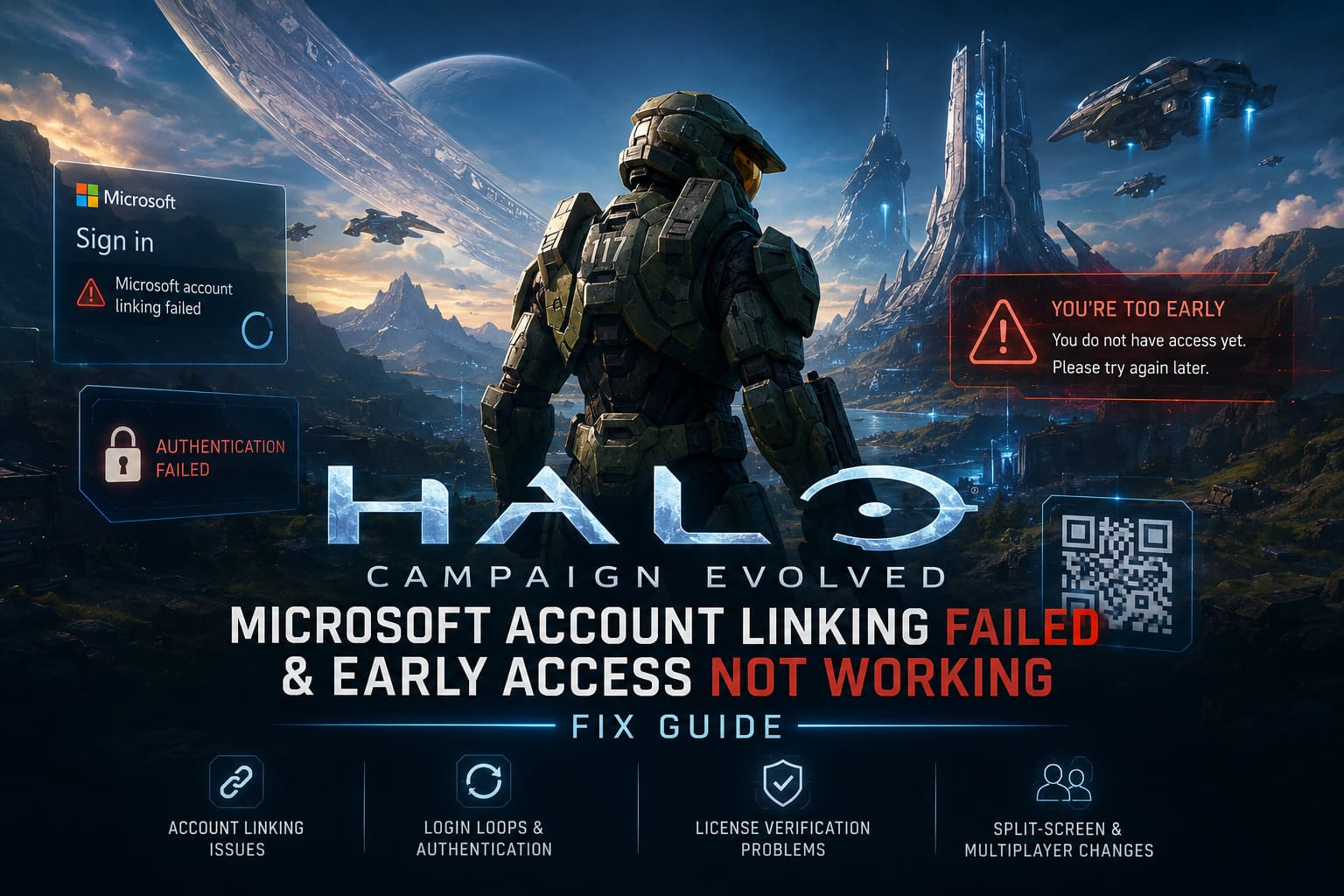
Whether you’re playing on Steam, Xbox, Game Pass, or even PlayStation 5, the game expects your platform account to communicate successfully with Microsoft’s authentication servers before allowing access.
During launch week several things happened simultaneously:
| Problem | What Happens |
|---|---|
| Authentication servers overloaded | Login requests time out or fail completely. |
| Microsoft account linking errors | QR code or browser authorization never completes. |
| Licensing verification issues | Premium owners receive “You’re Too Early” messages. |
| Cached authentication tokens | Endless login loops or authorization failures. |
In my experience, most of these issues aren’t caused by the player’s PC or console. They’re the result of launch-day server congestion combined with cached credentials that become invalid after failed authentication attempts.
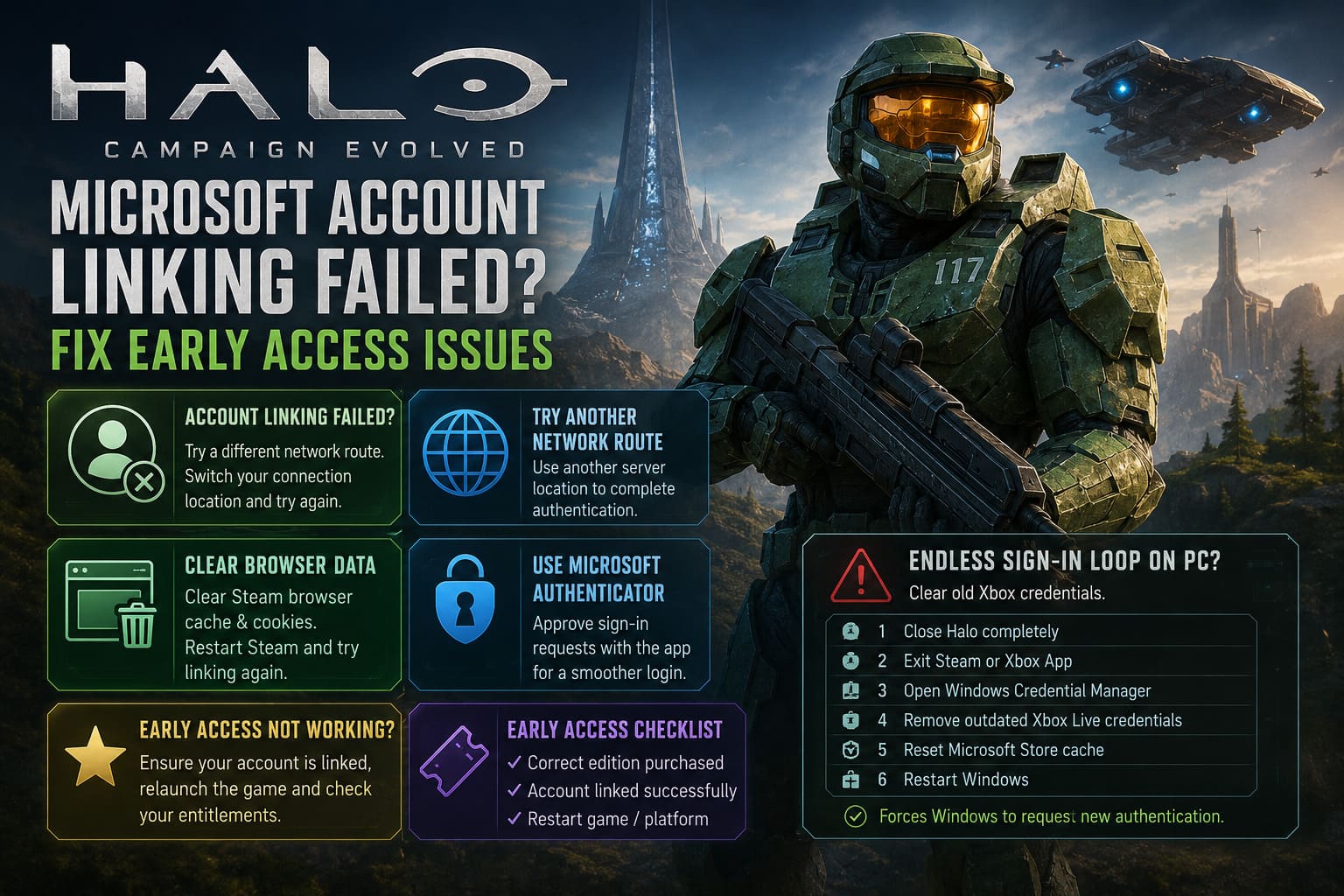
Microsoft Account Linking Failed? Start Here
The first obstacle many players encounter is the mandatory Microsoft account connection.
On paper, the process looks simple:
- Scan the QR code.
- Sign into Microsoft.
- Approve permissions.
- Start playing.
Reality has been much different.
Many players get trapped in authorization loops, blank browser windows, or pages that simply refuse to finish loading.
Try Another Network Route
One workaround that surprisingly helped many players is changing the network path used during authentication.
Instead of attempting the login through an overloaded regional route, temporarily using another server location may allow Microsoft’s authentication request to complete successfully.
Once the account is linked, many players report they can disconnect the alternate connection and continue playing normally.
This isn’t a guaranteed fix, but it has worked often enough to be worth trying before anything more complicated.
Clear Old Browser Authentication Data
Something I’ve noticed across Steam games that rely on external logins is how often cached browser data becomes the hidden culprit.
Steam’s embedded browser doesn’t always refresh authorization cookies correctly after a failed login.
If you’re using Steam:
- Clear the built-in browser cache.
- Remove stored browser cookies.
- Restart Steam completely.
- Launch Halo again.
For PlayStation users, clearing website data and checking existing linked services can also eliminate hidden conflicts left behind by previous login attempts.
It only takes a few minutes and often saves much longer troubleshooting sessions.
Microsoft Authenticator Can Be More Reliable
Another method that consistently produces better results is using the Microsoft Authenticator app instead of entering your password manually.
From my testing, notification approval appears to bypass some of the browser-related issues affecting the standard login page.
Rather than typing credentials repeatedly, simply approve the verification request through the mobile app.
This also reduces the chance of Microsoft’s security system temporarily limiting repeated login attempts.
Endless Sign-In Loop on PC?
Windows stores authentication credentials locally.
Normally this makes future logins faster.
During problematic launches, however, corrupted tokens remain stored and every new login request continues using the same invalid information.
If Halo immediately returns to the login screen over and over again, clearing old Xbox credentials can force Windows to request brand-new authentication keys.
The process involves:
- Closing Halo completely.
- Exiting Steam or the Xbox App.
- Opening Windows Credential Manager.
- Removing outdated Xbox Live credential entries.
- Resetting the Microsoft Store cache.
- Restarting Windows.
While it sounds technical, it’s actually one of the most effective solutions for persistent PC login loops.
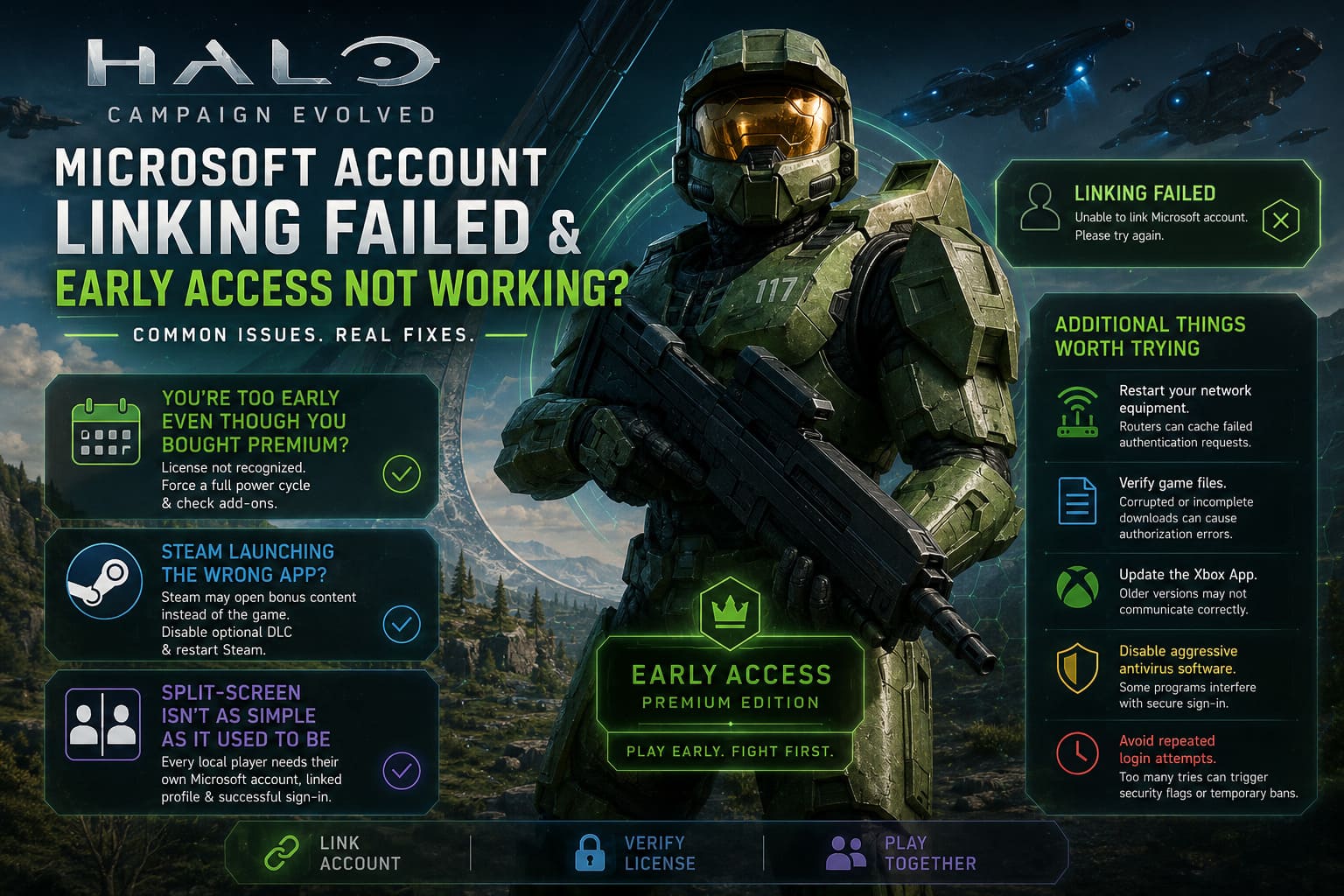
“You’re Too Early” Even Though You Bought Premium?
This has probably been the most frustrating issue of the launch.
Players who specifically purchased Premium access are greeted by an error claiming they don’t yet own access to the game.
Naturally, this creates panic because people assume they’ve wasted their money.
Fortunately, in most cases the purchase itself is perfectly valid.
The problem is the console or storefront failing to recognize the associated license.
Force a Fresh License Verification
A normal restart isn’t always enough.
Xbox stores licensing information in system memory that isn’t fully cleared during a standard reboot.
Performing a complete shutdown followed by disconnecting power for several minutes forces the console to rebuild its license information when restarted.
After powering back on, it’s also worth checking the installed game content.
Verify that every Premium-related add-on is actually installed.
Missing entitlement files can prevent early access from activating properly.
Steam Launching the Wrong Application
Steam users encountered another strange problem.
Instead of launching the campaign, pressing Play sometimes opened bonus content such as the digital art collection.
Because Steam believed that package was the primary executable, the actual game never launched correctly.
Disabling the optional bonus content inside the DLC management menu and restarting Steam has resolved this issue for many players.
It’s a surprisingly simple fix considering how confusing the problem initially appears.
Split-Screen Isn’t As Simple As It Used To Be
One of the biggest disappointments, in my opinion, is the way local multiplayer now works.
Classic Halo was famous for letting friends sit down together and jump straight into split-screen.
Campaign Evolved introduces significantly stricter account requirements.
Instead of allowing a temporary guest profile, every local player now needs:
- Their own Microsoft account.
- Their own linked platform profile.
- Successful authentication before joining.
On PlayStation, online functionality may additionally require both users to meet subscription requirements depending on the game mode.
It’s a much more restrictive system than longtime Halo fans may remember.
Additional Things Worth Trying
If none of the primary fixes solve your issue, these smaller troubleshooting steps are still worth checking.
- Restart your network equipment. Routers occasionally cache failed authentication requests. A quick reboot can establish a cleaner connection.
- Verify game files. Corrupted or incomplete downloads occasionally produce unexpected authorization errors.
- Update the Xbox App. Older versions sometimes fail to communicate correctly with Microsoft’s current authentication services.
- Temporarily disable aggressive antivirus software. Certain security programs interfere with secure browser authentication windows.
- Avoid repeated login attempts. Continuously pressing Sign In every few seconds doesn’t improve your chances. It can increase the likelihood of Microsoft’s automated security systems temporarily flagging your account for suspicious activity.
Sometimes patience genuinely saves more time than brute force.
Halo Campaign Evolved Operation Meteorite Lore & New Missions List Explained
Quick Troubleshooting Reference
| Error | Most Likely Cause | Recommended Fix |
|---|---|---|
| Microsoft Account Linking Failed | Authentication server congestion | Retry later, clear browser cache, or use an alternate network route. |
| Endless Login Loop | Corrupted Windows credentials | Remove Xbox credentials and reset the Microsoft Store cache. |
| You’re Too Early | License verification failure | Perform a full console power cycle and verify Premium content installation. |
| Bonus Content Opens Instead of Game | Steam launch configuration | Disable bonus DLC and restart Steam. |
| Second Player Cannot Join | Missing linked account | Link a separate Microsoft account for every local player. |
Halo Campaign Evolved Early Access Download: Is It a Crossplay Game in 2026?
Final Thoughts
Having gone through more launch-week disasters than I can count, Halo: Campaign Evolved doesn’t strike me as a fundamentally broken game. Instead, it feels like another example of excellent gameplay being buried beneath fragile online infrastructure.
The frustrating part is that many of these problems happen before players ever reach the main menu. That’s a terrible first impression for newcomers and longtime Halo fans alike.
Thankfully, most authentication issues appear to be temporary rather than permanent. As Microsoft’s servers stabilize and Halo Studios continues deploying backend improvements, many of today’s login problems should gradually disappear without requiring additional action from players.
Until then, the best approach is to work through the troubleshooting methods one at a time rather than changing multiple settings simultaneously. That makes it much easier to identify which solution actually resolved the issue.
Once you’re finally past the authentication screen, the campaign itself reminds you exactly why Halo has remained one of gaming’s most beloved franchises for so many years. The launch may have stumbled, but the experience waiting on the other side is well worth the effort.