How to Fix Assassin’s Creed Black Flag Resynced VRAM Leak and Crashes: Nvidia Control Panel Guide (2026)
When I jumped into Assassin’s Creed Black Flag Resynced, I expected to spend my evening chasing legendary ships, exploring islands, and admiring the new lighting system. Instead, I spent the first hour staring at my desktop after random crashes.
As someone who streams new PC releases almost every week, I have learned one important lesson: launch-day issues are almost inevitable. Sometimes it’s shader compilation, sometimes it’s memory management, and sometimes it’s simply a game engine that pushes hardware harder than it should. Black Flag Resynced falls into that last category.
After several hours of testing, comparing settings with other PC players, and experimenting with different driver configurations, I finally reached a setup that eliminated the crashes and dramatically reduced stuttering. If you’re struggling with VRAM spikes, DirectX 12 errors, or sudden freezes, these are the changes I genuinely recommend.
Why Black Flag Resynced Is Running Out of VRAM
One thing became obvious while monitoring GPU usage during long gameplay sessions.
The game continually loads new textures and visual assets as you travel between islands, cities, and open sea. Normally, older assets should disappear from memory once they’re no longer needed.
Instead, VRAM usage keeps climbing.
Eventually the graphics card reaches its memory limit. Once that happens, Windows begins relying on considerably slower system memory, causing heavy stutters before the GPU driver eventually gives up and closes the game.
During my own testing I noticed that the longer I played without restarting, the more unstable the game became. Short sessions were perfectly smooth, while extended sessions often ended with a crash.
That behavior strongly suggests that memory isn’t being recycled efficiently.
The Nvidia Control Panel Changes I Wouldn’t Skip
Out of everything I tested, these adjustments made the biggest difference.
Instead of letting the game control every aspect of GPU behavior, I forced several driver-level settings through the Nvidia Control Panel.
Open Program Settings
Rather than editing global settings, create a profile specifically for Assassin’s Creed Black Flag Resynced.
This prevents unnecessary changes from affecting other games.
After selecting the game’s executable, I recommend adjusting the following options.
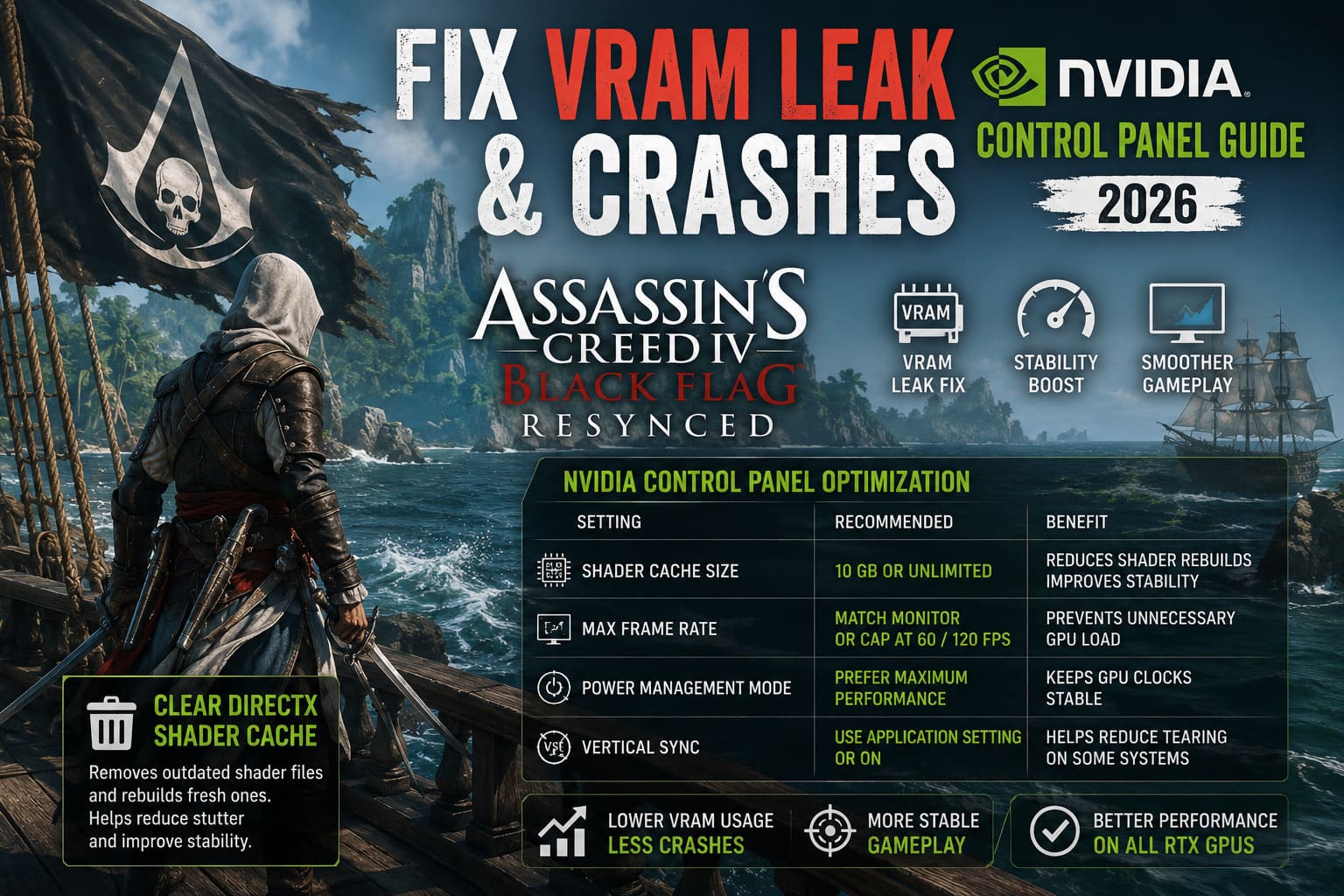
| Setting | Recommended Value | Why It Helps |
|---|---|---|
| Shader Cache Size | 10 GB or Unlimited | Reduces shader rebuilding and improves stability |
| Max Frame Rate | Match monitor refresh or cap at 60/120 FPS | Prevents unnecessary GPU load |
| Power Management Mode | Prefer Maximum Performance | Keeps GPU clocks stable |
| Vertical Sync | Use Application Setting or On | Helps eliminate tearing on some systems |
I personally noticed the biggest improvement after limiting frame rate.
Menus in particular were previously sending my GPU usage straight to 99%, which only accelerated the VRAM problem.
Clearing the DirectX Shader Cache Is Worth Five Minutes
This is one of those maintenance steps many players overlook.
If you’ve already crashed multiple times, Windows may have accumulated outdated shader files that no longer match the game’s latest compilation.
Removing only the DirectX Shader Cache allows Windows to rebuild fresh versions the next time you launch the game.
The first launch afterward usually takes slightly longer, but every launch after that tends to feel smoother.
It isn’t magic—but it definitely helped reduce hitching on my system.
Graphics Settings That Actually Matter
Normally I love pushing every graphical option to Ultra.
This time, I backed off a little.
Honestly, the visual difference was much smaller than I expected, while performance improved significantly.
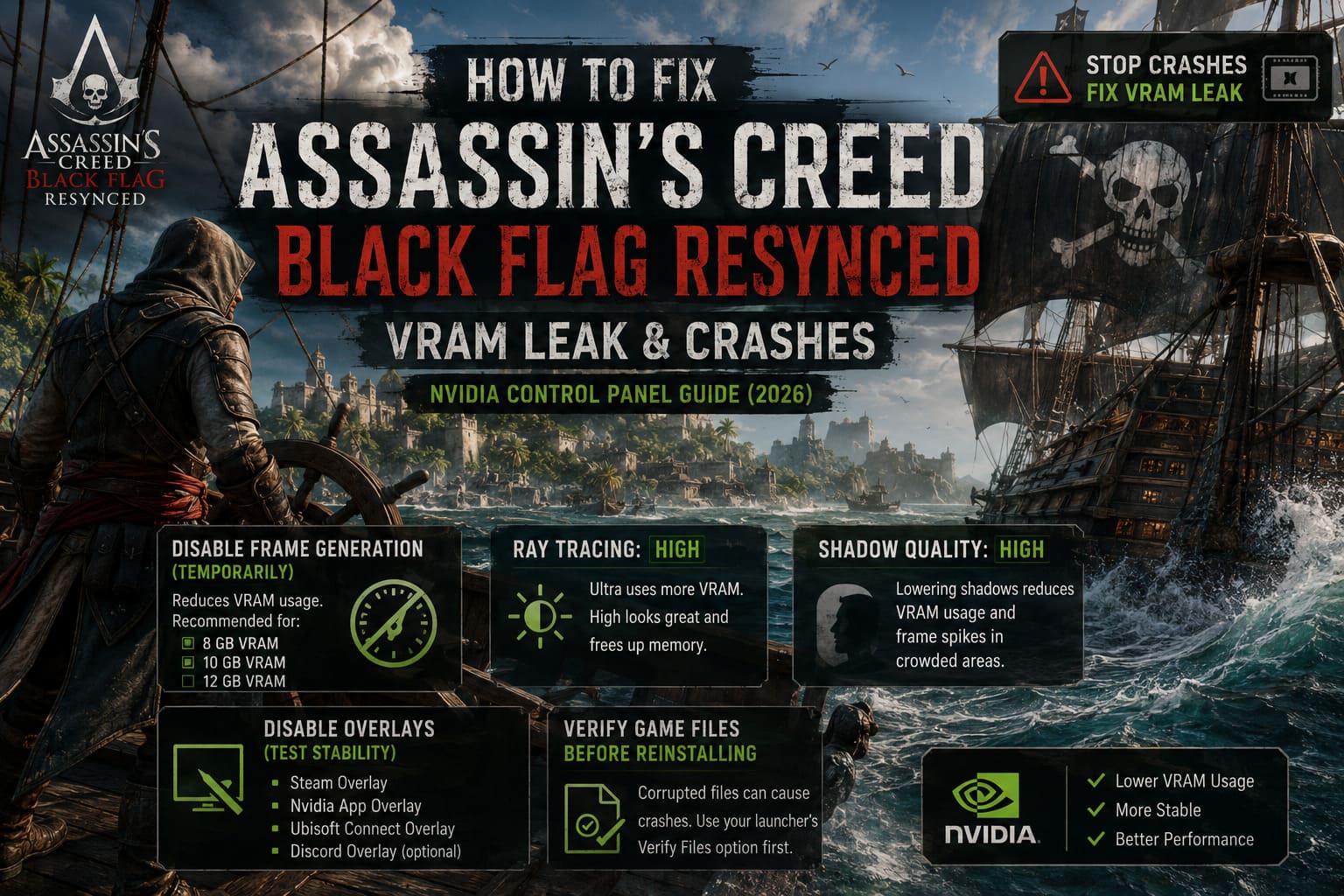
Disable Frame Generation (Temporarily)
Frame Generation looks fantastic when it’s working properly.
Unfortunately, it also increases VRAM usage considerably.
If your GPU has:
- 8 GB VRAM
- 10 GB VRAM
- even 12 GB VRAM
turning Frame Generation off is worth testing until future patches improve optimization.
Leave Ray Tracing on High
Ultra settings sound impressive, but in practice they’re responsible for a surprising amount of additional memory usage.
Running Ray Tracing on High instead of Ultra still delivers excellent lighting while freeing valuable VRAM.
For me, the difference during gameplay was almost impossible to notice.
Lower Shadow Quality
Shadows remain one of the most demanding graphical features in modern games.
Dropping them from Ultra to High reduced both VRAM allocation and occasional frame spikes while sailing into large cities.
If someone asked me where to save performance without sacrificing visuals, shadows would probably be my first recommendation.
Don’t Ignore Background Software
Another thing I discovered while troubleshooting is that overlays still cause strange problems in certain DirectX 12 titles.
If you’re running multiple overlays simultaneously, try disabling:
- Steam Overlay
- Nvidia App Overlay
- Ubisoft Connect Overlay
- Discord Overlay (optional)
Each one uses only a small amount of resources, but together they introduce extra hooks into the rendering pipeline.
Sometimes that’s enough to trigger instability.
Verify the Installation Before Trying Anything Extreme
It sounds obvious, but corrupted files still happen.
Especially after day-one patches.
Before reinstalling the entire game, use your launcher’s Verify Files feature.
I’ve fixed several newly released games this way over the past year without downloading the whole installation again.
It’s quick, easy, and absolutely worth trying.
Increase Windows Virtual Memory
Many players focus entirely on VRAM while forgetting that system memory matters too.
If both RAM and VRAM become exhausted simultaneously, Windows has very little room to recover.
Increasing the paging file gives the operating system additional breathing room.
I generally recommend placing the paging file on a fast SSD.
A custom size around 16 GB is usually enough for most gaming systems, although players with 32 GB or more of RAM may rarely notice any benefit.
Administrator Mode Still Helps More Than You’d Think
Some PC gamers dismiss compatibility settings as outdated.
Normally I’d agree.
However, for freshly released titles they’re occasionally useful.
I enabled:
- Run as Administrator
- Disable Fullscreen Optimizations
Neither option transformed performance overnight, but together they eliminated several odd launch issues during my testing.
Considering it takes less than a minute to configure, there’s very little downside.
My Recommended Graphics Preset
After experimenting for several streaming sessions, this is the setup that delivered the best balance between visuals and stability.
| Option | My Recommendation |
|---|---|
| Resolution | Native |
| Texture Quality | High |
| Ray Tracing | High |
| Terrain Quality | High |
| Shadow Quality | High |
| Volumetric Effects | High |
| Frame Generation | Off (for now) |
| V-Sync | Optional |
| FPS Limit | Match monitor refresh rate |
The game still looks stunning.
More importantly, it stays stable.
That’s a trade-off I’ll happily make until Ubisoft releases additional optimization patches.
Assassin’s Creed Black Flag Resynced: GTX 1080 Ti Optimization Guide (Low Budget FPS Boost)
Is This Really a VRAM Leak?
From everything I’ve observed, it certainly behaves like one.
GPU memory usage continuously increases during extended gameplay instead of leveling out.
Restarting the game immediately drops memory consumption back to normal, which is exactly what you’d expect if resources aren’t being released correctly.
Hopefully future updates improve memory management, because the underlying game is genuinely enjoyable once it stops fighting your hardware.
Final Thoughts
Despite the frustrating launch issues, I still think Assassin’s Creed Black Flag Resynced is one of the best-looking remasters I’ve played this year. The enhanced Caribbean lighting, improved water rendering, and modern DirectX 12 effects make exploring the open sea feel fresh again.
The downside is that the PC version currently demands more from your graphics card than it probably should. Until official patches improve memory management, a few manual tweaks can make an enormous difference.
If I had to prioritize only three fixes, they would be:
- Configure a dedicated Nvidia Control Panel profile with an appropriate Shader Cache Size and FPS cap.
- Reduce the most demanding graphics settings from Ultra to High, especially Ray Tracing, Terrain Quality, and Shadows.
- Clear the DirectX Shader Cache and verify the game files after every major update.
Those three changes alone transformed my experience from frequent desktop crashes into several uninterrupted gaming sessions. As someone who enjoys covering brand-new releases the moment they arrive, I know how disappointing launch-day technical issues can be. Thankfully, Black Flag Resynced feels much better after a little optimization, and once the crashes are gone, it’s much easier to appreciate everything the game does right. If Ubisoft continues polishing the PC version over the coming updates, I can easily see this becoming the definitive way to experience Edward Kenway’s pirate adventure once again.