How to Enable 3D-Guided Neural Rendering in NBA 2K27: DLSS 5 PC Guide
I’ve played plenty of sports games where the developers promise “next-generation visuals,” only for me to notice the difference for about five minutes before going back to playing normally.
NBA 2K27 is different.
After spending time looking at the PC version and experimenting with its newest NVIDIA graphics features, I can honestly say this is one of those rare cases where a graphics setting can actually change how the entire game feels. The players look more natural under arena lighting, shadows have more depth, and those little details around skin, hair, jerseys, and equipment are much easier to appreciate when you stop and look at the replay camera.
The big reason is NVIDIA DLSS 5 and its 3D-Guided Neural Rendering technology.
NBA 2K27, released on September 4, 2026, is being positioned as the first game to introduce this new generation of neural rendering. Unlike traditional DLSS features that primarily focus on reconstructing a higher-resolution image or generating additional frames, this technology works with information already produced by the game engine.
That distinction matters.
And if you’re sitting on an RTX 50 Series GPU, this is one of the first settings I would experiment with.
What Exactly Is 3D-Guided Neural Rendering?
The easiest way I can describe it is this: the game still creates the world, but AI gets involved in polishing the final picture.
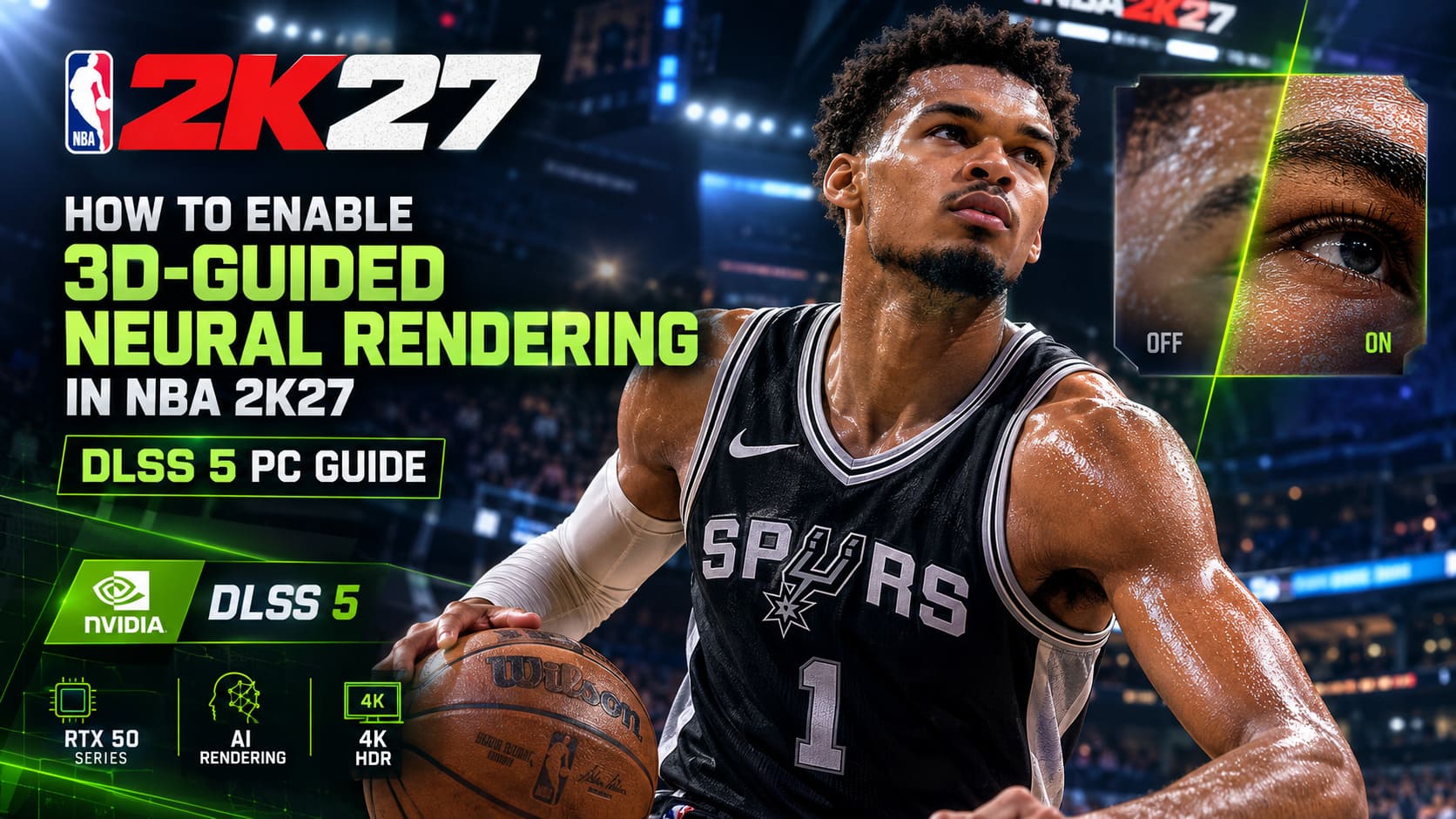
The neural rendering system doesn’t simply invent what it thinks a basketball player should look like. It receives information from the game’s existing rendering pipeline, including geometry, textures, lighting information, motion vectors, and surface data.
That gives the AI a much better understanding of what’s actually happening in the scene.
The difference becomes especially interesting with human characters.
Skin Looks Less Like a Video Game Character
One of the first things I noticed is the treatment of skin.
Real skin isn’t a flat surface. Light passes through its outer layers and scatters underneath the surface. That’s part of why a person’s skin can look completely different under sunlight, fluorescent lights, or a brightly illuminated basketball arena.
3D-Guided Neural Rendering attempts to reproduce that kind of behavior more convincingly.
You can see it during close-ups and replays, particularly when players are sweating under strong arena lights.
Hair Gets More Natural
Hair is another area where traditional rendering techniques can struggle.
Low-quality hair textures can shimmer, look overly flat, or behave strangely when the camera moves quickly. Neural rendering can help reconstruct finer visual details, making hair appear less like a textured surface and more like actual individual strands catching light.
It’s not the kind of improvement you’ll necessarily notice while frantically defending a fast break.
Watch a replay, though, and it’s much easier to appreciate.
Shadows Have More Weight
This is probably my favorite improvement.
Contact shadows help objects feel like they’re actually touching one another. Jerseys sit against bodies, arms overlap torsos, and equipment interacts with clothing instead of looking like separate layers floating on top of each other.
That sounds like a tiny technical detail.
It isn’t.
Good contact shadows are one of those things that make a scene feel convincing without you consciously realizing why.
NBA 2K27 DLSS 5 Hardware Requirements
This is where things get a little less exciting.
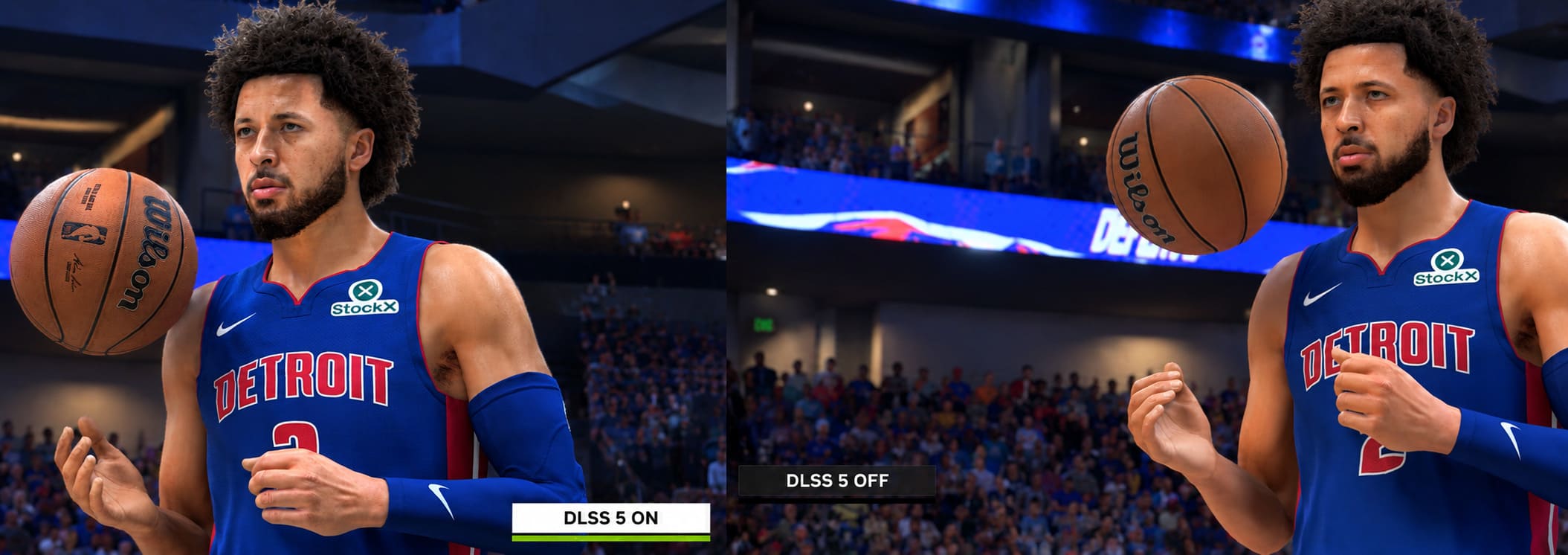
3D-Guided Neural Rendering is designed around NVIDIA’s newest RTX hardware. Official support at launch is focused on the GeForce RTX 50 Series and compatible laptops.
So, if you’ve got something like an RTX 5090 or RTX 5080, you’re in the ideal position to test the feature.
| Hardware / Platform | DLSS 5 Neural Rendering | Recommendation |
|---|---|---|
| RTX 50 Series | Supported | Best choice |
| RTX 40 Series | Limited / Future Support | Wait for official support |
| RTX 30 Series | Not officially supported | Use standard DLSS |
| RTX 20 Series | Not officially supported | Avoid unofficial implementations |
| GeForce NOW Ultimate | Supported through compatible cloud hardware | Good alternative |
There is also an interesting alternative for players who don’t own a current-generation NVIDIA card.
GeForce NOW Ultimate provides access to cloud hardware based around RTX 5080-class systems. That makes it possible to experience the technology without physically installing an RTX 50 Series card in your PC.
Personally, I think that’s pretty cool.
Not everyone is going to spend the money required for a flagship GPU just to squeeze more realism out of a basketball game.
How to Enable DLSS 5 Neural Rendering in NBA 2K27
If your hardware is compatible, getting the feature running isn’t particularly complicated.
Step 1 — Update Your NVIDIA Driver
Before changing anything inside the game, update your NVIDIA graphics driver.
The launch configuration is designed around the latest supported Game Ready software, so don’t try to troubleshoot graphical problems while running an ancient driver.
After installing the driver, restart Windows.
Yes, I know. Nobody likes restarting their PC.
Do it anyway.
Step 2 — Open NBA 2K27 Video Settings
Launch NBA 2K27 and head into the game’s settings menu.
Look for:
Features / Options → Video Settings
The exact menu presentation can vary depending on the platform configuration, but you’re looking for the main graphics and display settings.
Step 3 — Find DLSS Neural Rendering
Scroll through the graphics options until you reach the NVIDIA/DLSS section.
The important option is:
DLSS Neural Rendering
If your GPU and driver are recognized correctly, the setting should be available.
Step 4 — Turn It On
Switch DLSS Neural Rendering to Enabled.
At this point, the neural rendering system becomes part of the game’s final image-processing pipeline.
I recommend testing it in a replay or practice environment first rather than immediately jumping into an online match.
That makes it much easier to spot changes in image quality and performance.
Step 5 — Restart NBA 2K27
After applying the setting, restart the game.
This isn’t always strictly necessary for every graphics option, but when you’re changing a feature tied to shaders and the rendering pipeline, I’d rather spend an extra minute restarting than wonder whether the game actually loaded everything correctly.
The Catch: DLSS 5 Neural Rendering Can Be Expensive
Here’s the part nobody wants to hear.
Better graphics don’t come for free.
Traditional DLSS Super Resolution is primarily designed to improve performance by rendering internally at a lower resolution and reconstructing the final image.
Neural Rendering is doing something different.
It adds additional processing to the final image.
According to the performance testing described around the feature, enabling neural rendering can result in a very substantial performance hit, with figures around a 60% reduction in raw frame-rate performance under demanding conditions.
That’s enormous.
If you’re playing NBA 2K27 competitively and you’re obsessed with squeezing every possible frame out of your RTX 5090, you probably don’t need this feature turned on all the time.
If you’re playing at 4K with HDR, max settings, and enjoying the presentation?
That’s a different story.
I personally love replay cameras and broadcast-style presentation in sports games, so I’m willing to sacrifice some performance for better visuals when the hardware has enough headroom.
My Recommended DLSS 5 Settings
The trick is not to throw every setting to maximum and hope your GPU survives.
Instead, use the NVIDIA technologies together.
DLSS Super Resolution
Start with Quality.
If performance is still struggling, move to Balanced.
I wouldn’t immediately drop to the most aggressive quality preset on a high-end machine because NBA 2K27 benefits from a sharp image, especially when you’re looking at player faces, jerseys, court markings, and small details in the arena.
Multi Frame Generation
If your hardware supports it, Multi Frame Generation becomes extremely useful when Neural Rendering is enabled.
This isn’t replacing the underlying rendering work. Instead, it can increase the number of displayed frames by generating additional frames between traditionally rendered ones.
The result can make the game feel dramatically smoother.
NVIDIA Reflex
Turn NVIDIA Reflex On + Boost if available.
This is particularly important if you’re combining heavy rendering with frame generation.
Sports games are timing-sensitive. Whether you’re shooting, defending, passing, or reacting to an opponent’s movement, responsiveness matters.
I would rather have slightly lower visual quality than a beautiful game that feels sluggish.
What About RTX 40, RTX 30, and RTX 20 GPUs?
This is where things get messy.
There has been plenty of interest from the PC modding community around getting newer neural-rendering libraries working on older NVIDIA hardware.
Some unofficial experiments have attempted to bypass hardware restrictions or replace existing DLSS components.
Could it work?
Potentially.
Would I recommend building your entire NBA 2K27 setup around an unofficial DLL replacement?
Absolutely not.
At least not on a main PC that you actually care about.
You can run into crashes, visual corruption, broken updates, unstable frame times, or completely unexpected behavior after a game patch.
And even if you successfully force the feature onto an RTX 30 or RTX 20 Series card, there’s another problem: those GPUs weren’t designed around the same hardware capabilities as the RTX 50 Series.
Getting a toggle to appear isn’t the same thing as getting a good experience.
For older cards, I’d stick with conventional DLSS and optimized graphics settings until official support arrives.
Why the Technology Is Interesting for Sports Games
Here’s the thing I really like about this whole experiment.
Sports games are unusually well suited to this kind of technology.
A basketball game constantly throws complicated visual information at the GPU: players moving independently, changing lighting conditions, cloth simulation, skin, hair, shoes, court reflections, crowds, LED boards, shadows, and camera movement.
And unlike a typical action game, NBA 2K27 frequently puts the camera extremely close to human faces.
That makes small rendering improvements much easier to see.
A neural rendering system that can improve skin, hair, clothing, and contact shadows therefore makes sense here.
It’s not just about making the grass greener or adding another layer of reflections.
It’s about making the people themselves look more believable.
Should You Actually Turn It On?
My answer is simple: if your PC can afford the performance cost, yes.
But I wouldn’t blindly recommend it to every NBA 2K27 player.
If you’re playing competitively at a high-refresh-rate monitor and you’re already struggling to maintain your target FPS, turn it off and keep your image pipeline lean.
If you’re running a powerful RTX 50 Series GPU and playing at 1440p or 4K, it’s absolutely worth testing.
For me, the sweet spot is a combination of:
- DLSS Super Resolution: Quality
- DLSS Neural Rendering: Enabled
- Multi Frame Generation: Enabled
- NVIDIA Reflex: On + Boost
Then I would adjust resolution and traditional graphics settings depending on the frame rate you’re targeting.
NBA 2K27 Gatorade Gym Guide: All 12 Unique Drills and How to Unlock Workout Warrior
Final Thoughts
NBA 2K27 is already an impressive-looking sports game, but DLSS 5 makes the PC version particularly interesting for graphics enthusiasts.
I’m usually skeptical when a new rendering technology gets buried under a mountain of marketing language. I want to see whether I can actually notice the difference while playing.
With 3D-Guided Neural Rendering, I can.
The biggest improvements aren’t necessarily dramatic effects that scream for your attention. They’re the subtle things: how light sits on a player’s face, how a jersey meets the body, how shadows behave around equipment, and how hair reacts to arena lighting.
Those details add up.
The downside is obvious: the performance cost can be brutal.
So my advice is to treat Neural Rendering as a premium visual mode, not a mandatory setting. If you’ve got RTX 50 Series hardware with plenty of GPU headroom, turn it on and enjoy what NVIDIA and Visual Concepts are trying to accomplish.
If you’re chasing maximum competitive FPS, stick with regular DLSS and frame generation.
Either way, NBA 2K27 is giving PC players something I genuinely enjoy seeing: a graphics option that isn’t just another resolution slider. It’s a glimpse at where real-time sports visuals could be heading next.