The Blood of Dawnwalker: PS5 vs Xbox Series X Performance and Graphics Analysis
The launch of The Blood of Dawnwalker on September 3, 2026, is shaping up to be one of the biggest moments of the year for fans of dark fantasy action RPGs. There are plenty of ambitious games coming to current-generation consoles, but this one immediately stands out because of what Rebel Wolves is trying to achieve with Unreal Engine 5.
After spending years playing demanding open-world RPGs—from games that prioritize beautiful visuals at 30 FPS to fast-paced action titles where 60 FPS feels absolutely essential—I have learned one important lesson: the best graphics mode is not always the best way to experience a game.
That is exactly what makes the PS5 vs Xbox Series X comparison for The Blood of Dawnwalker interesting.
This is a visually ambitious game built around a dark medieval world, advanced lighting, dense environments, and the unusual gameplay concept of switching between human and vampire identities. The game asks a lot from current hardware, and the differences between Quality, Balanced, and Performance modes create very different experiences depending on what kind of player you are.
The good news is that Rebel Wolves eventually gave players the option many people wanted most: a dedicated 60 FPS Performance Mode.
The question is simple: which console handles The Blood of Dawnwalker better—PlayStation 5 or Xbox Series X?
A Controversial Road to 60 FPS
Before getting into the actual console comparison, it is worth talking about the performance controversy surrounding the game.
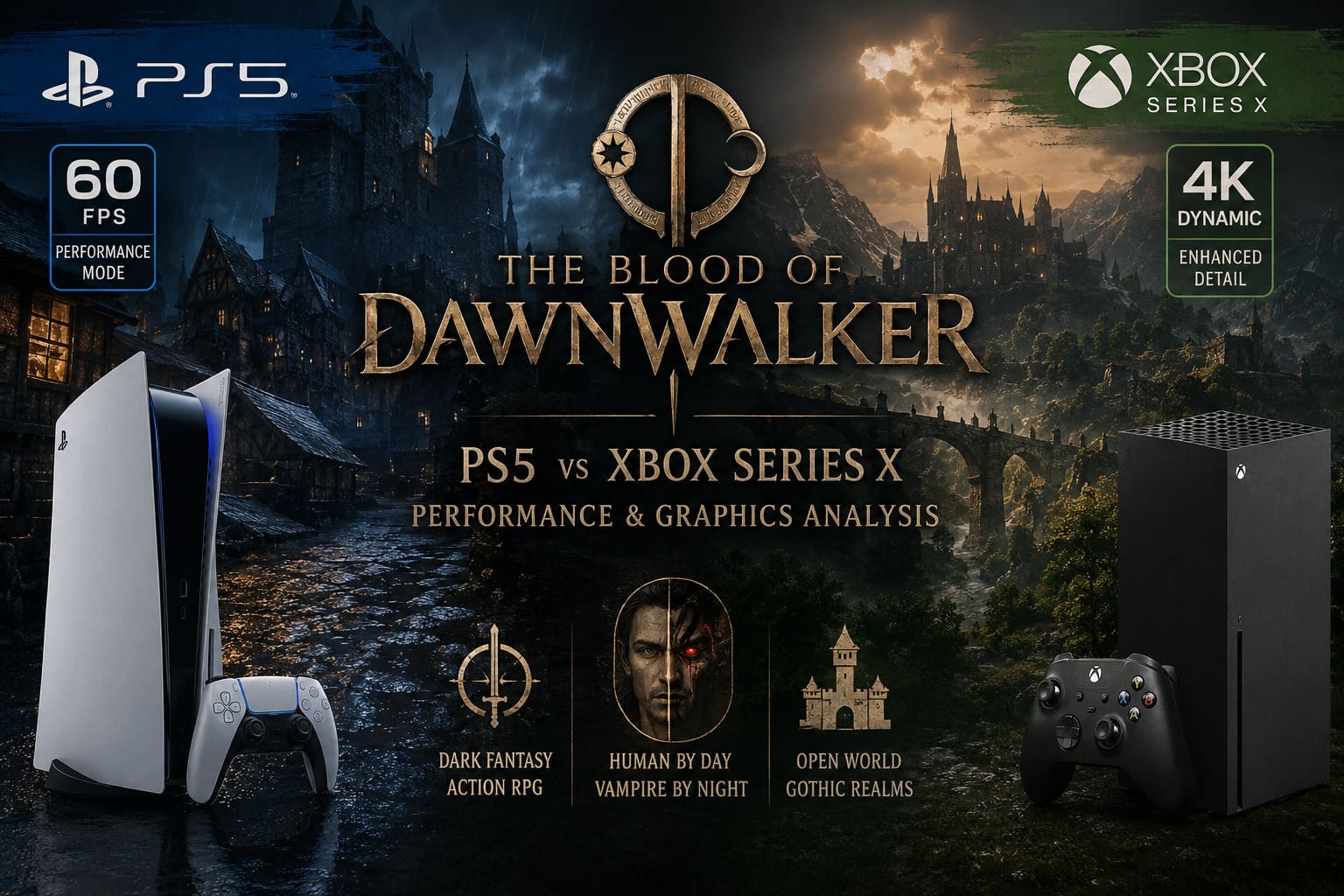
Early console information focused on only two graphics options:
- Quality Mode – 30 FPS
- Balanced Mode – 40 FPS
For a slower cinematic RPG, that might not have caused much discussion. But The Blood of Dawnwalker is an action RPG, and combat responsiveness matters. Camera movement, dodging, fast transformations, and close-range encounters all benefit enormously from higher frame rates.
Personally, I understand why players were unhappy.
I have played plenty of excellent games at 30 FPS, and I don’t automatically consider 30 FPS unplayable. However, once you spend enough time playing modern action games at 60 FPS, going back to 30 can feel rough—especially when the game involves fast camera movement.
The backlash eventually pushed Rebel Wolves to change direction. The studio confirmed that a 60 FPS Performance Mode would arrive with the Day One patch for PS5, PS5 Pro, and Xbox Series X.
That decision dramatically improved the console version of the game because players now have a genuine choice instead of being forced to prioritize visuals over responsiveness.
PS5 and Xbox Series X: The Hardware Difference
On paper, the Xbox Series X has the stronger graphics hardware.
The system features a 12-teraflop RDNA 2 GPU with 52 Compute Units, while the standard PlayStation 5 uses a 10.28-teraflop RDNA 2 GPU with 36 Compute Units running at higher clock speeds.
Of course, comparing consoles based entirely on teraflops is never enough. Anyone who has followed console comparisons for years knows that real-world performance can vary significantly depending on the engine and optimization.
Still, Unreal Engine 5 games often benefit from additional GPU resources, particularly when dealing with:
Lumen lighting, complex shadows, dense geometry, volumetric effects, and high-resolution rendering.
That gives the Xbox Series X a theoretical advantage, particularly when the game is trying to maintain image quality during demanding scenes.
The PS5, meanwhile, remains an extremely capable system and often performs very well with fast streaming and highly optimized asset pipelines.
Here is the basic comparison:
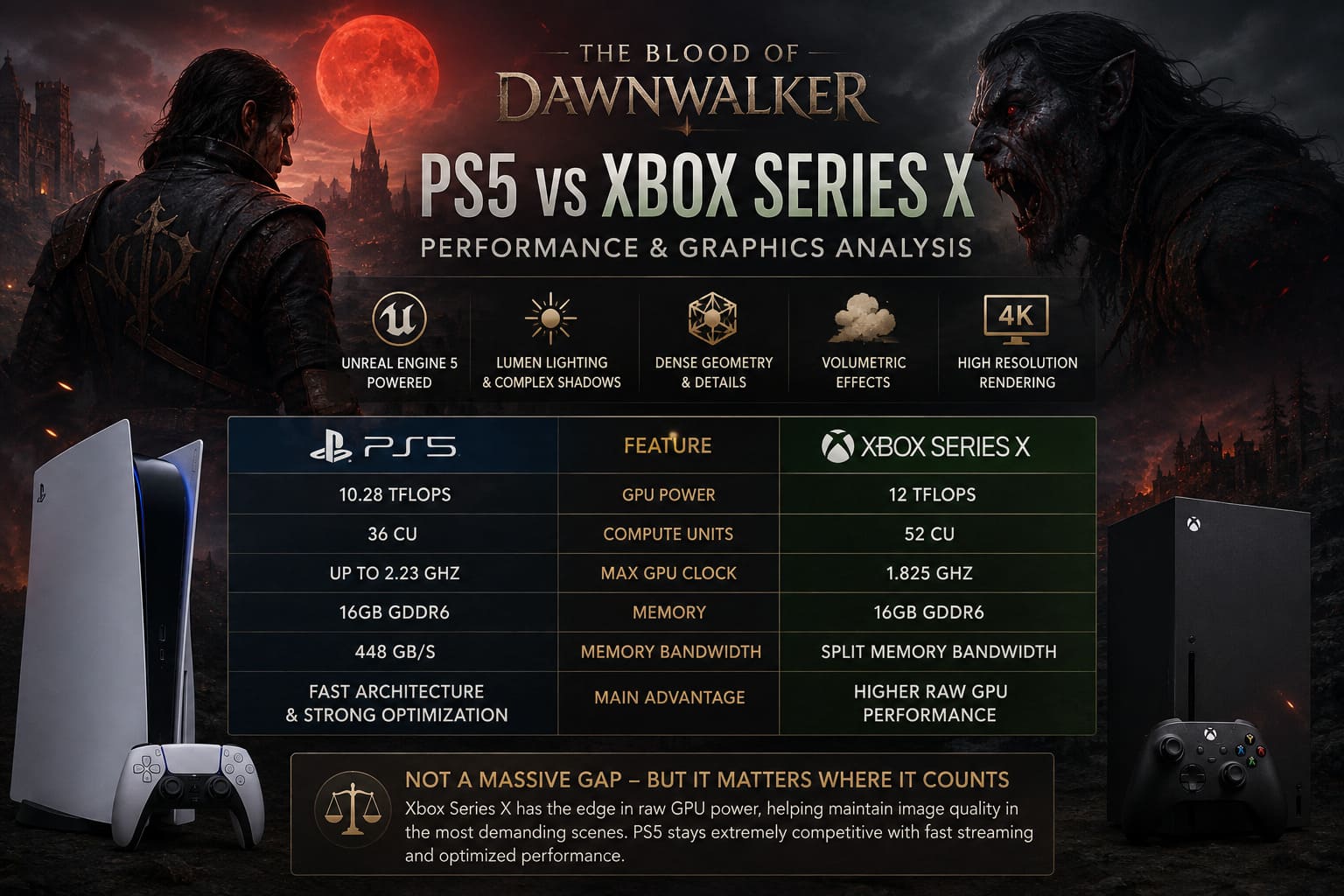
| Feature | PlayStation 5 | Xbox Series X |
|---|---|---|
| GPU Power | 10.28 TFLOPs | 12 TFLOPs |
| Compute Units | 36 CU | 52 CU |
| Maximum GPU Clock | Up to 2.23 GHz | 1.825 GHz |
| Memory | 16GB GDDR6 | 16GB GDDR6 |
| Memory Bandwidth | 448 GB/s | Split memory bandwidth |
| Main Advantage | Fast architecture and strong optimization | Higher raw GPU performance |
For The Blood of Dawnwalker, these differences are not massive enough to create two completely different versions of the game. Instead, they become most noticeable in image sharpness and heavy performance scenarios.
The Blood of Dawnwalker Graphics Modes Explained
The game gives console players three main ways to experience its dark fantasy world.
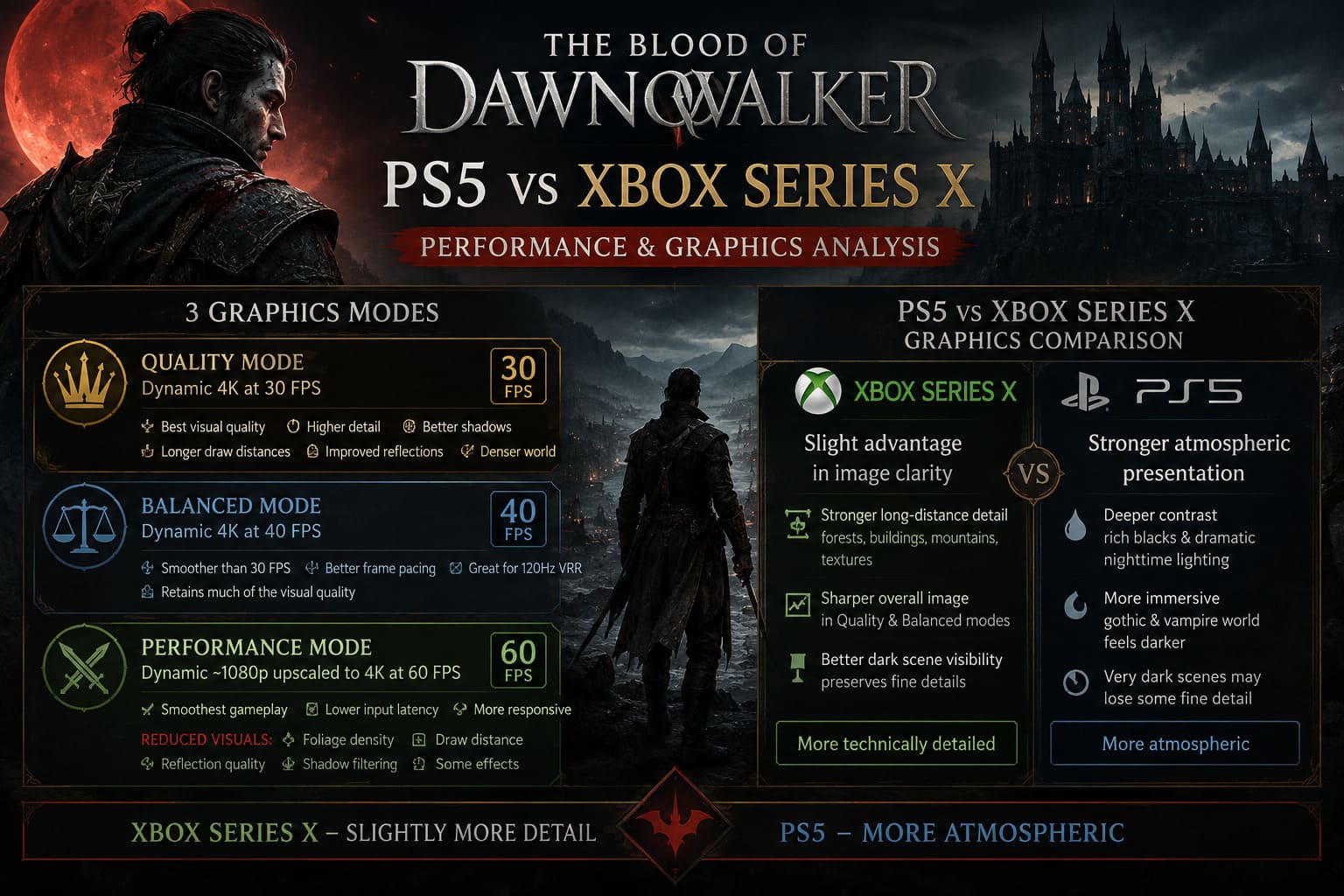
Quality Mode – Dynamic 4K at 30 FPS
Quality Mode is clearly designed for players who want the best possible visual presentation.
The game targets a dynamic 4K output, allowing the internal resolution to change depending on how demanding the current scene is. Quiet interiors and less demanding environments can maintain much higher resolution, while combat and visually complex areas require more aggressive scaling.
This mode offers the strongest visual package:
- Better environmental detail
- Higher-quality shadows
- Longer draw distances
- Improved reflections
- Denser foliage and world detail
The downside is obvious: 30 FPS.
For exploration and story-focused gameplay, Quality Mode can look fantastic. The gothic architecture, dark forests, plague-ridden settlements, and nighttime environments benefit enormously from the additional visual detail.
But personally, this would not be my preferred mode for long sessions. After playing action RPGs at 60 FPS, the lower camera responsiveness is difficult to ignore.
Balanced Mode – Dynamic 4K at 40 FPS
This is where things get interesting.
If you own a 120Hz display with VRR support, Balanced Mode may actually be the best option for many players.
The jump from 30 FPS to 40 FPS might not sound dramatic when you only look at the numbers. In reality, the difference is surprisingly noticeable.
The frame time improves from approximately 33.3 milliseconds at 30 FPS to 25 milliseconds at 40 FPS, making movement and camera controls feel significantly smoother.
You also retain much more of the game’s visual quality than you do in Performance Mode.
In my opinion, 40 FPS modes have become one of the most underrated features of modern console gaming. They offer a middle ground that works extremely well for cinematic action RPGs.
If you have the right display, this may be the sweet spot.
Performance Mode – 60 FPS Target
The most important addition is undoubtedly the 60 FPS Performance Mode.
This mode sacrifices rendering resolution and several secondary visual effects in order to prioritize smooth gameplay and lower input latency.
The internal rendering resolution drops closer to a 1080p-level baseline, followed by upscaling toward a 4K output.
To keep performance stable, the game also reduces several demanding features, including:
- Foliage density
- Secondary object draw distance
- Reflection quality
- Shadow filtering
- Some environmental rendering effects
The difference is immediately visible when comparing Performance Mode with Quality Mode.
The image is softer, and fast camera movement can expose shimmering on detailed objects such as tree branches, water surfaces, and complex armor.
However, there is another side to that argument.
The game simply feels better at 60 FPS.
Combat becomes more responsive, camera movement is smoother, and the entire experience feels more natural when navigating the world.
For players who prioritize gameplay over pixel-perfect visuals, Performance Mode is probably the easiest choice.
PS5 vs Xbox Series X Graphics Comparison
When comparing the two base consoles, the Xbox Series X appears to have a slight advantage in overall image clarity.
This is particularly noticeable in Quality and Balanced modes.
The Series X can maintain stronger detail across long-distance environments, including:
Forest foliage, distant buildings, mountain landscapes, and environmental textures.
The difference is not enormous. You are not going to turn on the PS5 version and suddenly think something is wrong with the graphics. Both versions look impressive.
But when you start looking closely, the Xbox version has a small advantage in sharpness.
The PlayStation 5 version has its own strengths, particularly in its atmospheric presentation.
The darker contrast can make nighttime gameplay feel extremely dramatic. The vampire-focused world benefits from deep shadows and rich black levels, creating a stronger gothic atmosphere.
The downside is that very dark scenes can occasionally lose fine detail.
The Xbox Series X presentation appears slightly brighter and more neutral, which helps preserve detail inside dark environments.
So my personal opinion is simple:
Xbox Series X looks slightly more technically detailed, while the PS5 can sometimes feel more atmospheric.
Performance and FPS Stability
Quality Mode is the easiest mode for both consoles to handle.
At 30 FPS, performance is generally stable, and frame pacing remains consistent throughout most gameplay. Minor issues can occur during large streaming transitions, but these moments are relatively brief.
Balanced Mode also performs extremely well.
The Xbox Series X has a small advantage during visually demanding scenes involving heavy weather effects, particles, and multiple enemies.
The PS5 remains close behind, although more demanding combat sequences can occasionally push performance below the intended 40 FPS target.
Performance Mode is where the hardware differences become more noticeable.
Both systems can reach 60 FPS during normal exploration and less demanding interiors. However, Unreal Engine 5 games are rarely easy to keep perfectly locked at 60 FPS.
Heavy combat encounters can push both consoles into the 50 FPS range.
The Xbox Series X appears to recover faster and generally experiences slightly smaller performance drops.
That does not mean the PS5 version performs badly. Far from it.
But if I were choosing between the two base consoles strictly for technical performance, I would give the edge to Xbox Series X.
Why VRR and 120Hz Matter So Much
If you are planning to play The Blood of Dawnwalker on console, your display matters more than you might expect.
A television or monitor with 120Hz and Variable Refresh Rate support provides access to the game’s best-balanced experience.
VRR helps reduce visible tearing and smooth out fluctuating frame rates.
This becomes particularly useful in Performance Mode, where demanding scenes can occasionally fall below the 60 FPS target.
My recommendation would be:
| Player Type | Best Mode |
|---|---|
| Graphics-focused players | Quality Mode |
| Best overall balance | Balanced Mode |
| Competitive and action-focused players | Performance Mode |
| PS5 Pro owners | High-quality 60 FPS mode |
For me, the 40 FPS Balanced Mode is probably the most interesting option on standard hardware.
It delivers a much smoother experience than 30 FPS while avoiding some of the aggressive visual compromises required for 60 FPS.
PS5 Pro Changes the Entire Comparison
The PlayStation 5 Pro is in a completely different position.
The additional GPU power and PlayStation Spectral Super Resolution (PSSR) technology allow the system to deliver a much stronger combination of image quality and performance.
Instead of relying on the same aggressive resolution reductions used by the base consoles, the PS5 Pro can maintain a significantly higher internal rendering resolution while targeting smoother performance.
This is especially important for The Blood of Dawnwalker because the game contains plenty of difficult visual elements for upscaling technology:
Dense vegetation, detailed medieval architecture, moving water, atmospheric fog, and complex character textures.
PSSR helps preserve more fine detail during movement, reducing the softness and shimmering associated with aggressive upscaling.
For players who want the best console version without moving to a high-end gaming PC, the PS5 Pro is clearly the premium choice.
The Blood of Dawnwalker Boss Guide: Best Combat Strategies and Weaknesses
Final Verdict: PS5 or Xbox Series X?
After looking at graphics quality, frame-rate stability, and the available performance modes, my conclusion is fairly straightforward.
Xbox Series X Wins Among the Base Consoles
The Xbox Series X offers a small but noticeable advantage in:
- Image sharpness
- Distance detail
- Heavy-scene performance
- Frame-rate recovery
The difference is not dramatic enough to make the PS5 version inferior, but the Series X has slightly more breathing room when Unreal Engine 5 starts pushing the hardware.
PS5 Remains an Excellent Choice
The PlayStation 5 version still delivers a fantastic experience.
Its darker contrast and atmospheric presentation work beautifully with the game’s vampire-driven setting. If you already own a PS5, there is absolutely no reason to worry about getting a weaker experience.
And if you own a PS5 Pro, that version becomes the obvious winner thanks to stronger hardware and PSSR-enhanced image quality.
The Blood of Dawnwalker Vampire Powers Guide: Claws and Night Abilities List
My Personal Recommendation
If I were playing on standard current-generation hardware, I would choose the Xbox Series X version, preferably using a 120Hz VRR display.
However, I would seriously consider playing in Balanced Mode rather than Performance Mode.
After playing countless RPGs over the years, I have become convinced that raw FPS numbers are not everything. A stable 40 FPS experience with excellent image quality can sometimes feel better than an unstable 60 FPS mode that constantly compromises the visuals.
Still, the fact that Rebel Wolves listened to players and added a 60 FPS Performance Mode is extremely important.
The Blood of Dawnwalker now gives players a real choice.
And for a visually demanding Unreal Engine 5 dark fantasy RPG, that flexibility may ultimately be more valuable than winning a tiny technical battle between PS5 and Xbox Series X.