How to Link Shadowverse Account to Worlds Beyond (2026 Complete Guide)
I’ve spent thousands of hours playing competitive card games over the years, and very few titles have stayed with me like Shadowverse. It wasn’t just another digital card game—it was one of those games that kept pulling me back every expansion, every new meta, and every ranked season. Watching the original client reach the end of its journey felt surprisingly emotional.
The good news is that Shadowverse: Worlds Beyond isn’t simply replacing the original game. It feels like a genuine evolution. The new mechanics, updated visuals, smoother interface, and social features make it clear that Cygames wanted to build something for the next decade rather than simply release another expansion.
If you’re returning after years of playing the original Shadowverse, one of the first things you should do is transfer your legacy account. I recently went through the process myself, and in this guide I’ll explain exactly how it works, what actually carries over, what doesn’t, and a few mistakes that are incredibly easy to avoid.
Why You Should Transfer Your Shadowverse Data
Even though the original servers have officially concluded their service, your history doesn’t simply disappear.
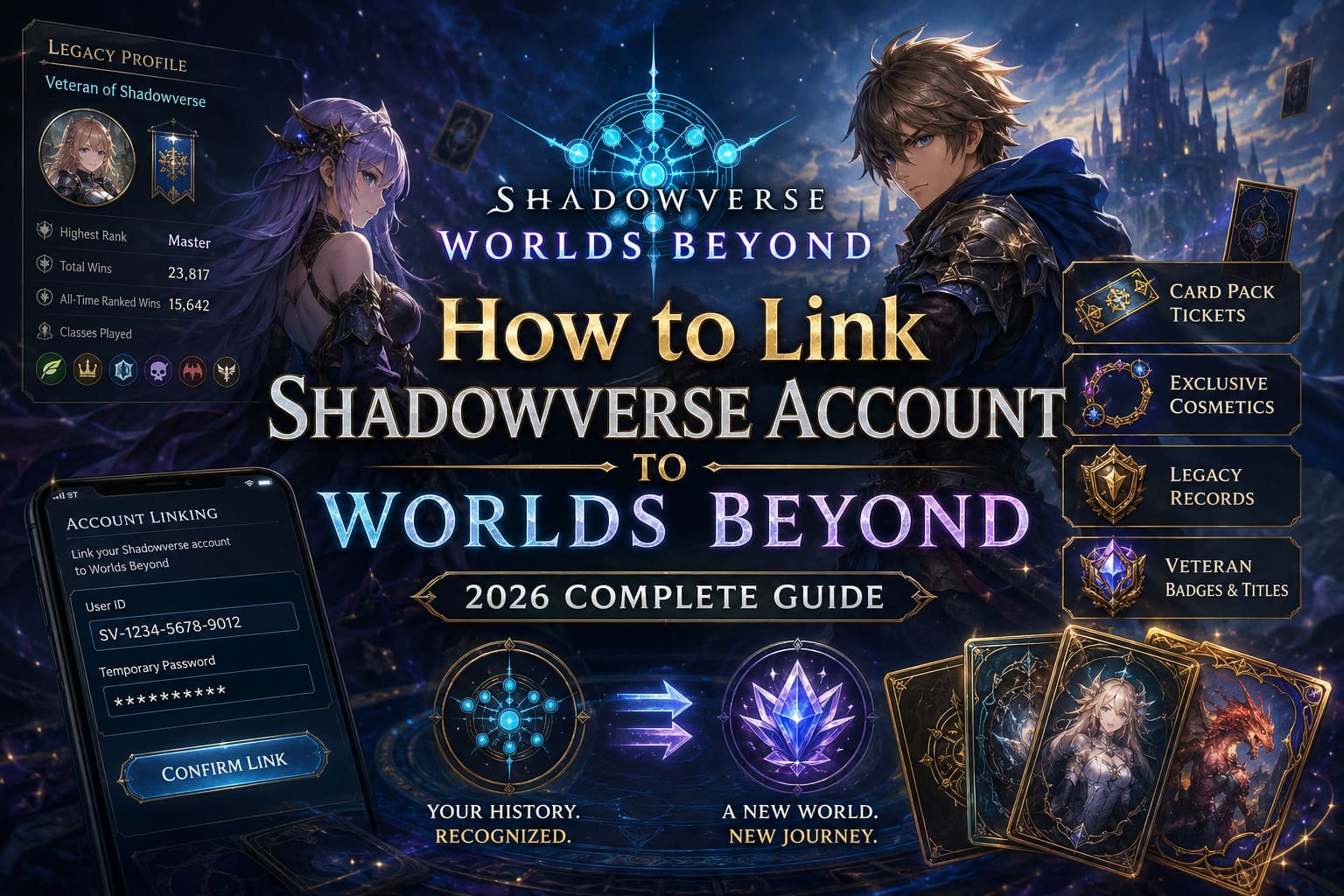
Cygames created a migration system that recognizes your achievements from the classic game and rewards you inside Worlds Beyond. While your old collection isn’t copied card-for-card, your years of dedication are acknowledged through exclusive rewards and historical profile data.
From my perspective, that’s the right approach.
The new game has different systems and card balance, so importing every old card would completely undermine the fresh competitive environment. Instead, longtime players receive recognition without damaging the balance of the new experience.
Some of the biggest reasons to complete the transfer include:
- Exclusive veteran cosmetics
- Card pack tickets
- Legacy profile records
- Historical ranked achievements
- Special badges and titles
If you’ve invested years into Shadowverse, skipping the account transfer simply isn’t worth it.
Before You Begin
The migration only takes a few minutes, but you’ll need access to your original Shadowverse account.
You’ll also need to generate a temporary verification code before starting the linking process.
One important thing to remember is that the verification password has a limited lifetime. If it expires before you enter it into Worlds Beyond, you’ll simply need to generate another one.
Step 1 – Generate Your Transfer Credentials
Open the original Shadowverse application.
Although regular gameplay has ended, the client still includes the migration tools necessary for veterans moving into Worlds Beyond.
Navigate to the account transfer banner found on the main screen.
Once opened, you’ll be asked to confirm the migration agreement.
After accepting it, the game displays two important pieces of information:
| Required Information | Purpose |
|---|---|
| User ID | Identifies your original Shadowverse account. |
| Temporary Password | Confirms ownership during migration. |
I highly recommend copying both immediately rather than typing them manually later.
A simple copy-and-paste avoids unnecessary mistakes.
Step 2 – Open Shadowverse: Worlds Beyond
Now launch Shadowverse: Worlds Beyond on your preferred platform.
This works across supported versions including PC and mobile.
Once you’ve finished the initial setup and reached the main menu:
- Open the settings or additional menu.
- Navigate to the account or other options.
- Choose the legacy Shadowverse linking feature.
- Enter your original User ID.
- Paste the temporary password.
- Confirm the request.
If everything matches correctly, the servers will verify your information within a few moments.
The process is surprisingly straightforward.
Step 3 – Confirm Everything Carefully
Before pressing the final confirmation button, double-check the account information shown on screen.
You’ll usually see information confirming that the correct Shadowverse profile has been detected.
Always verify that:
- your username looks correct;
- the displayed account belongs to you;
- you’re signed into the correct Worlds Beyond profile.
This is especially important if you play across multiple Steam accounts or multiple mobile devices.
Once confirmed, the migration becomes permanent.
What Actually Transfers?
This is probably the biggest question returning players ask.
The answer is both simple and understandable.
Since Worlds Beyond uses a different gameplay foundation, your original collection isn’t imported directly.
That means you do not receive:
- old card collections;
- premium currency balances;
- deck lists;
- crafting materials.
Instead, the migration focuses on recognizing your accomplishments rather than recreating the old economy.
Personally, I think that’s the healthiest decision for competitive play.
Starting everyone on relatively equal footing keeps the new ranked environment far more enjoyable.
Rewards You Can Receive
Card Pack Tickets
Probably the most useful reward.
These help returning players begin building competitive decks without spending additional money immediately.
Higher ranked players generally receive better starting rewards.
Exclusive Cosmetics
One of my favorite parts of the migration.
Rare cosmetic items are always more interesting than raw resources because they permanently show your history.
These rewards may include:
- exclusive flares;
- card sleeves;
- profile decorations;
- veteran titles.
Nothing affects gameplay, but experienced players will instantly recognize them.
Legacy Records
One feature I didn’t expect to enjoy as much as I do is the historical statistics page.
Being able to look back at years of ranked progress feels surprisingly nostalgic.
Your profile can display information such as:
- highest competitive ranks;
- historical victories;
- class statistics;
- tournament achievements.
For longtime fans, it’s a fantastic touch.
Common Problems (And How I Solved Them)
“Authentication Failed”
This almost always comes down to one thing:
Your temporary password has expired.
Simply return to the original Shadowverse client, generate a fresh password, and repeat the process.
It only takes another minute.
“Already Linked”
This message usually appears if the original account has already been connected to another Worlds Beyond profile.
Unfortunately, account migration is intended to be permanent.
That’s why I strongly recommend checking which account you’re logged into before confirming anything.
Once linked, there isn’t a simple undo button.
Cygames ID Issues
After completing the migration, it’s worth connecting your Worlds Beyond account to your Cygames ID.
Besides making account management much easier, it also improves cross-platform accessibility and helps protect your progress.
If the browser reports that your account isn’t connected, simply reopen the in-game account settings and repeat the authorization process.
Usually it’s just a matter of signing into the correct email address.
My Thoughts After Playing Worlds Beyond
I’ve covered card games for years, and I usually approach sequels with a healthy amount of skepticism.
Many games promise to reinvent themselves but end up feeling like slightly prettier versions of what came before.
Worlds Beyond surprised me.
The interface is cleaner.
Matches feel faster.
The animations are significantly more polished.
The new mechanics actually introduce meaningful strategic choices instead of adding complexity just for the sake of it.
Even the overall presentation feels more modern.
Most importantly, it still feels like Shadowverse.
That’s probably the biggest compliment I can give it.
It respects the original game while clearly moving forward.
How to Fix Shadowverse Worlds Beyond Crash on Launch After Emergency Maintenance (2026 Guide)
Migration Checklist
| Task | Status |
|---|---|
| Generate User ID and temporary password | ✔ |
| Install Shadowverse: Worlds Beyond | ✔ |
| Enter both credentials correctly | ✔ |
| Verify account information | ✔ |
| Confirm permanent migration | ✔ |
| Link your Cygames ID | ✔ |
Following these steps should make the entire process smooth and stress-free.
Final Verdict
If you’ve been part of the Shadowverse community for years, transferring your account is one of the first things you should do before diving into ranked matches.
While your original cards remain part of gaming history, your accomplishments continue living inside Worlds Beyond through exclusive cosmetics, profile records, and valuable starting rewards.
After spending time with the new game, I honestly believe Cygames handled this transition far better than many live-service developers have managed in similar situations. Rather than trying to recreate the past, they’ve given longtime players a respectful send-off while building a platform that genuinely feels ready for the future.
Whether you’re a casual fan returning after a long break or a former Grand Master looking to climb the ladder again, linking your legacy account ensures your years of dedication aren’t forgotten—and that’s a nice way to begin a brand-new chapter in one of my favorite digital card games.